Works with Claude
The task manager your AI agent can operate
Connect Claude, Claude Code or any MCP client. Your agent creates the tasks, nests the subtasks and writes the docs. You check the result.
Claude connectorClaude CodeRemote MCPOAuth, no API key
How it works
What your agent can do in Taskpend
Most task apps were built for clicking. Taskpend was built so an AI can do the clicking for you, with the same tasks, docs and boards you use yourself.
Connect in a minute, no install
Taskpend runs a hosted MCP server. Sign in once and approve access.
- Claude: Customize → Connectors, search for Taskpend, Connect.
- Claude Code: one claude mcp add command, then /mcp to sign in.
- Any MCP client: paste the server URL; OAuth handles the rest.
Plans become nested tasks
Ask for a plan and get a real task tree, not a wall of chat text.
- Any depth: projects, phases and next actions, nested as deep as the work goes.
- Same tasks you use: open them as an outliner, Kanban, table or Gantt.
- Try it: "Plan our team offsite in Taskpend."
Docs live next to the work
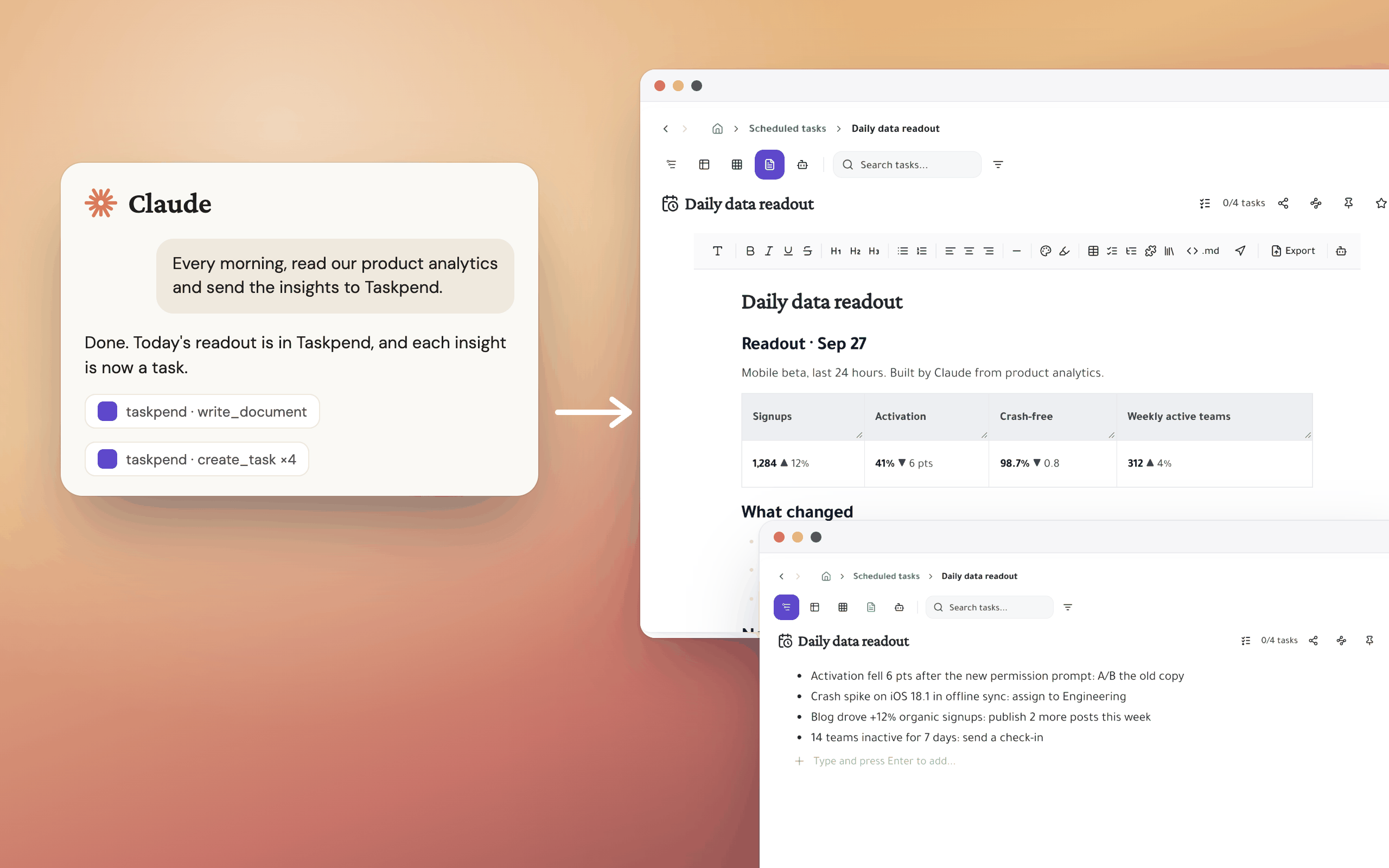
Every task has a document. Your agent reads and writes it in Markdown.
- Briefs and readouts: research, notes and reports land on the task they belong to.
- Media: attach screenshots and video straight into a task's doc.
- Widgets: small interactive dashboards built inside a task.
Boards and sheets it can fill
Columns, status and Jira links are tools the agent can call, not just views.
- Spreadsheet cells: create a column and fill it across many tasks.
- Jira: search issues and link them to tasks.
- Search: find any task by title before it creates a duplicate.
Your permissions, your off switch
Every tool call runs as you, under the same access rules as the app.
- Scoped: you approve tasks and docs access, read and write.
- Recoverable: deletes go to the trash for 24 hours.
- Revocable: disconnect any app in Settings and its tokens stop working at once.
Give your agent a place to work
Create a free Taskpend account, then connect it to Claude.