Kanban with Subtasks

Kanban Cards That Actually Hold Your Whole Project

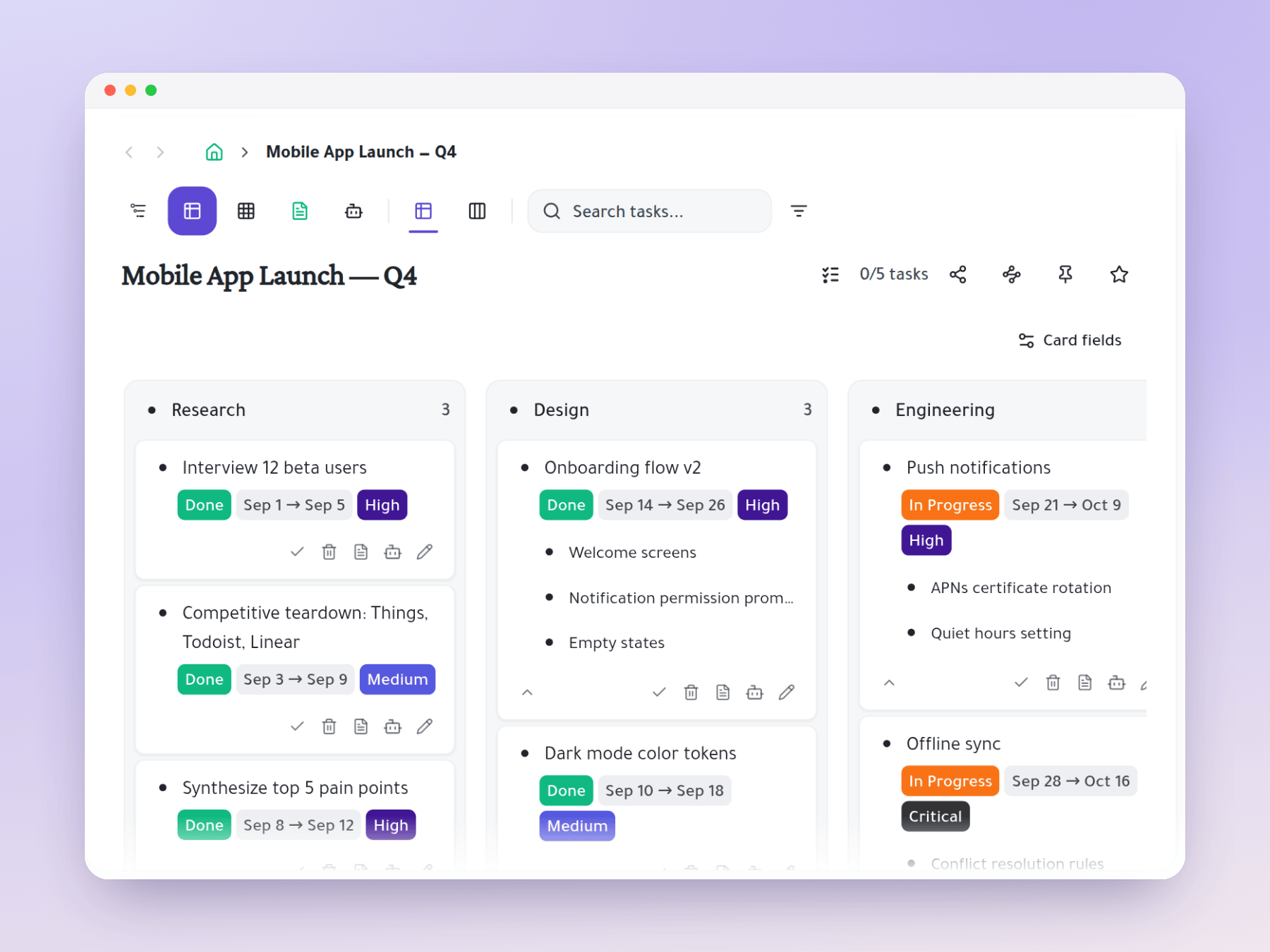
No more hitting the card ceiling. Each Kanban card contains an infinite subtask hierarchy.

# for channels@ for mentionsPersonal outlinerCollaborative real-time syncmulti-homing
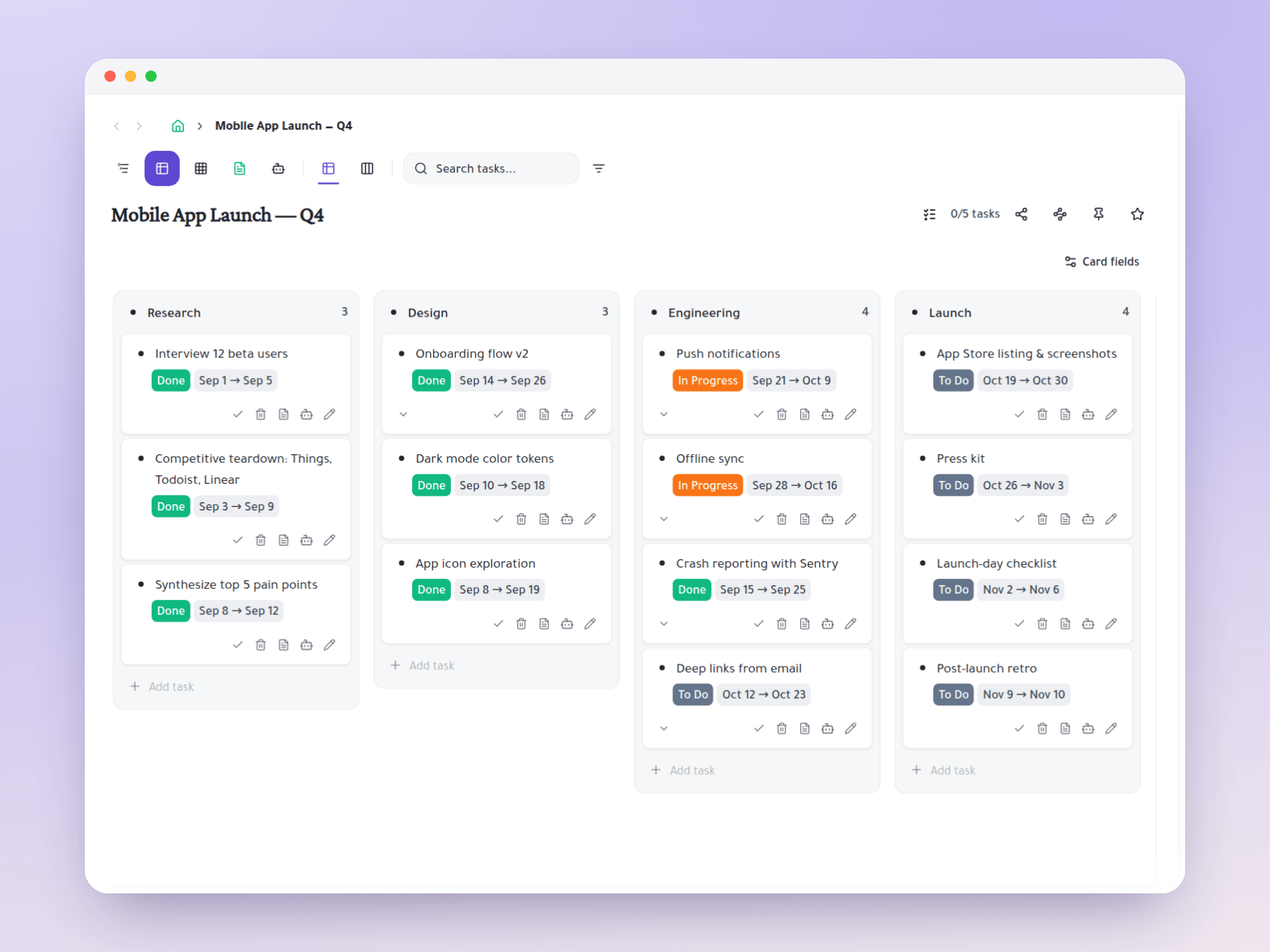
Kanban board with infinite subtask depth per card

How it works

One task, multiple homes, multiple users

Trello changed how teams visualize work — moving cards across columns is intuitive, motivating, and satisfying. But Trello cards have a fundamental limitation: they're shallow. A checklist gives you one level of depth. Complex work (epics, stories, features, bugs) doesn't fit in a checklist. Teams end up creating a Kanban card for every task regardless of hierarchy, ending up with 50 cards where 5 epics should be. Taskpend's Kanban keeps the visual clarity and adds the depth — each card is also a branch in the infinite outliner.

Cards With Real Subtask Depth

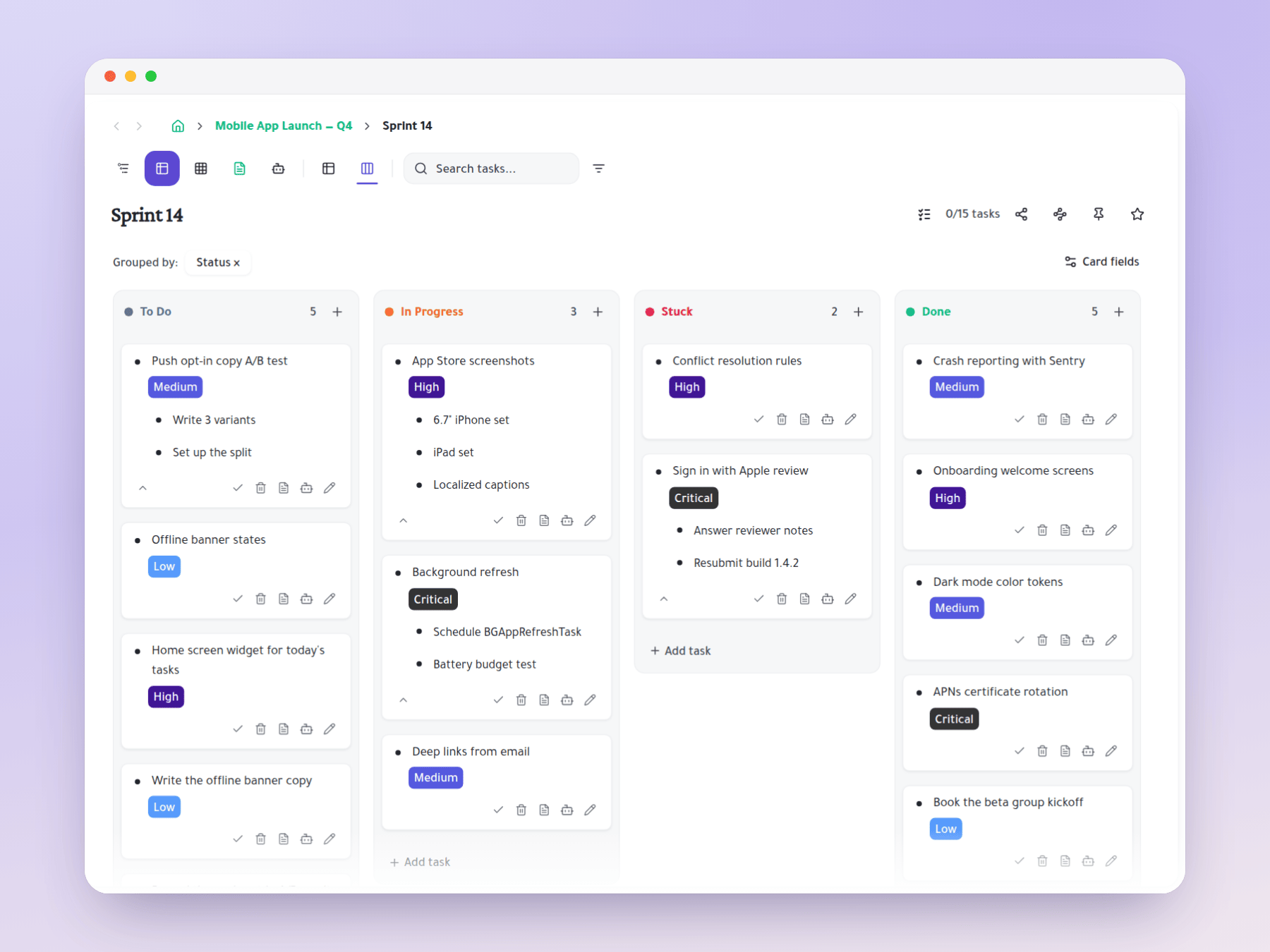
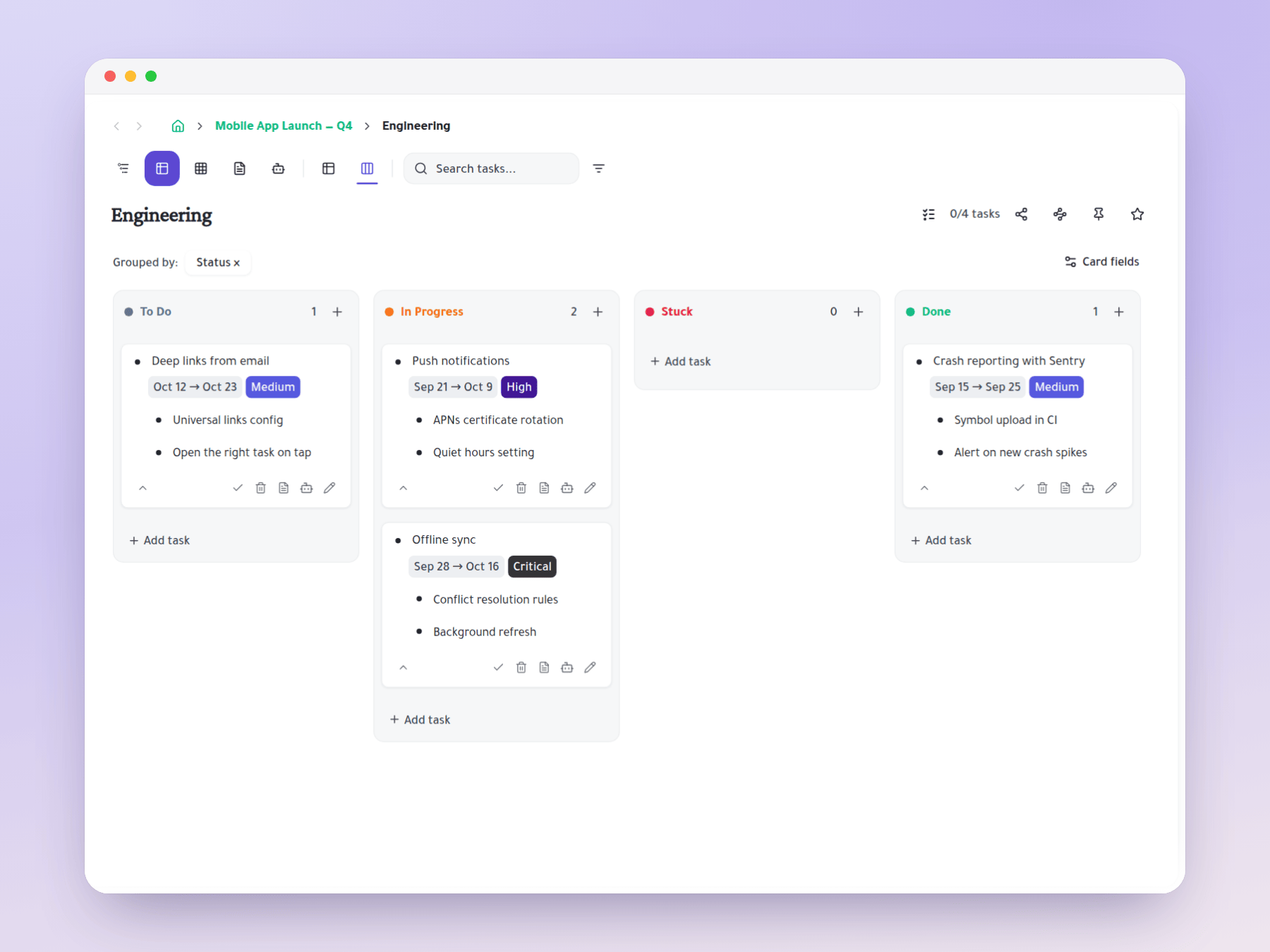
In Taskpend, Kanban cards are the same tasks that exist in the Outliner view. A card can contain stories, which contain tasks, which contain subtasks — all at unlimited depth. Expand a card on the Kanban board to see its subtasks in an inline tree. Move the card (the epic) to 'In Review' and its stories move with it conceptually. The hierarchy is always present — the Kanban is just one way to see it.

Kanban board with subtasks visible per card

Plan in Outliner, Execute in Kanban

The optimal workflow: use Outliner view to plan your sprint hierarchy (create the epic → break it into stories → break stories into tasks). Then switch to Kanban view for daily execution — see all stories and tasks as status cards, drag them across columns as work progresses. The plan you built in the outliner becomes the Kanban board instantly. No rebuilding structure in a different tool.

Outliner planning that becomes a Kanban board

Custom Status Columns

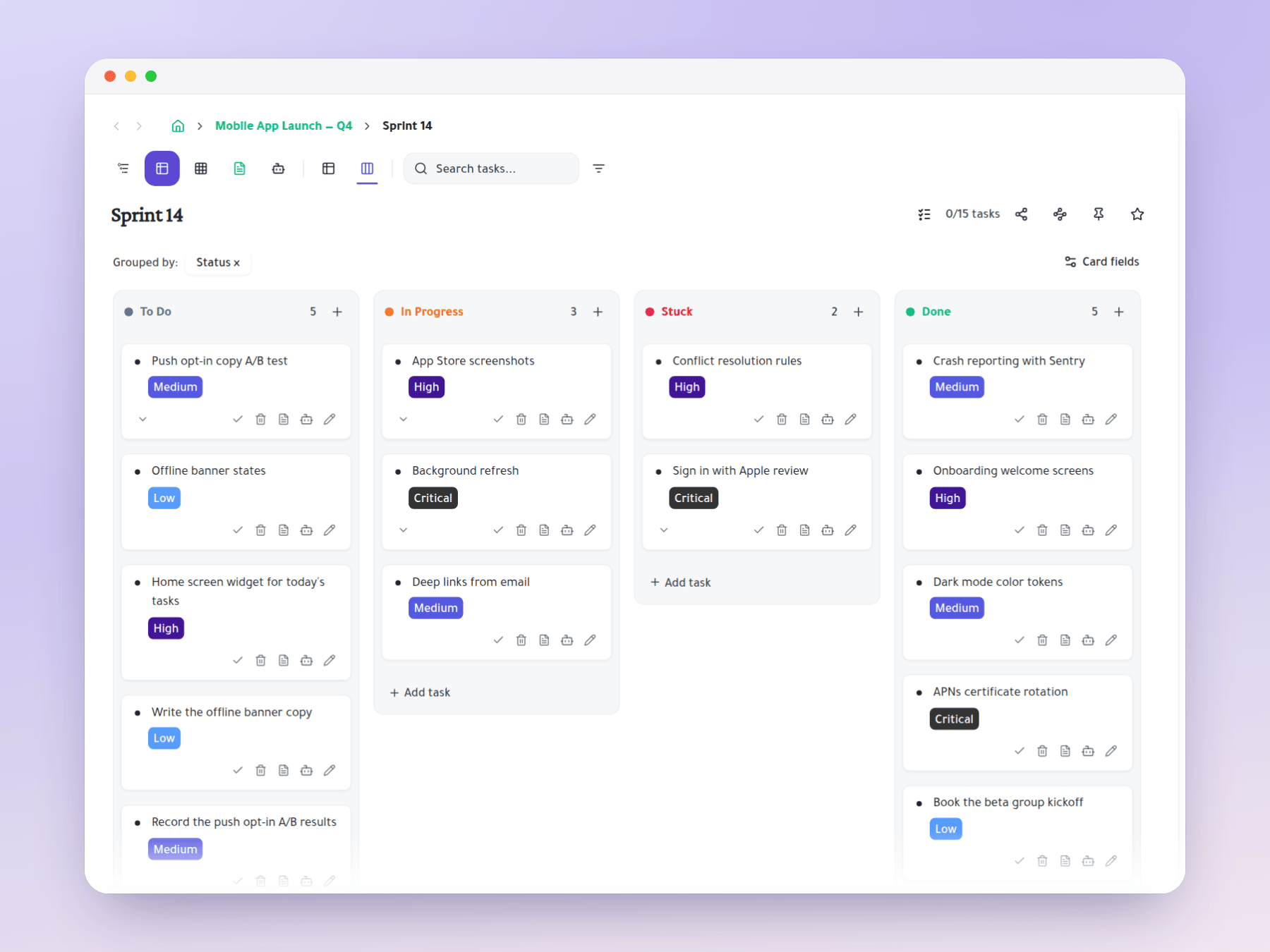
Create status columns that match your team's actual workflow: Backlog → Ready → In Progress → In Review → Done. Or more nuanced: Icebox → Backlog → Sprint → In Dev → PR Open → Deployed → Closed. Add, rename, and reorder columns freely. Every task starts in Backlog (or your equivalent) and moves right as work progresses. The column structure is yours — not imposed by the tool.

Custom status columns in Kanban view

Depth View: Choose How Deep the Board Looks

A depth control decides which levels of the hierarchy become cards. Set depth to 1 and you see only top-level epics. Set it to 2 and their stories appear as cards too. Go deeper and every leaf task shows up. One board, one knob — a roadmap review, a sprint board and a standup board without maintaining three different boards.

Depth control changing which hierarchy levels appear as Kanban cards

Group By Any Column

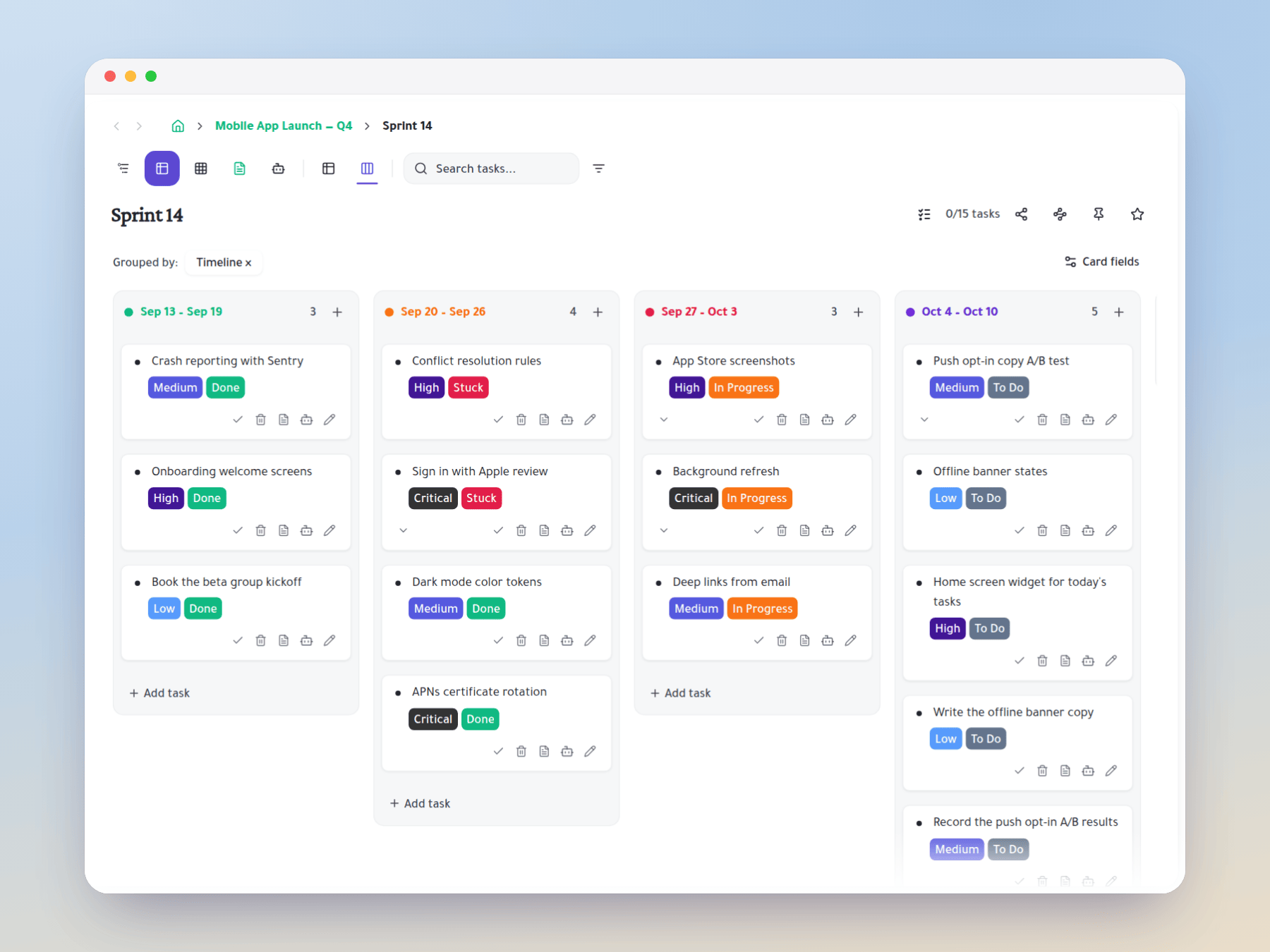
Status is only the default. Group the board by any column you have created — assignee, priority, sprint, stage, client, agent status — and the lanes rebuild instantly from that column's values. Drag a card between lanes and the underlying column value updates. Selected card fields are shown in the lane header so you always know what the lane represents.

Kanban grouped by a custom column instead of status

Parent Tasks on the Board

Choose the level of granularity you want to see on the Kanban board. View epics as top-level cards (one card per epic, expand to see stories). Or view stories as top-level cards (one card per story, expand to see tasks). Or view individual tasks. The board adapts to the level of detail appropriate for today's meeting — daily standup shows tasks, sprint review shows stories, roadmap review shows epics.

Seamless Switch Back to Outliner

The Kanban view is always one click away from the Outliner view. If you need to restructure the hierarchy — move a story from one epic to another, break a task into subtasks — switch to the Outliner, make the change, and switch back to Kanban. The board reflects the updated structure immediately. No sync needed, no export/import — the same data, two views.

Start organizing your way

Free forever for individuals. No credit card required.

One task, many places

Mirror a task into any project and it stays in sync everywhere.

Six views, zero re-entry

Outliner, Kanban, Table, Gantt, Document and AI Execution chat — all on the same tasks.

Free to start

Free forever for individuals. No credit card required.