Notion is a Database. You Need a Task Manager.
Stop building systems. Start shipping work.
Notion is brilliant for wikis and documentation. But for actual task management, it's a general-purpose database — you pick a template or assemble views, relation properties, and formula columns to make it behave like a task manager. Taskpend is opinionated where Notion is open-ended — and that's the point.
Why switch
What Taskpend does that Notion doesn't
Structure Without Configuration
No databases to set up. No templates to find. Open Taskpend and start typing. Every bullet is a task. Every task can nest infinitely with task mirroring @mentions for teams. Add columns when you need them — not because the system demands it.
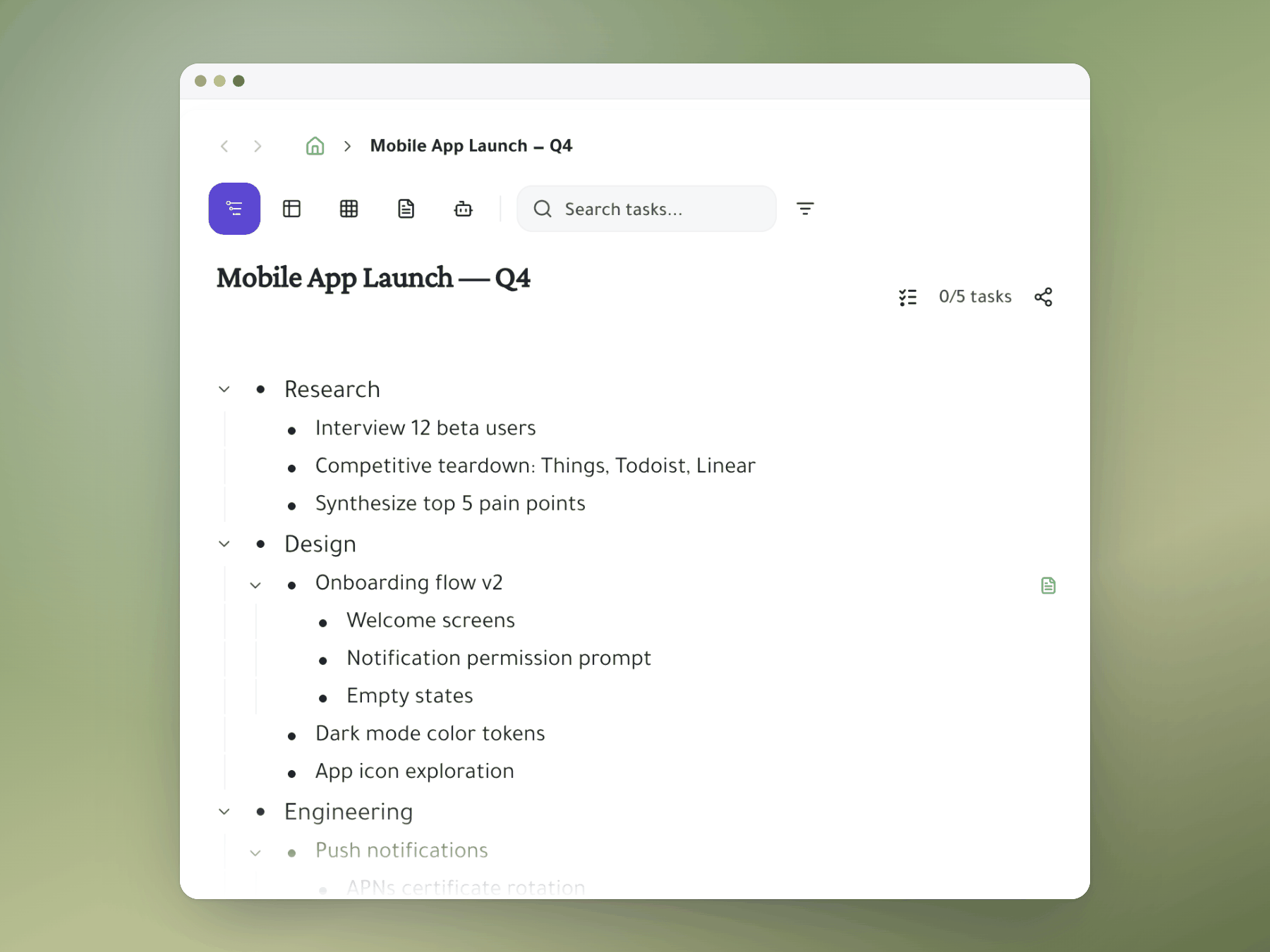
Task Mirroring vs. Notion Relations
In Notion, sharing a task across pages means setting up database relations and linked views. In Taskpend, you @mention someone and the task appears in their workspace — live-synced, zero setup. It's Notion Relations for humans.
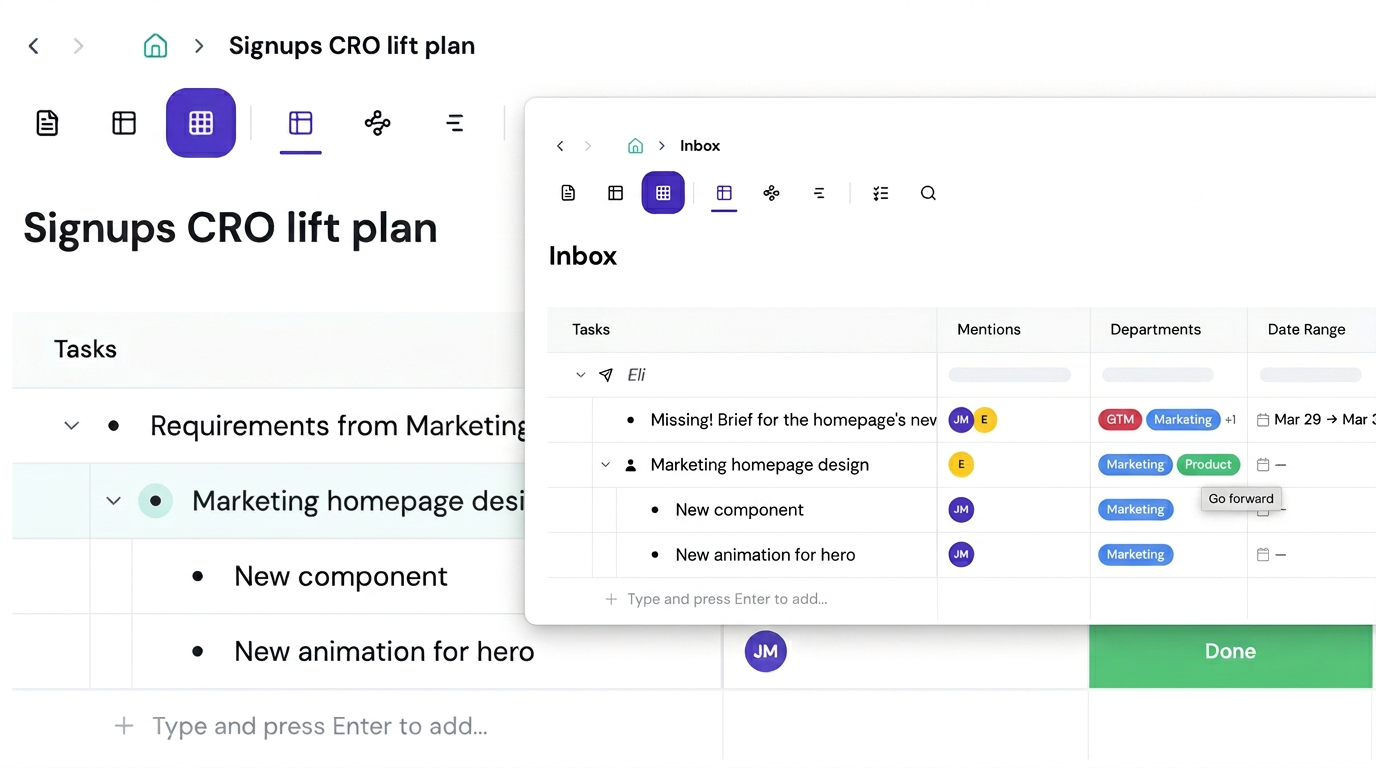
Outliner-First, Not Database-First
Taskpend thinks in outlines, not tables. Your tasks live in a tree, not a grid. But when you need a spreadsheet view — toggle it on any branch. Best of both worlds without the Notion learning curve.
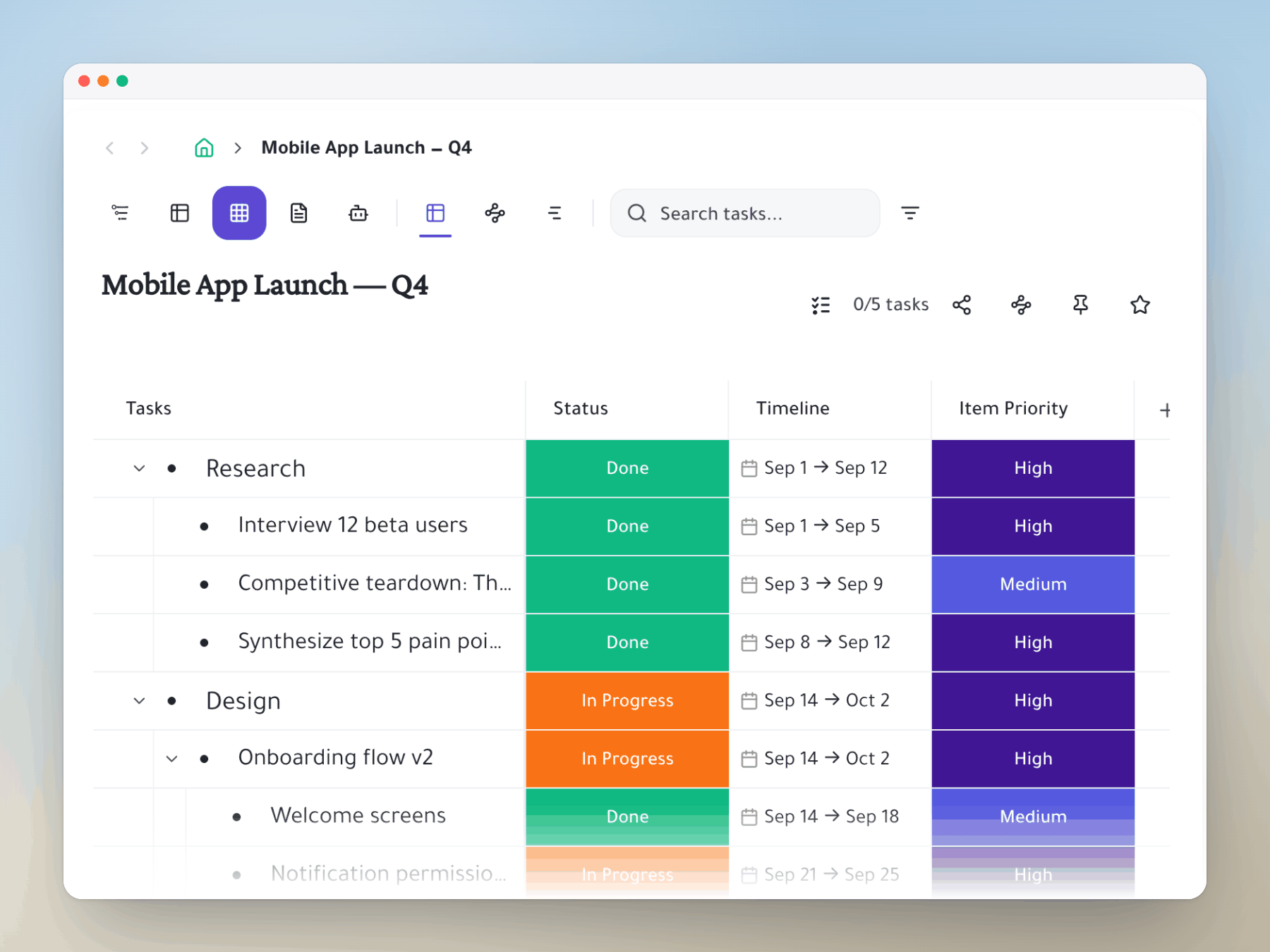
Feature comparison
Taskpend vs Notion
Ready to switch?
Start for free. No credit card required. Import your existing tasks in minutes.
Mirror a task into any project and it stays in sync everywhere.
Outliner, Kanban, Table, Gantt, Document and AI Execution chat — all on the same tasks.
No credit card required. Import your existing tasks and go.