The Freelancer's Task Manager: Every Client, Every Project, One Workspace
Infinite client hierarchy. Share project branches without exposing your workspace. Personal life alongside work.
How it works
Everything it does, up close
Every client, project and personal task in one place, with full control over what each client sees.
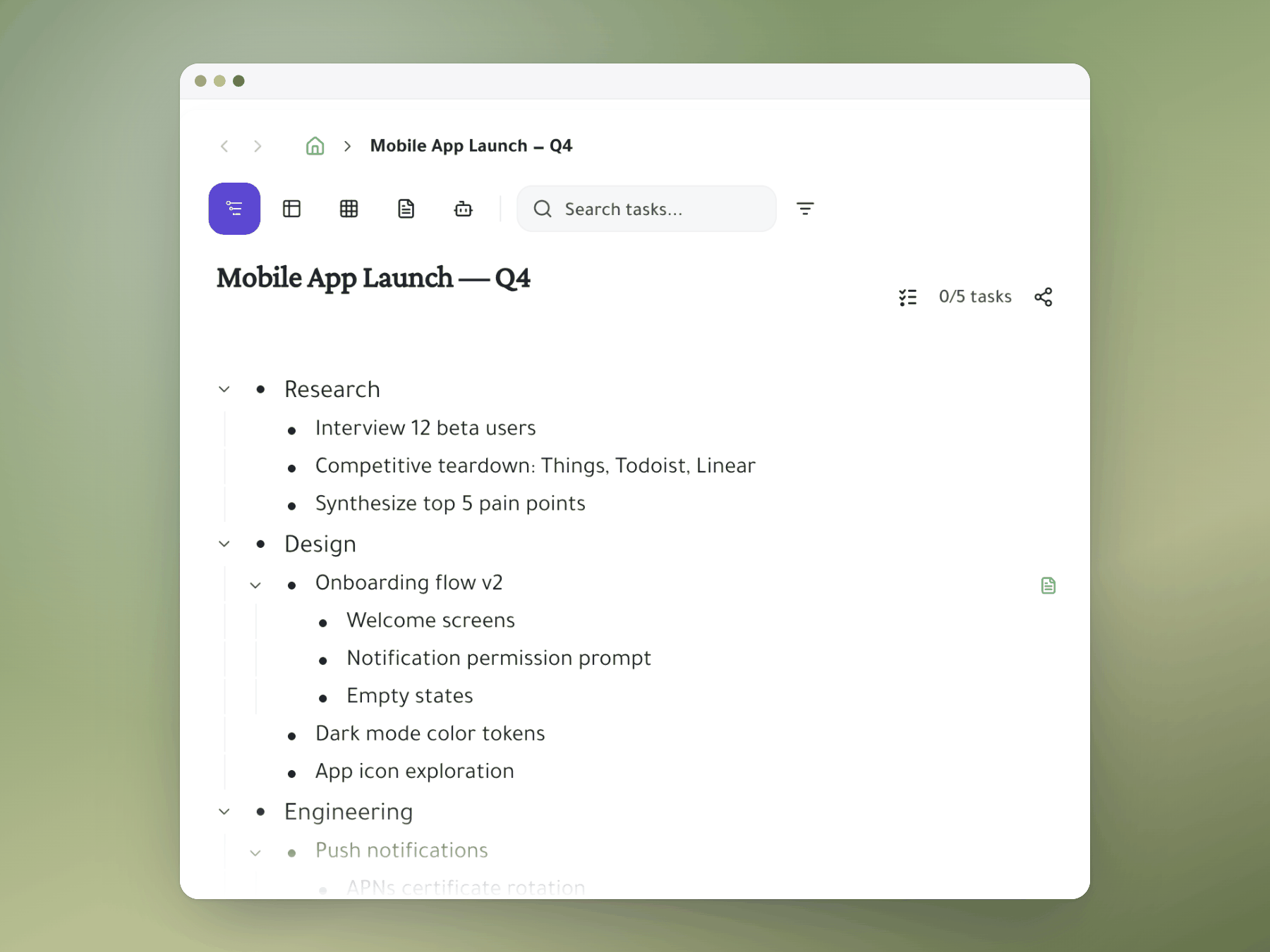
Clients, projects, deliverables, tasks
Give each client its own area, with projects, deliverables and tasks nested inside.
- Client areas: one top-level branch per client.
- Any depth: nest revision rounds inside deliverables.
- Any size: from a one-pager to a 50-deliverable retainer.
Share one project, not everything
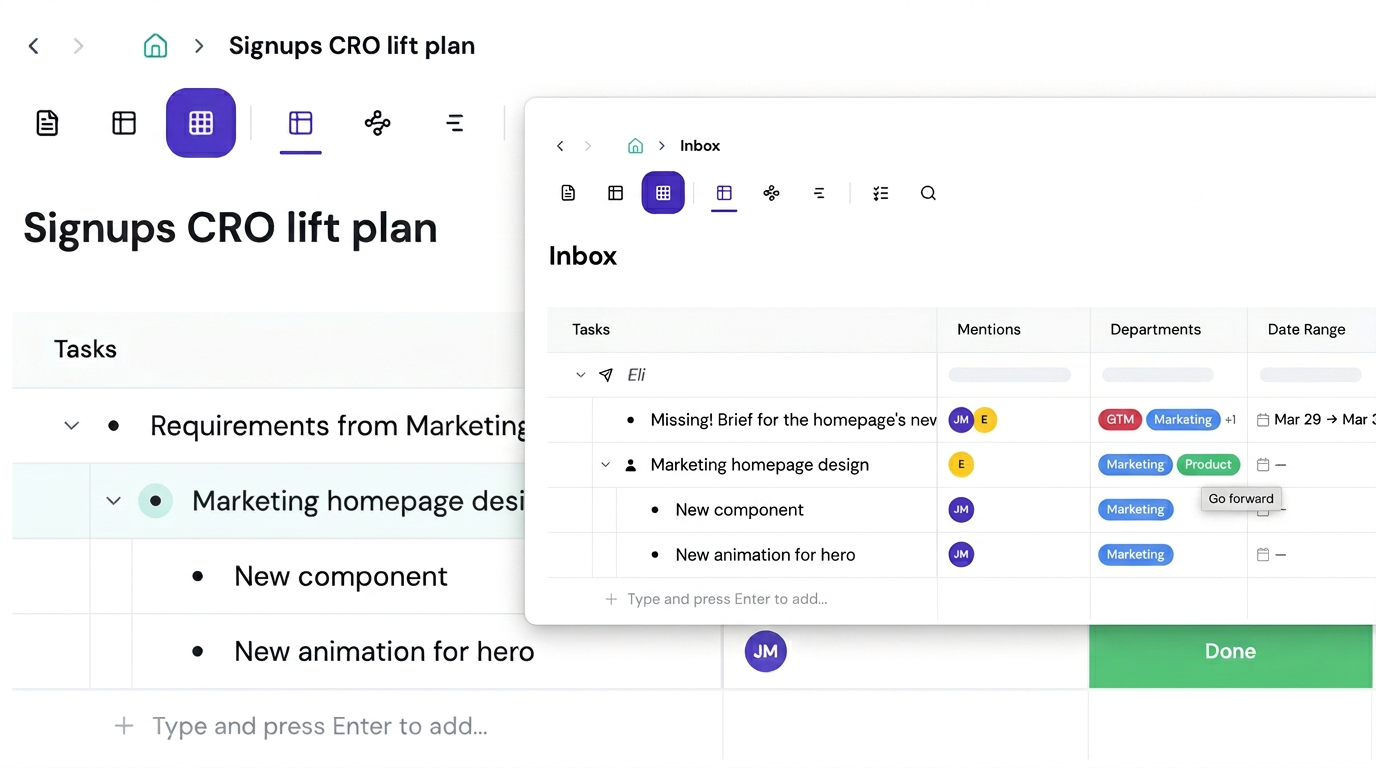
Mention a client on a project and they see that project only.
- Nothing else shown: no other clients, personal or business tasks.
- Clients can act: comment, tick off deliverables, see live status.
- No status emails: skip update threads and client portals.
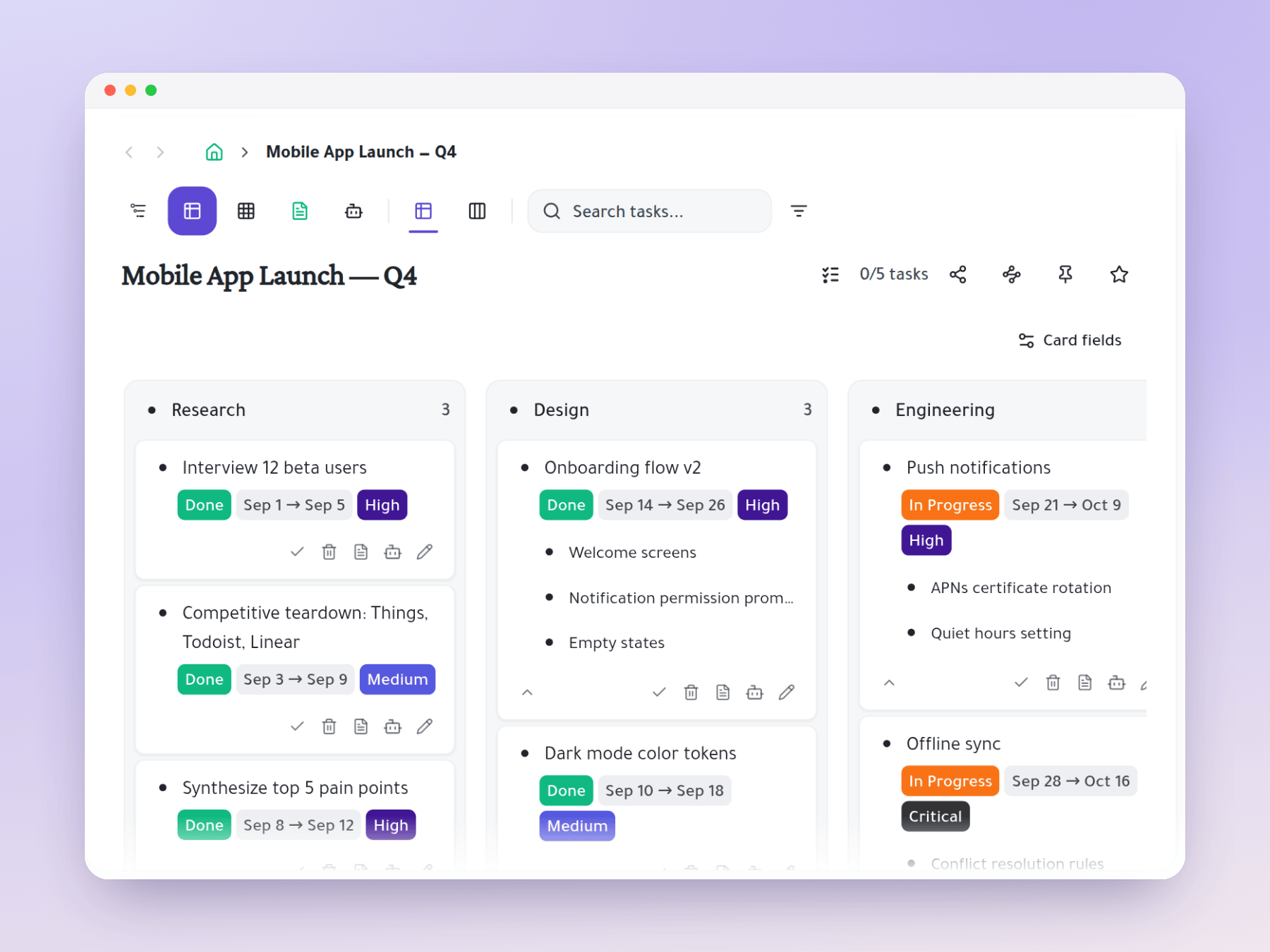
See delivery status at a glance
A Kanban board shows where every client deliverable stands.
- Your columns: In Progress, Client Review, Revisions, Delivered.
- Drag to update: move deliverables as they progress.
- All clients: one board across every engagement.
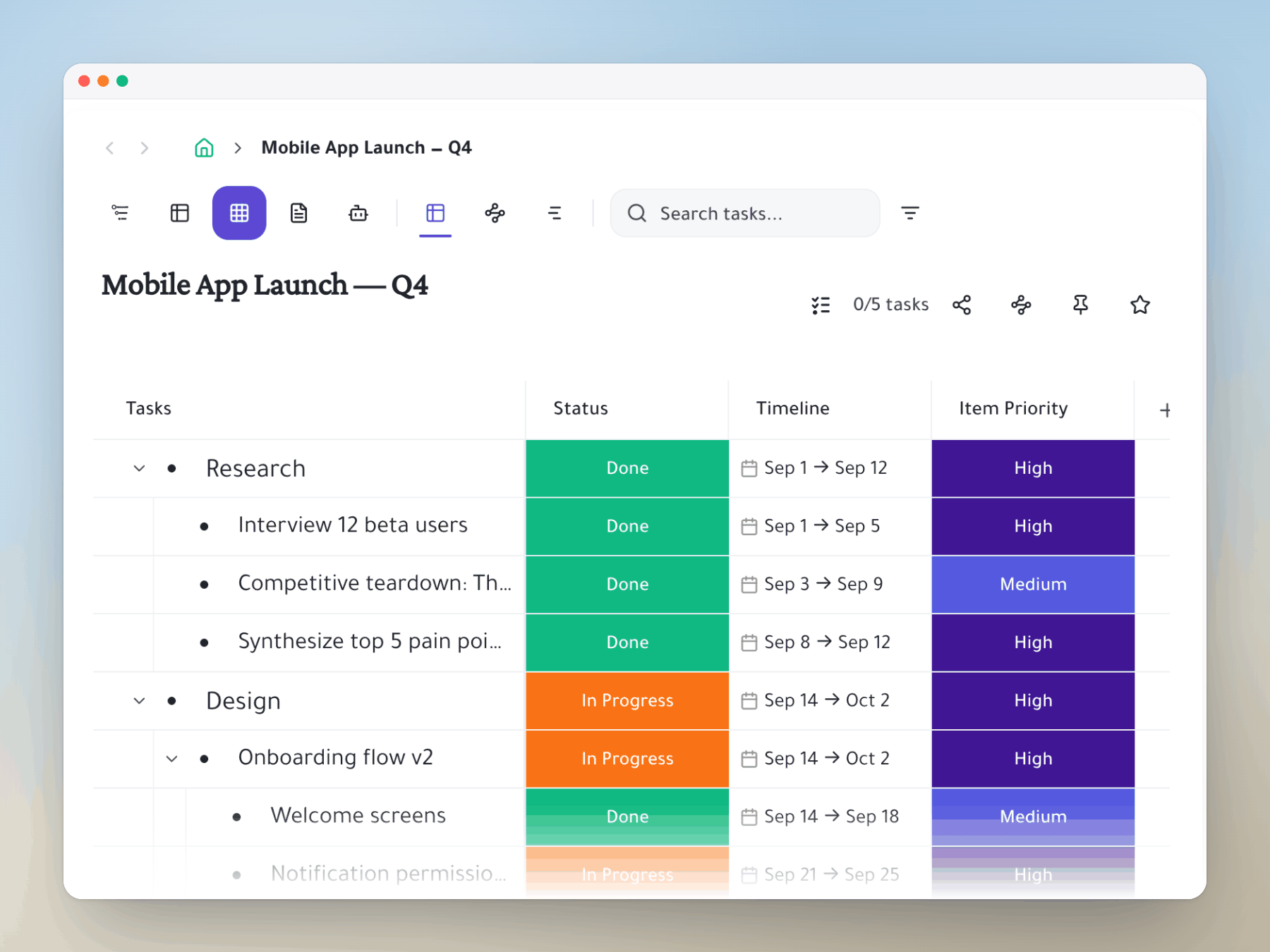
Track deliverables and rates
Spreadsheet view gives you the tracking sheet you'd keep anyway, built into your tasks.
- Custom columns: type, rate, deadline, invoice status, client.
- Quick reports: filter by client or status.
- No separate file: it lives in your task list.
Personal life, kept private
Keep errands, health goals and family tasks next to client work, where no client sees them.
- Private section: no client ever sees it.
- Same outline: personal and client work side by side.
- Focus Mode: zoom into one client, then back out.
Start organizing your way
Mirror a task into any project and it stays in sync everywhere.
Outliner, Kanban, Table, Gantt, Document and AI Execution chat — all on the same tasks.