Six Views.One Truth.
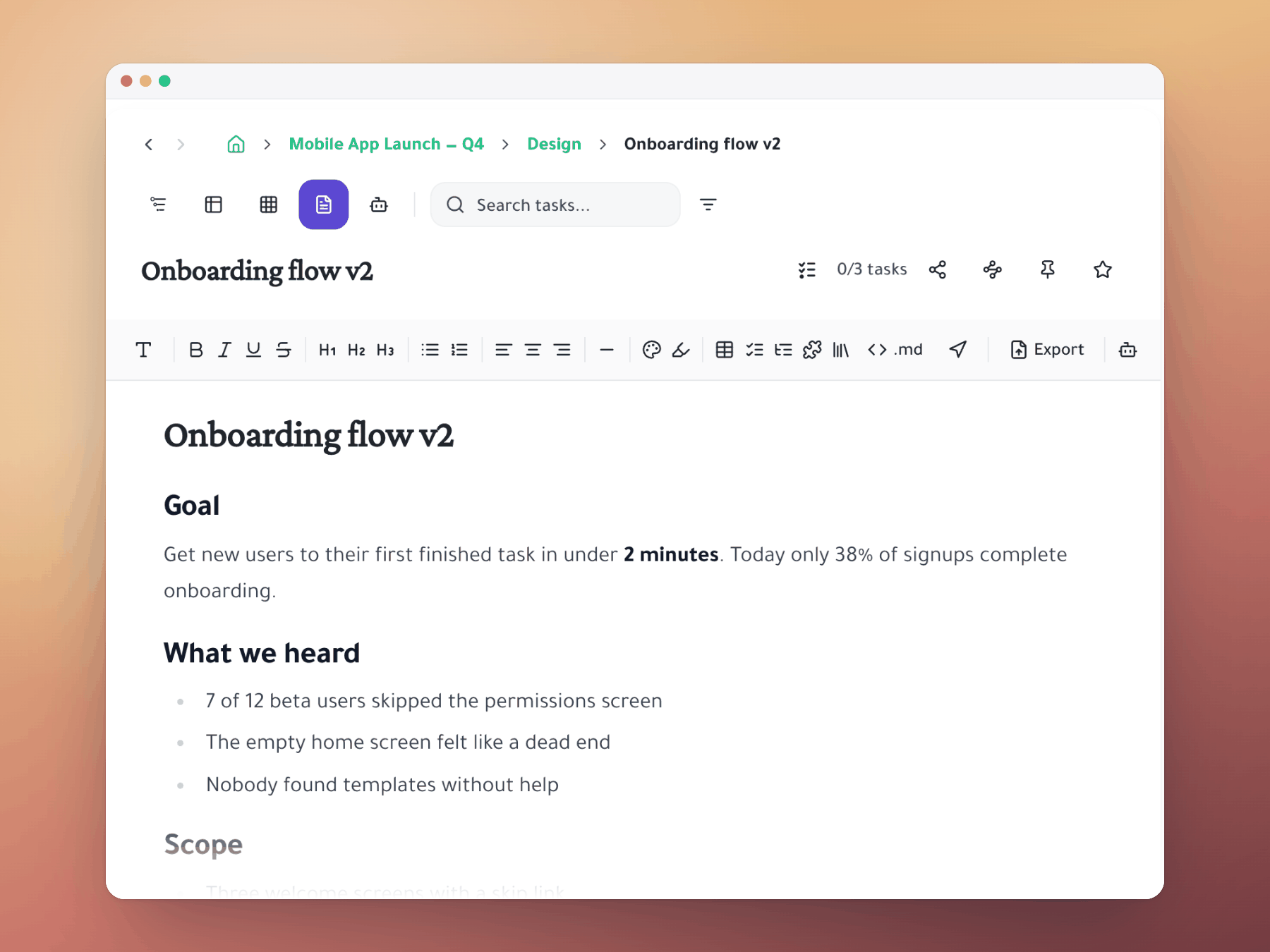
Switch between Outliner, Kanban, Spreadsheet, Gantt, Document and AI Execution chat — all showing the same tasks. No copy-paste, no tool-switching, no version drift.
Why it matters
One workspace. Every perspective.
The average team uses 3–4 different tools to see the same project — each with its own truth, its own friction.
Unlimited depth
Nest tasks inside tasks inside tasks. Structure your work the way your mind actually works — with no artificial limits on depth.
Zero context switch
Plan in Outliner, execute in Kanban, track in Spreadsheet — same data, different lens. Switch in one click from any view.
@Mention sync
Share tasks with teammates via @mention. They organize it their way; all updates stay in sync automatically.
How it works
From planning to shipping without leaving the app
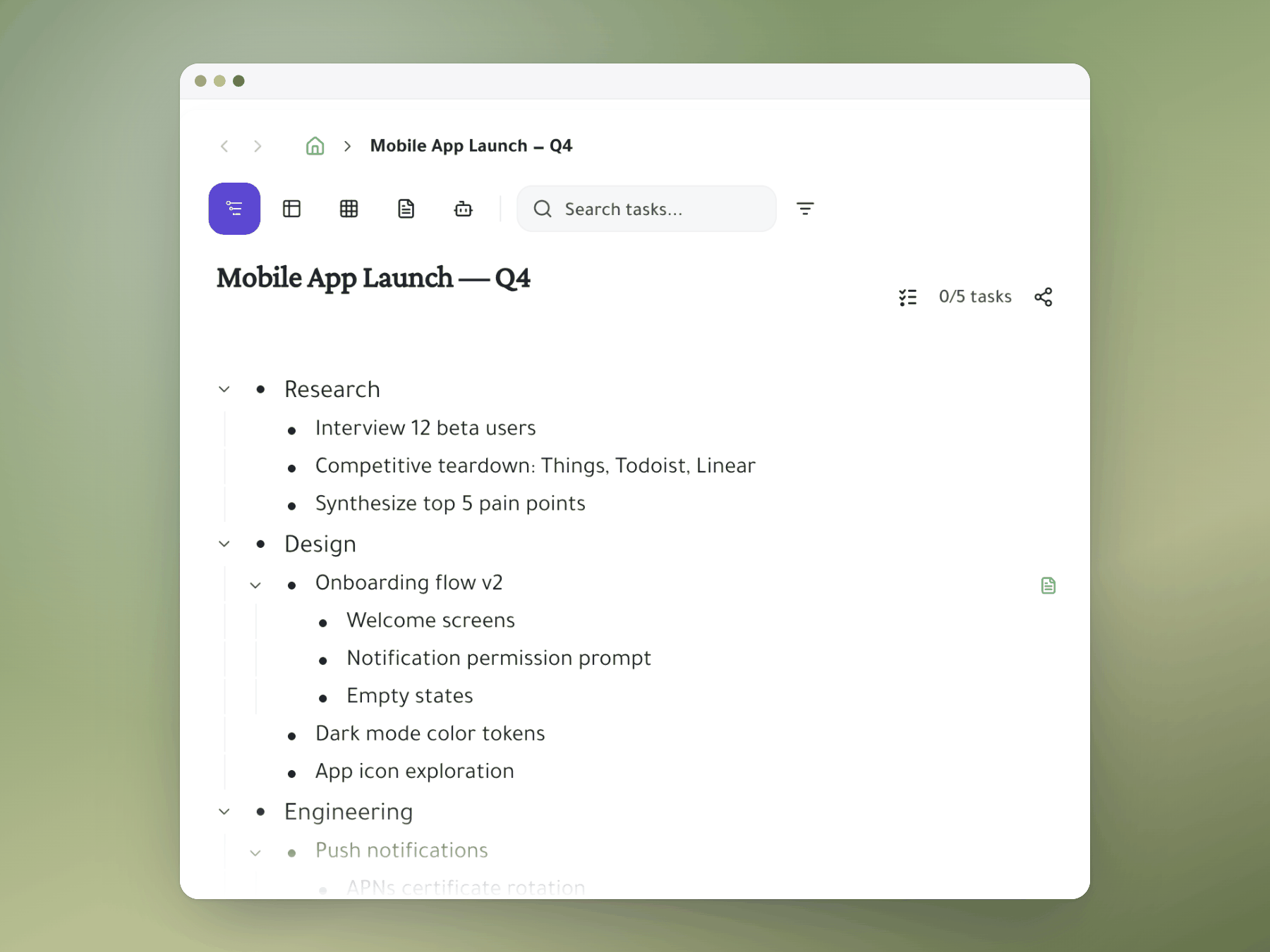
Build your structure in Outliner
Break goals into epics, stories, and tasks using infinite nesting. Drag to reorganize instantly.
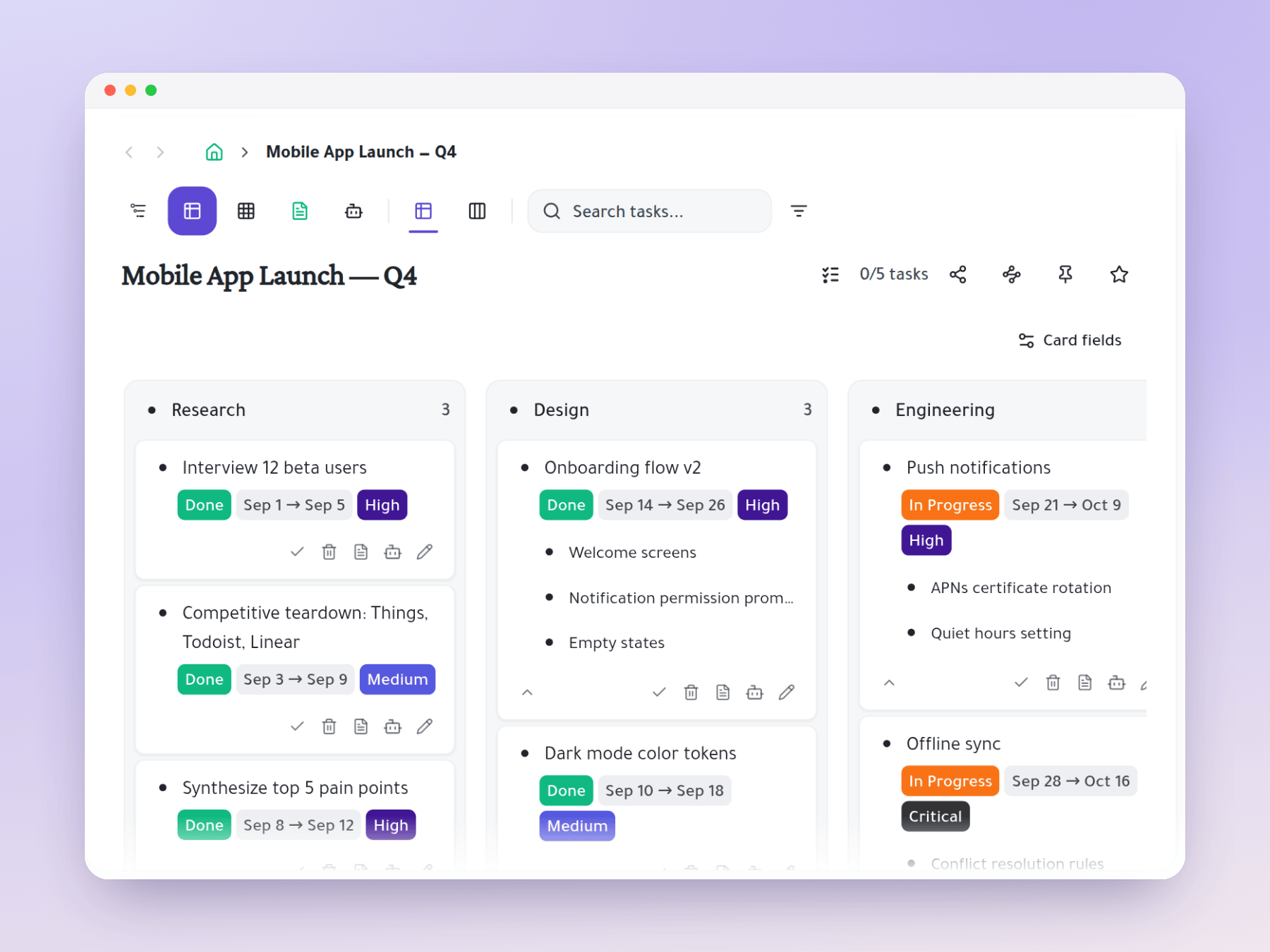
Execute in Kanban view
Flip to Kanban and drag cards across status columns. Each card carries its full subtask hierarchy.
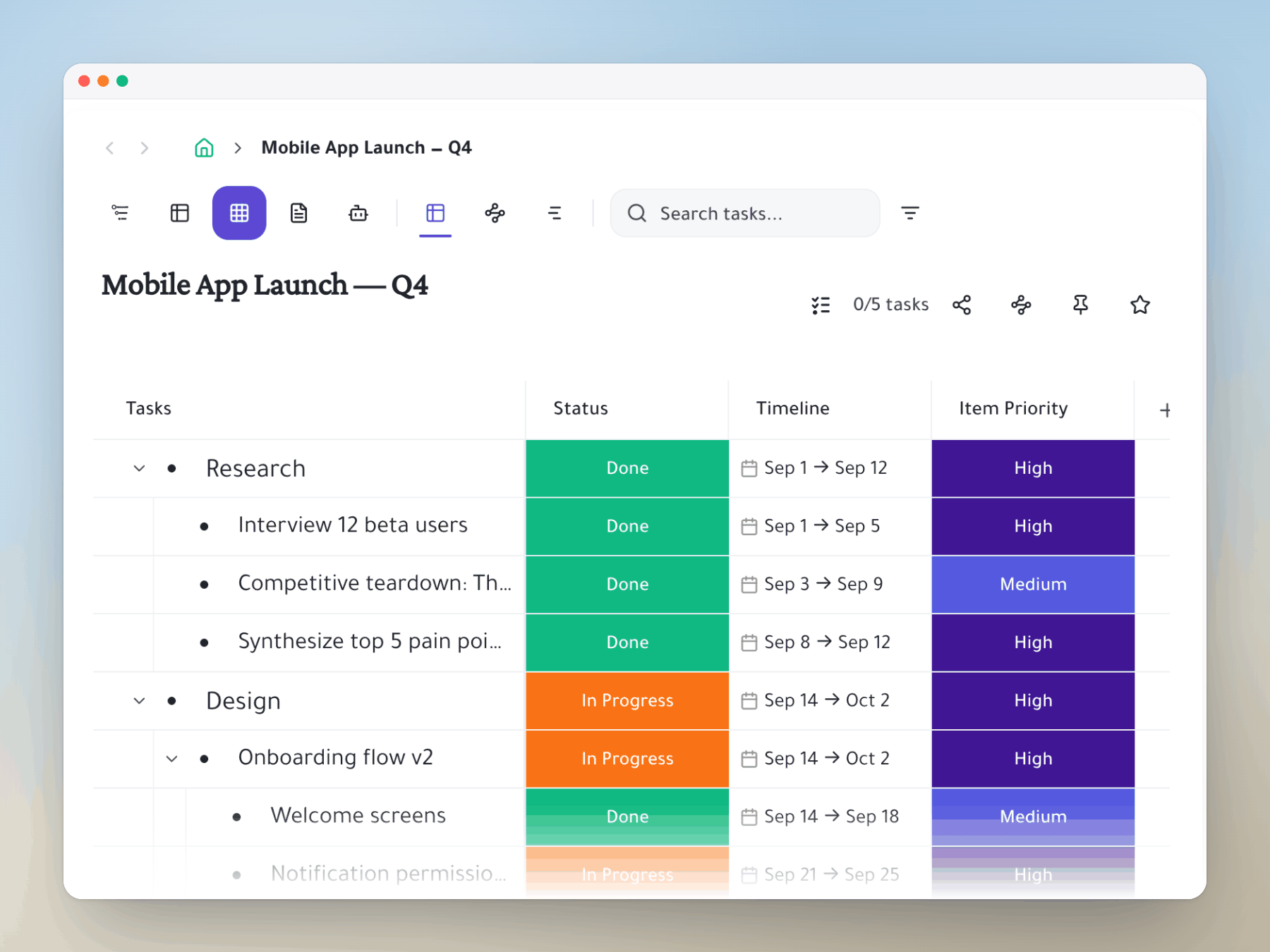
Track in Spreadsheet view
Add custom columns — assignees, priorities, dates, Jira status — and filter across all tasks at once.
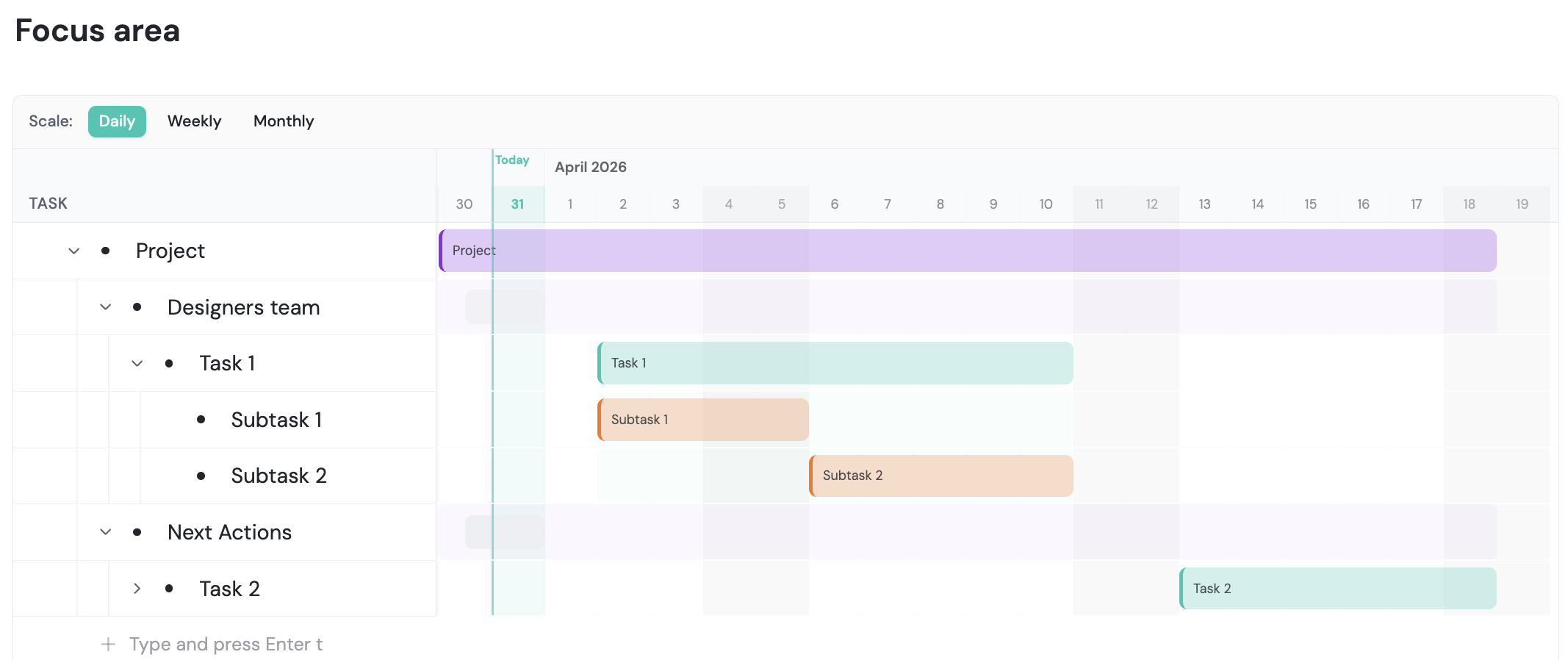
Roadmap in Gantt view
Set date ranges and see your project as a timeline. Share a read-only link with stakeholders.
Every view, one app
See your tasks any way you need
Stop switching tools. Start shipping faster.
Ditch your tool stack for one workspace that does it all.
Mirror a task into any project and it stays in sync everywhere.
Outliner, Kanban, Table, Gantt, Document and AI Execution chat — all on the same tasks.
Break work down as deep as it goes — every level stays connected.