Spreadsheet View
Nested listswith spreadsheet power
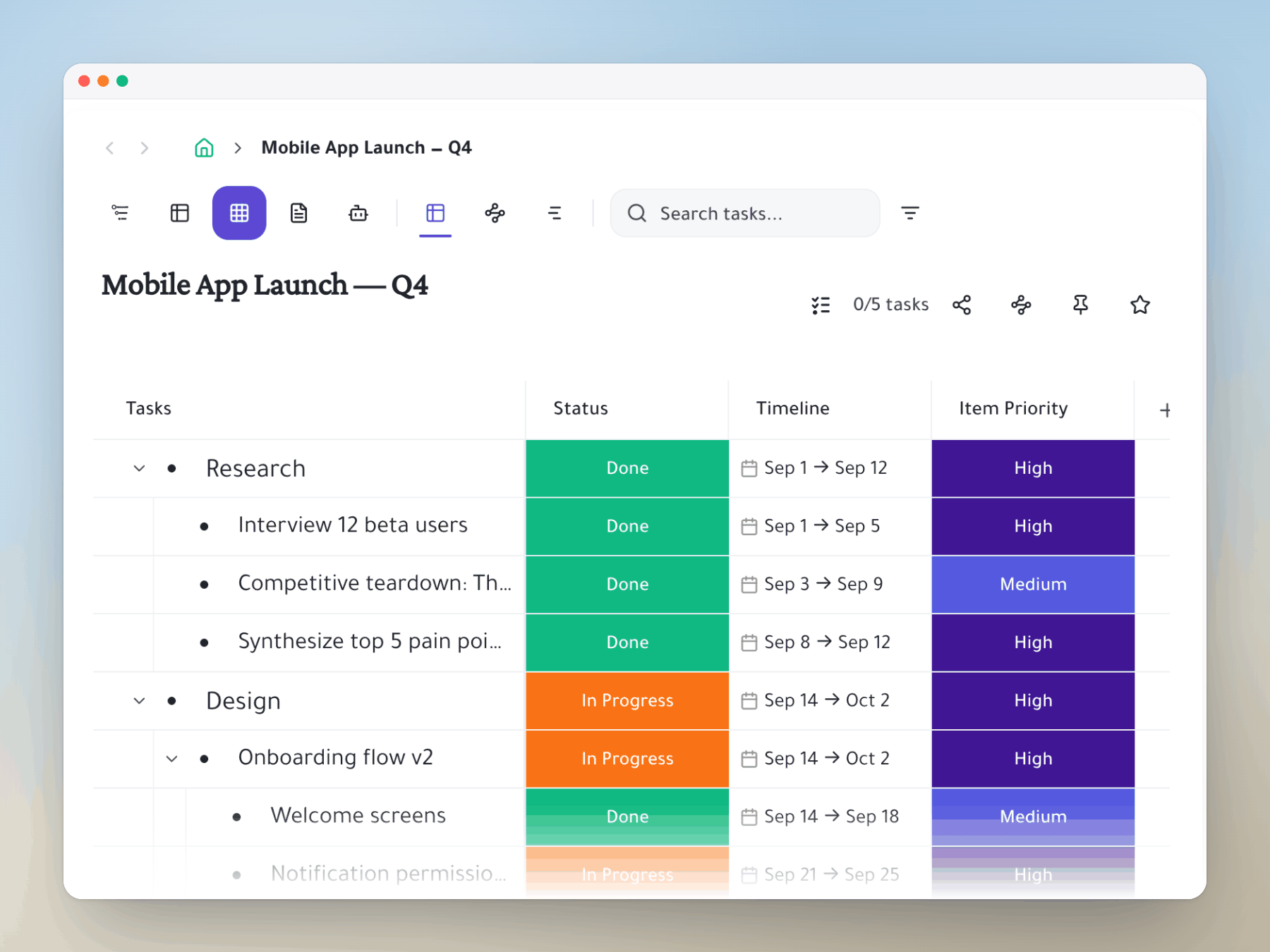
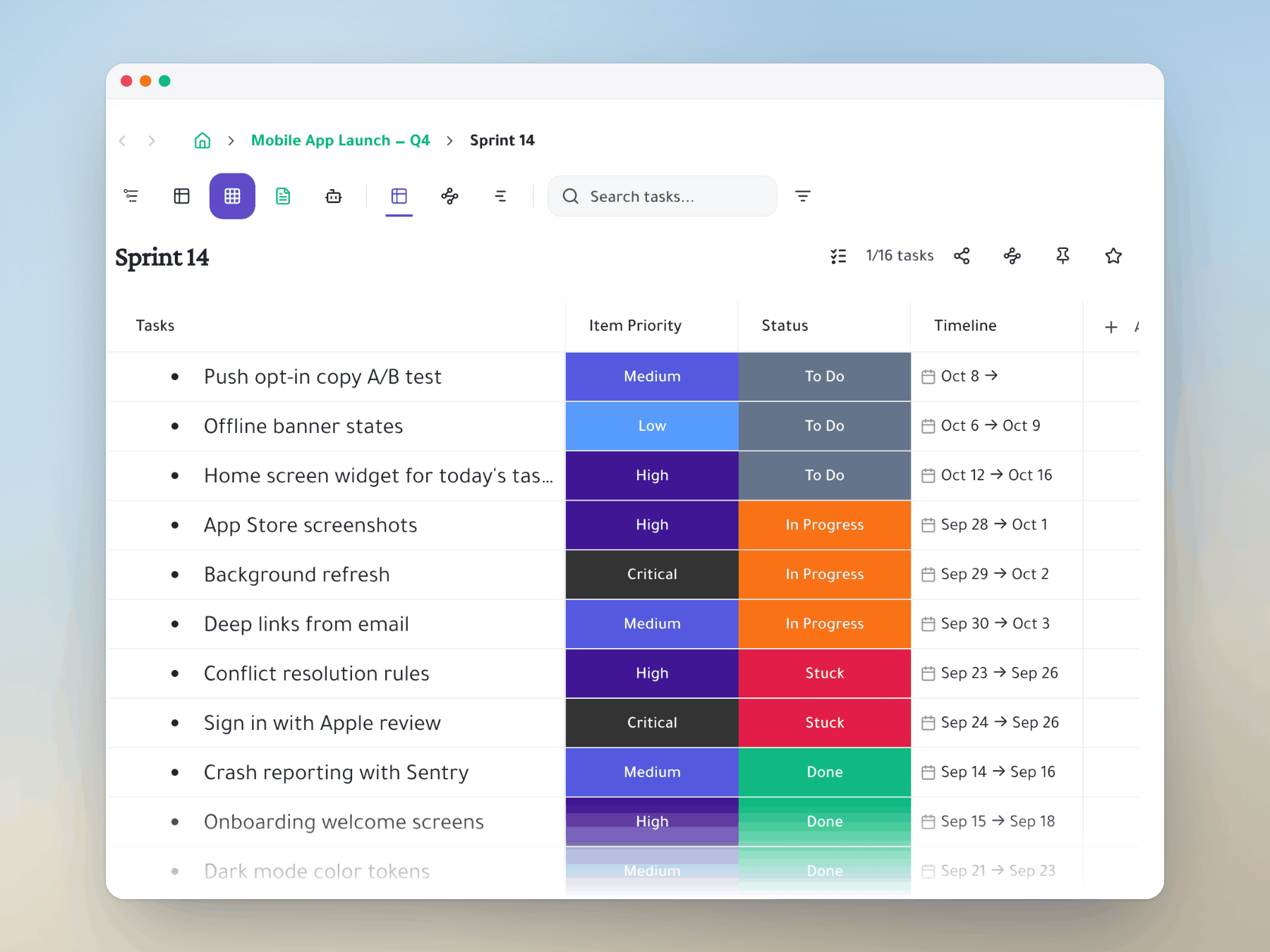
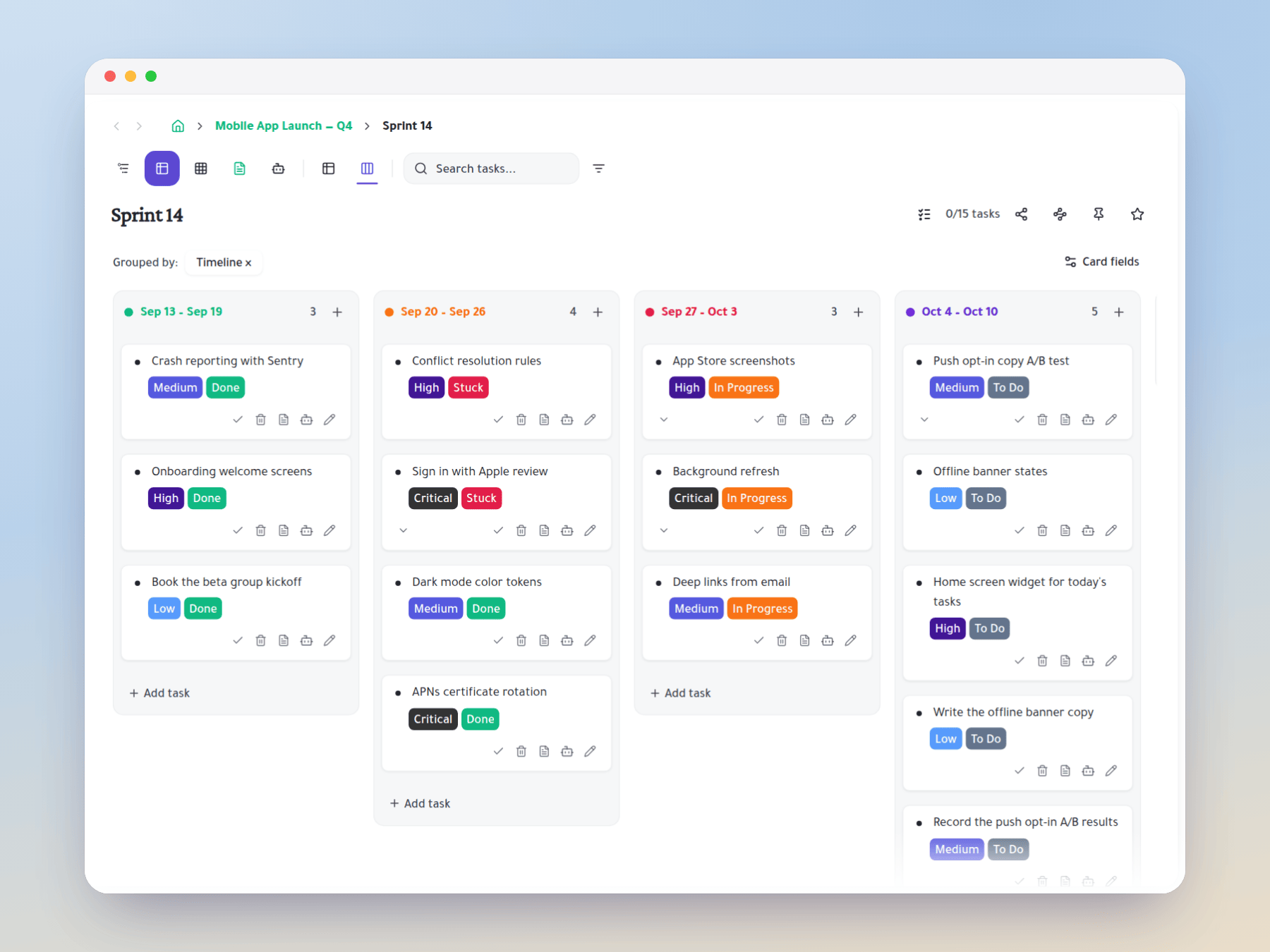
Add status, dates, owners or any column to your tasks, then see them as a sheet, a board or a roadmap.
How it works
Columns that follow the task
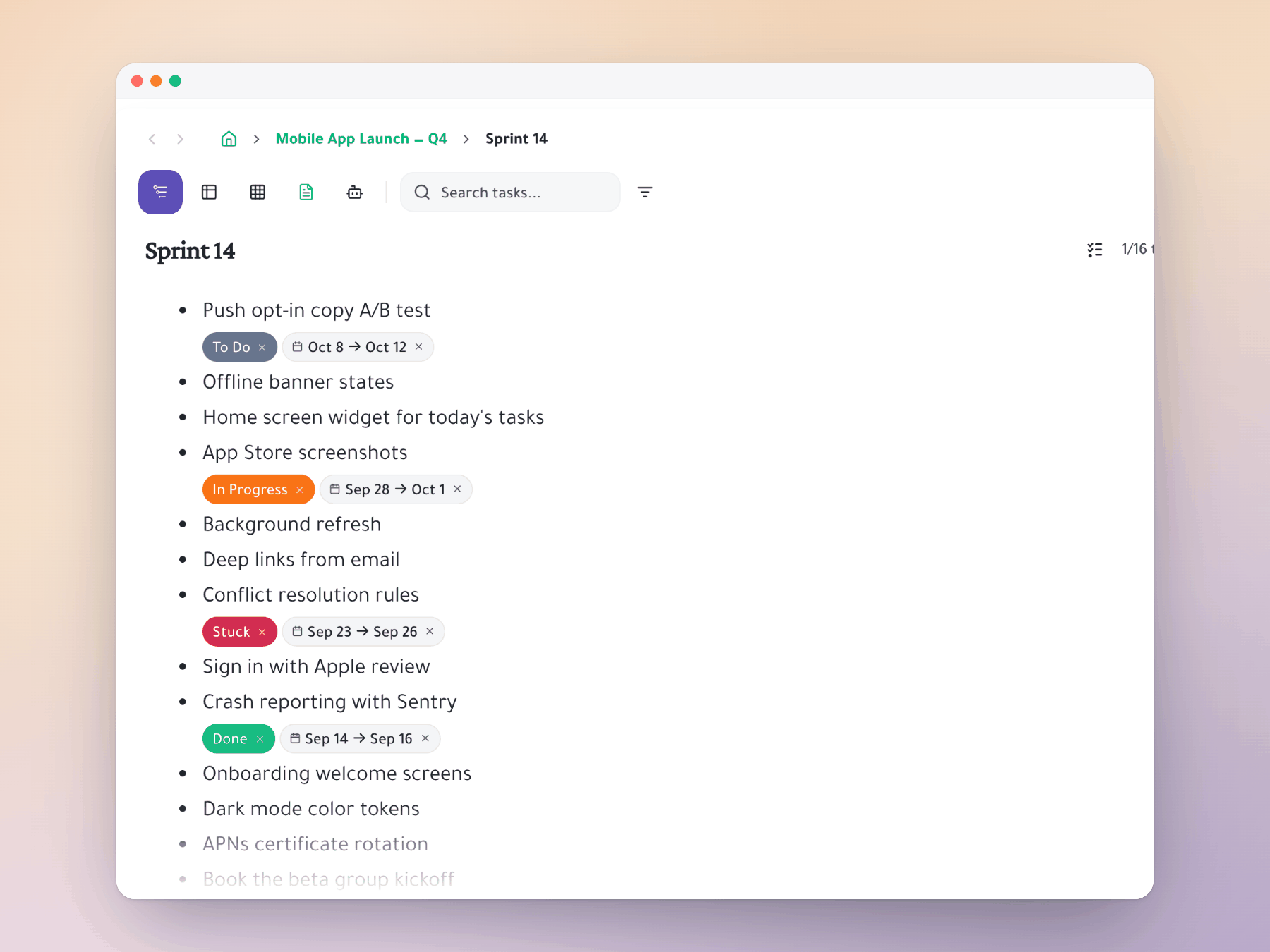
Add a column once. It's a cell in the spreadsheet, a chip in the outliner and a tag on every Kanban card.
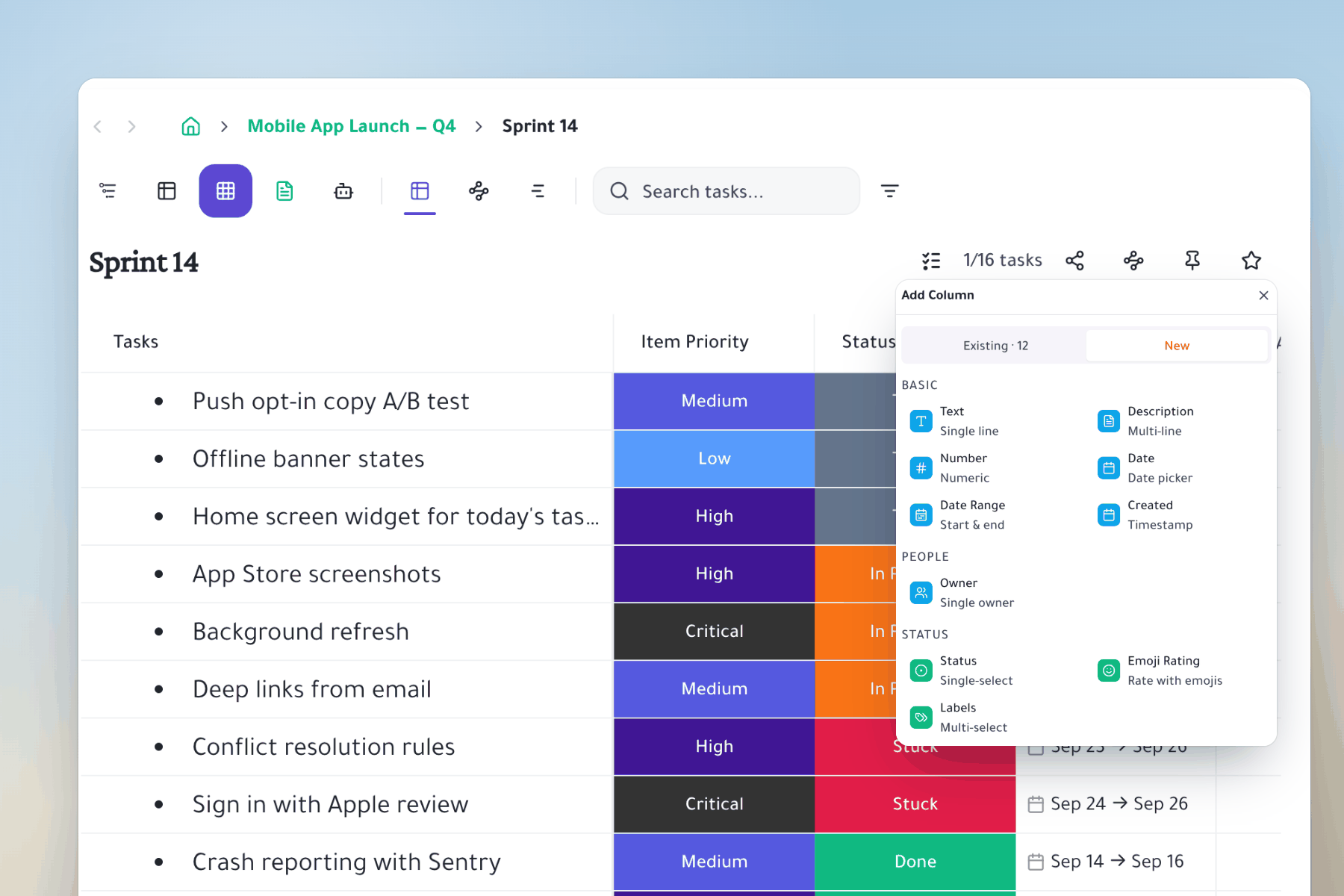
Any column you need
Text, numbers, dates, date ranges, status, labels, ratings and owners.
- Colored values: status and labels keep their colors in every view.
- Edit in place: click a cell, pick a value, done.
- Nesting kept: subtasks stay under their parent in the sheet.
The roadmap is one click away
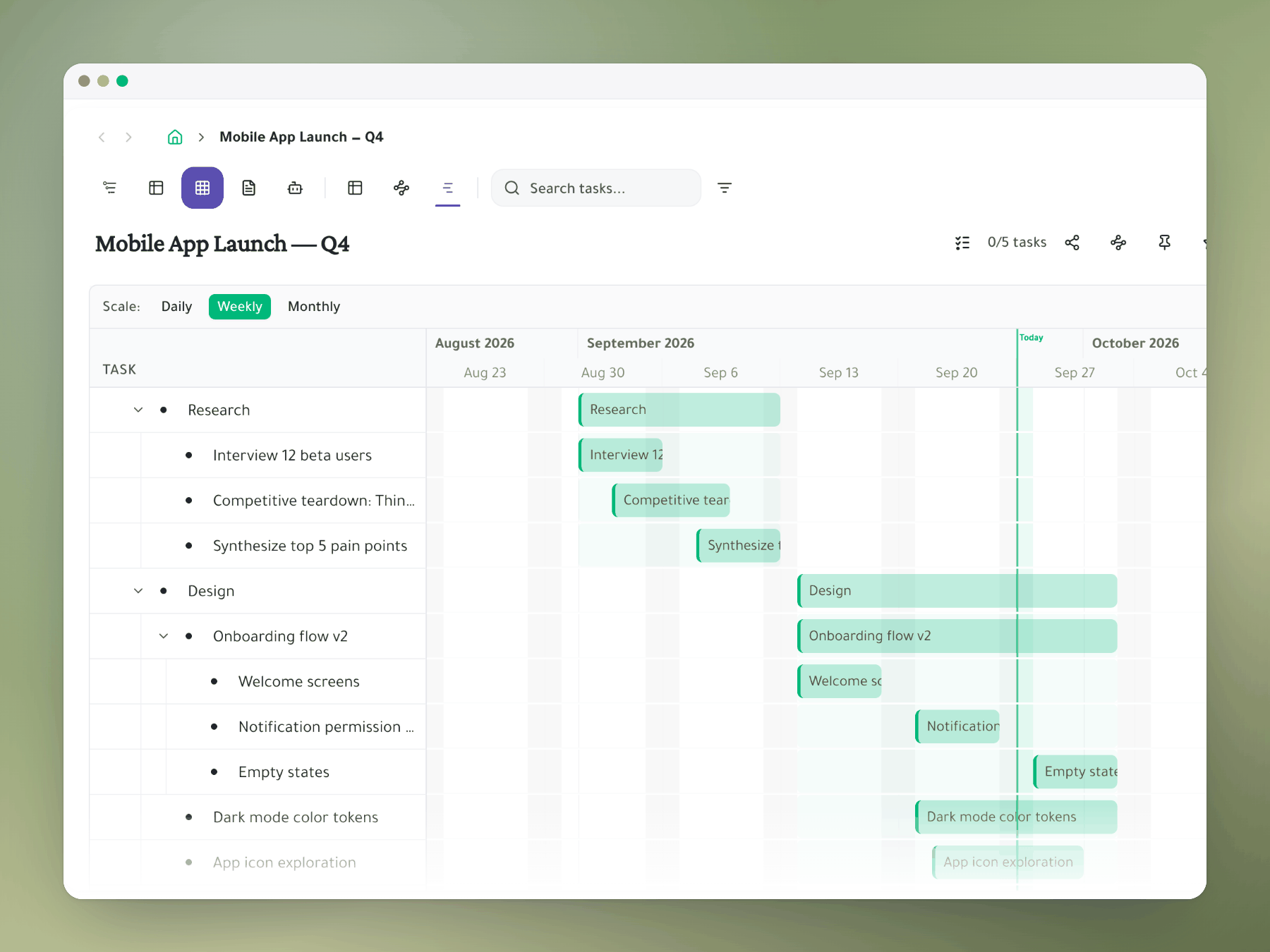
Switch the same sheet to a timeline. Every dated task becomes a bar.
- Same data: timeline dates come straight from the column.
- Daily, weekly or monthly: zoom the roadmap to the plan.
A real example
From nested list to spreadsheet and back in seconds
Sprint 14's weekly status update, without exporting anything to Excel.
Turn your list into a sheet
Add a column to any task. Every view picks it up.