Your AI Team, Managed Like a Team
Specialist agents that take real tasks from your workspace, use real tools, and report back on a board you can review.
How it works
One task, multiple homes, multiple users
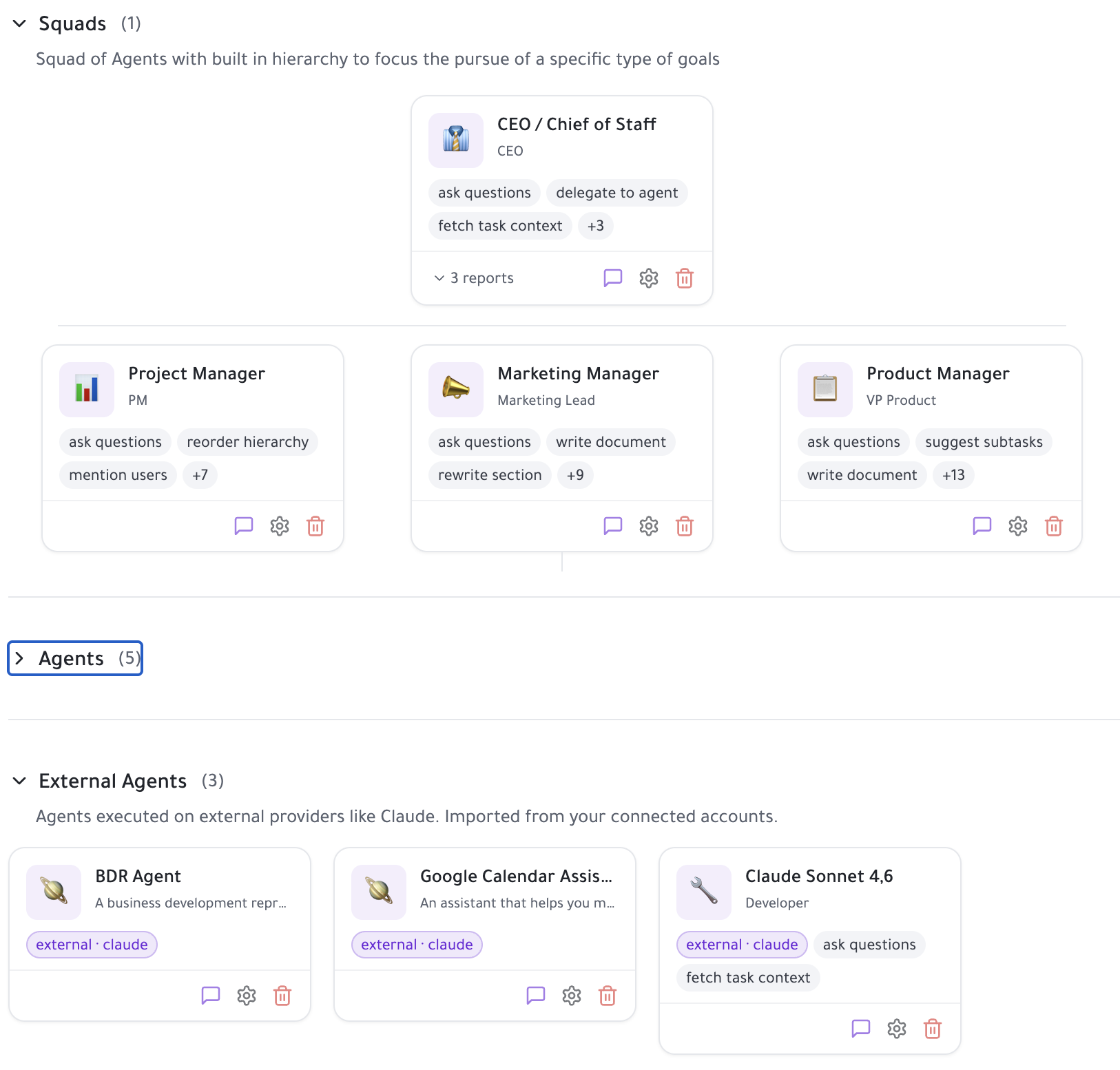
AI in most task managers means a text box that summarises or drafts. Taskpend treats agents as members of the workspace: they have roles, they own tasks, they run with tools, and their work shows up in the same hierarchy your team already uses. The Agents Hub is where you hire them, watch them work, and decide what ships.
Hire Specialists, Not One Generic Bot
Spin up agents with clear roles — researcher, engineer, product manager, recruiter, scheduler — each with its own instructions, tool access and model tier. Start from a quick-start template or define your own. A router reads your request and picks the right specialist, so you never have to remember which agent does what.
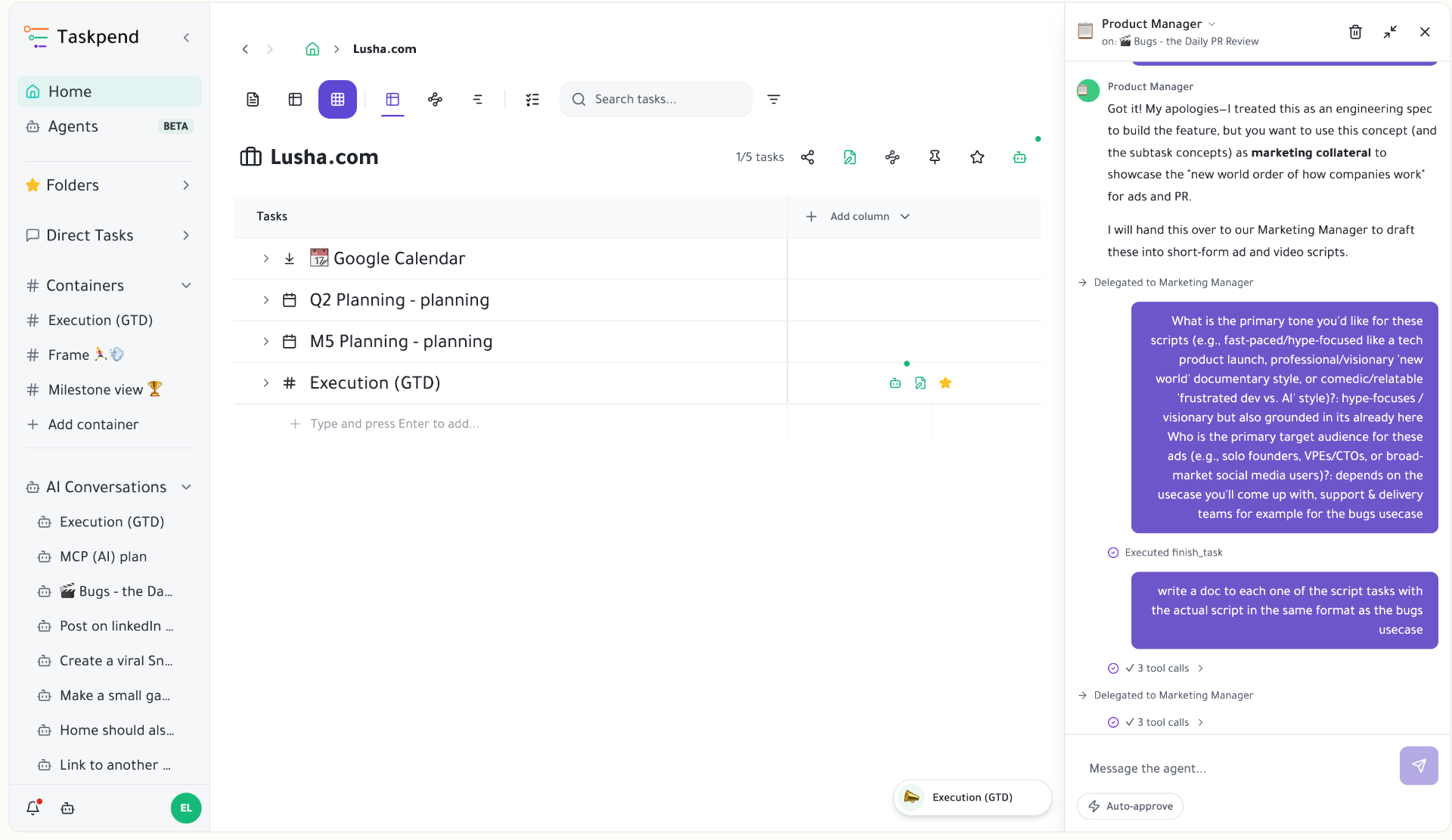
Delegate Any Task in One Click
Every task in the outliner can be handed to an agent from its actions toolbar. The agent inherits the real context of that task: its subtasks, its document, its spreadsheet columns, and everything previous runs learned. No copy-pasting prompts, no re-explaining the project.
Agent Kanban With a Review Lane
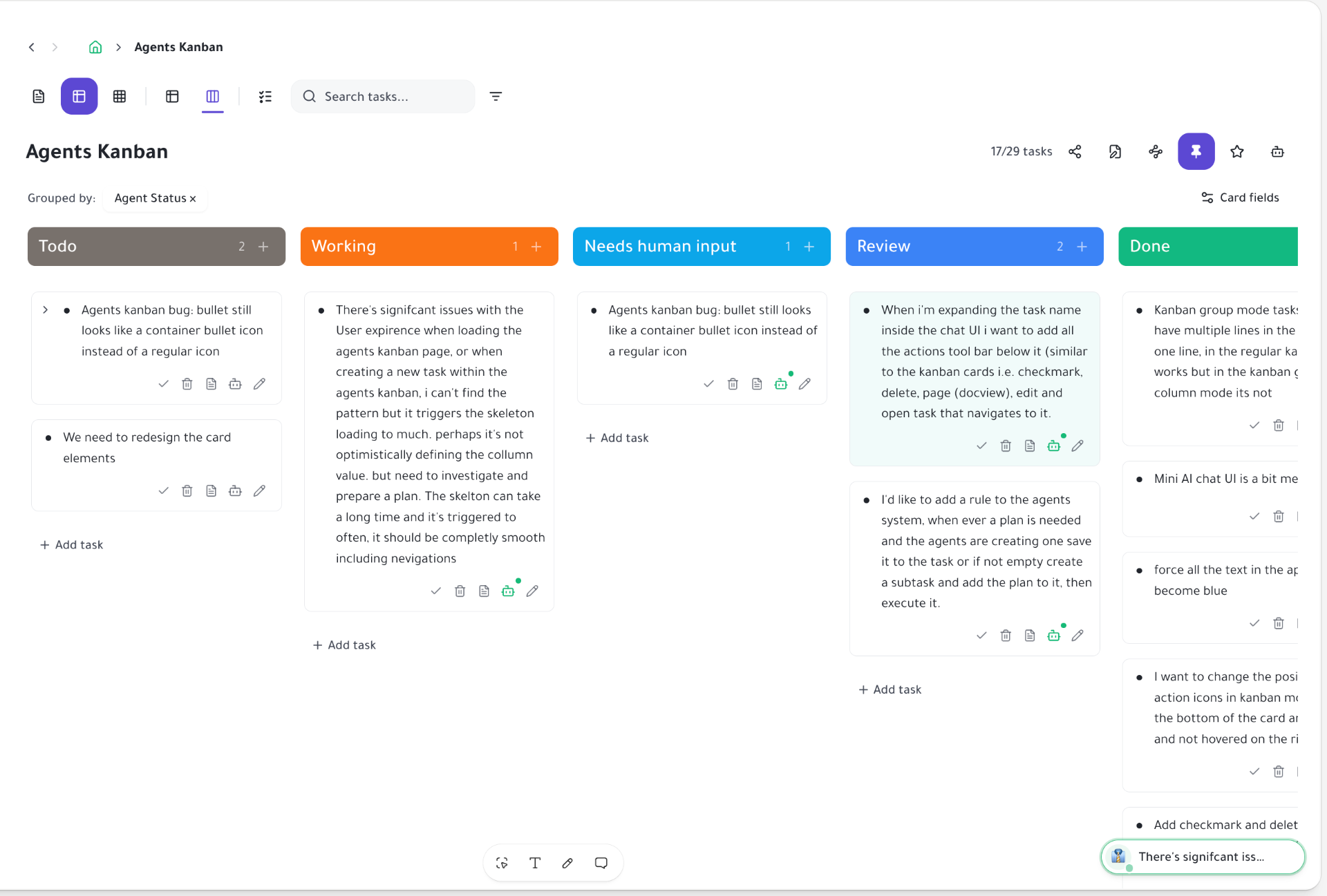
Runs are visible as cards grouped by agent status: queued, working, waiting on you, in review, done. When an agent produces real work it lands in Review rather than silently closing, so a human always makes the call. Stalled or cut-off runs say so honestly instead of pretending to be finished.
Real Tools, Including Your Own
Agents can write documents, fill spreadsheet columns in bulk, create and route subtasks, open pull requests against your repo, and call connected MCP servers you bring yourself. Tool calls are shown inline with their inputs and results, collapsed until you want the detail.
Approvals and Clarifying Questions
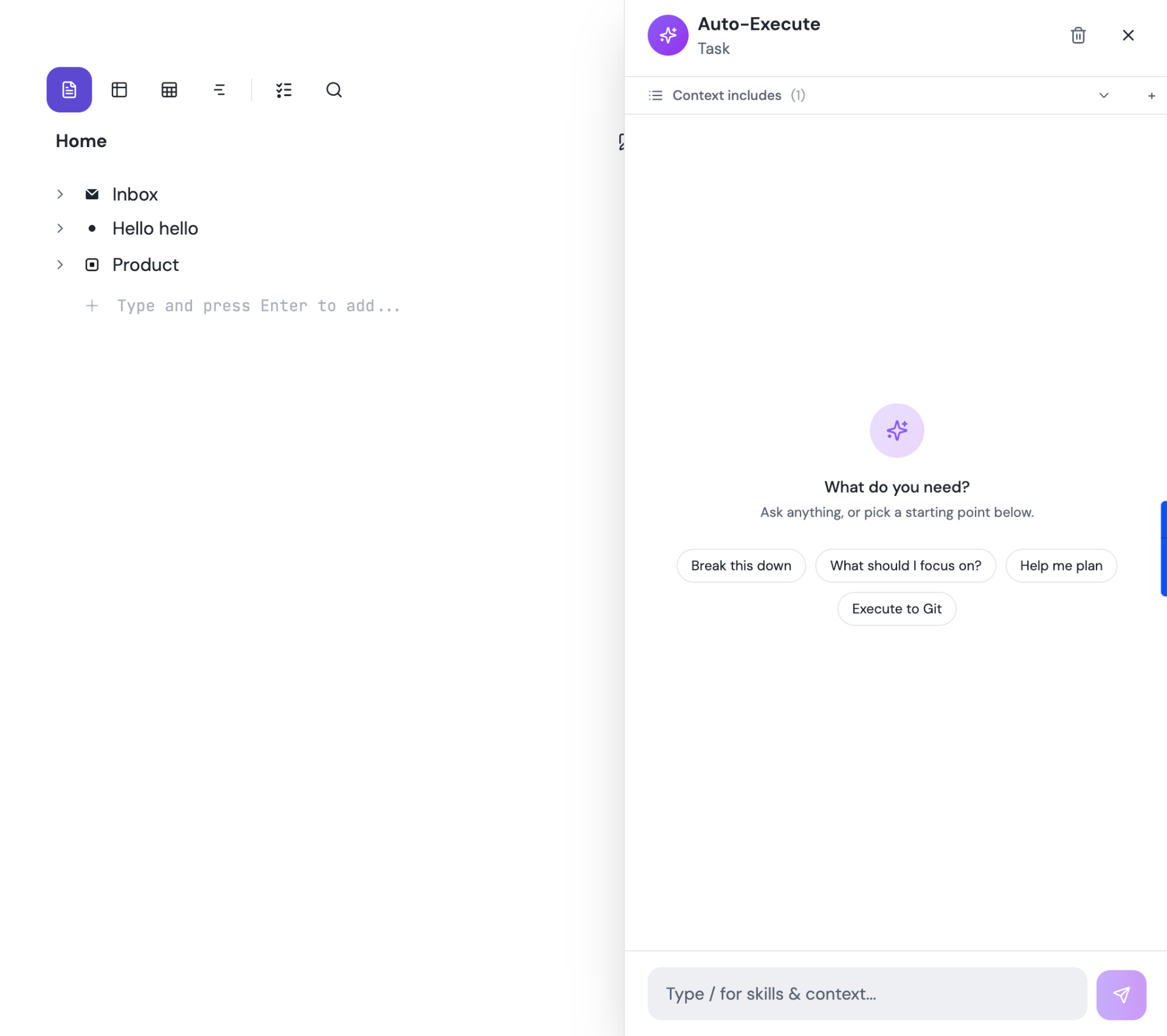
When an agent is unsure, it asks — one question at a time, in the chat, with your answers remembered for the rest of the run. When it wants to do something consequential, it requests approval first. You stay in control without babysitting every step.
Transparent Credits and Model Tiers
Cheap work runs on cheap models; hard work escalates. Every run reports the tokens and credits it consumed, so you can see the cost of a deliverable before you make it a habit. Set limits per workspace and keep an eye on usage from the hub.
Start organizing your way
Free forever for individuals. No credit card required.
Mirror a task into any project and it stays in sync everywhere.
Outliner, Kanban, Table, Gantt, Document and AI Execution chat — all on the same tasks.
Free forever for individuals. No credit card required.