Your Calendar, Turned Into Tasks That Clean Up After Themselves
Every meeting arrives as a note-ready task. The moment a meeting produces nothing to follow up on, it closes itself — so the only meetings left on your list are the ones that still owe you work.
How it works
One task, multiple homes, multiple users
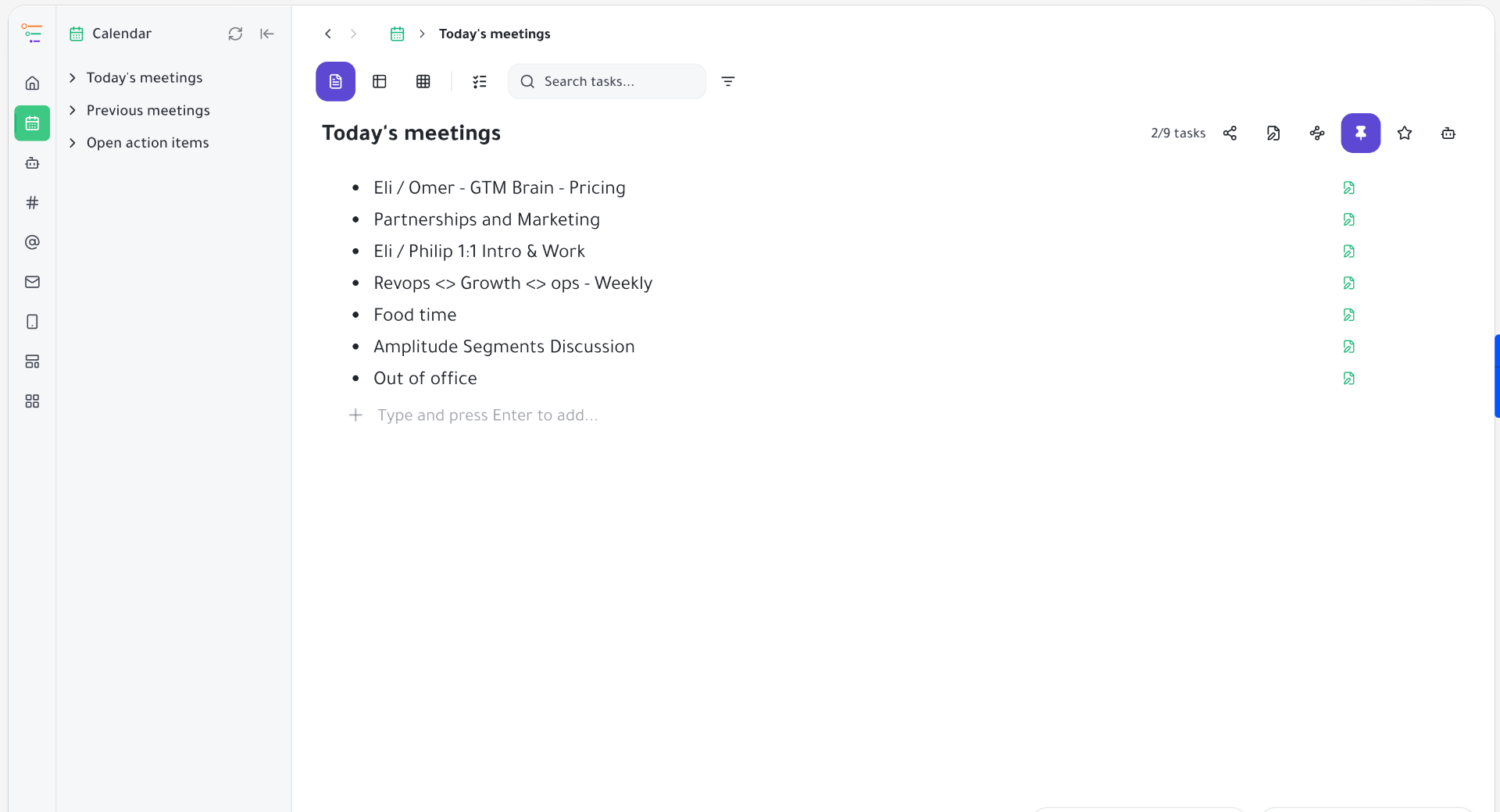
Most calendar integrations do the easy half of the job: they copy events into your task list and leave you with a graveyard of past meetings to tick off manually. Taskpend does the other half too. Meetings are synced into a live Calendar space — Today's meetings, Previous meetings by day, and one rolled-up Open action items list. When a meeting passes, Taskpend asks a simple question: did anything come out of this? If you never touched it, it auto-completes and vanishes from your active view. If you took notes or added follow-ups, it stays open — and keeps its whole date group open with it — until the last action item is done. Your calendar stops being a log and starts behaving like a to-do list that empties itself.
Today's Meetings, Ready to Take Notes In
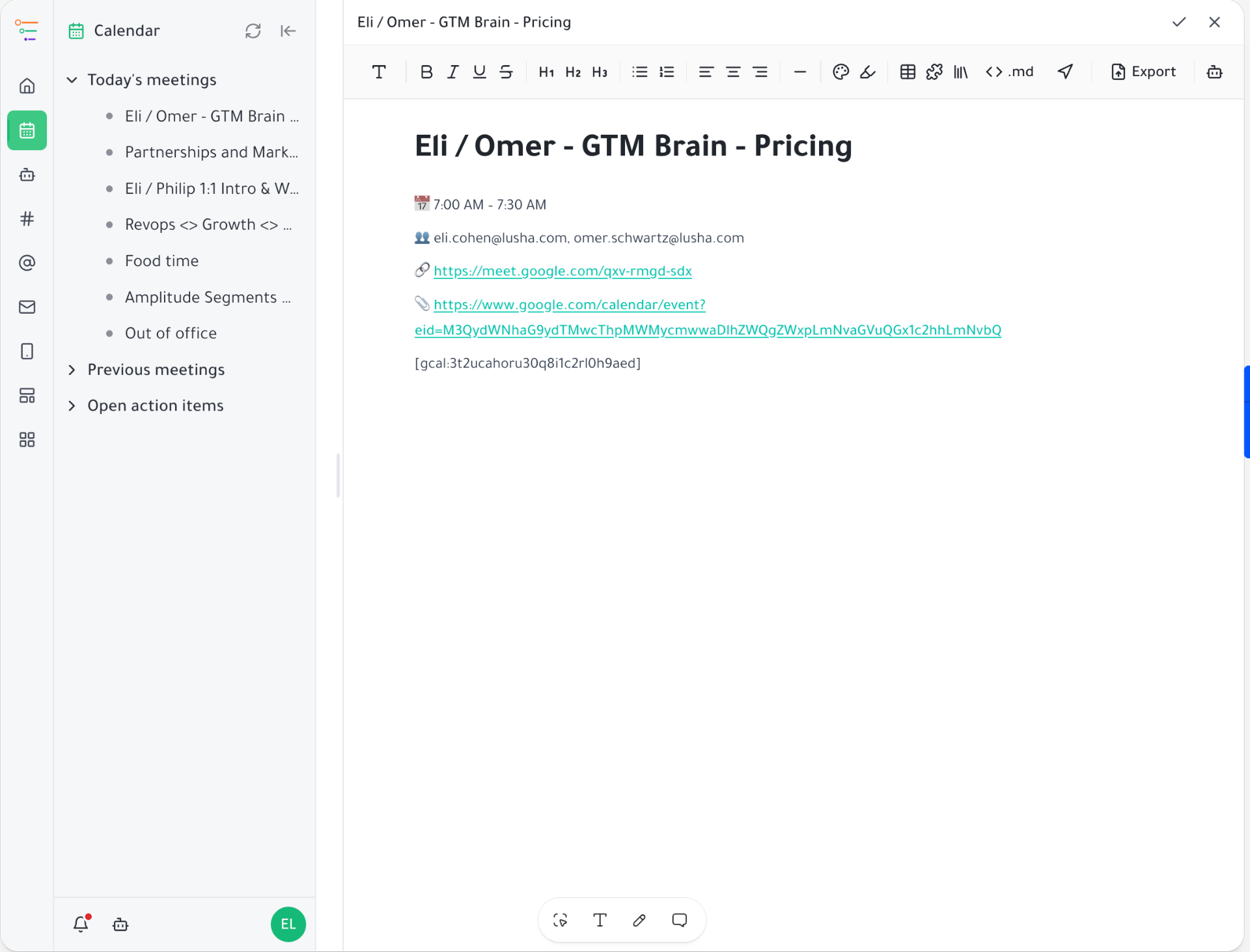
Each event becomes a task titled with its start time — '9:30 AM · Design Review' — so your day reads like a schedule. Inside, you get the attendee list, the video link, the agenda and a blank outline waiting for your notes. No copying, no separate note doc, no hunting for the Zoom link 30 seconds before the call.
Empty Meetings Complete Themselves
This is the part nobody else does. After a meeting moves into the past, Taskpend checks whether the task body is still untouched sync content and whether it has any incomplete descendants. Nothing added, nothing outstanding? It's marked complete automatically. Half your week — the standups, the syncs, the calls that were just calls — disappears from your list without you touching a single checkbox.
One Note Keeps the Meeting Alive
The rule is symmetrical, and that's what makes it trustworthy: the instant you write a single subtask inside a meeting, that meeting is protected. It won't auto-complete, it won't be swept away if the event is cancelled, and its whole day group stays open. If a completed day later gains a new open item, the day re-opens on its own. You never have to defend your notes from the automation.
Every Commitment in One Open Action Items List
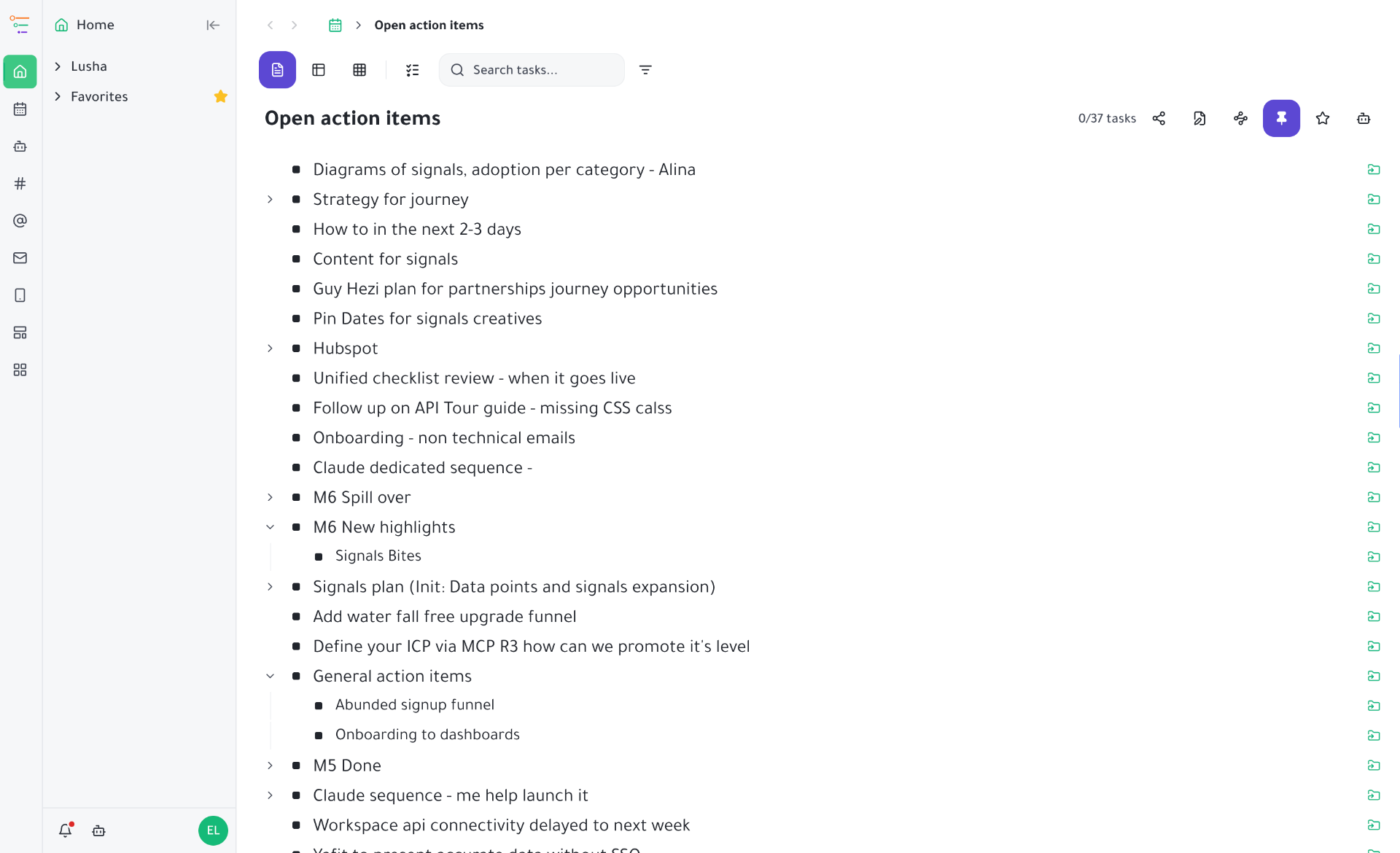
Incomplete subtasks from every meeting — today's and every past day's — are mirrored into a single Open action items folder, with their own sub-notes projected along with them. It's the honest answer to 'what did I actually promise people this week?' Tick an item off anywhere and it disappears from both places, because it's the same task, not a copy.
Fresh Every Few Hours, or Right Now
Sync runs on a schedule in the background, so a meeting added at 8am is on your list before 9. Need it instantly? Hit the refresh icon in the Calendar sidebar. Events are matched by their Google calendar ID, so reschedules move the existing task instead of creating a duplicate, and days are grouped by your local timezone — not the server's.
Cancellations Clean Up, Notes Never Do
If an event disappears from your calendar, the matching task is swept away too — but only when it's still empty and only within the window Taskpend actually verified. Anything you wrote is out of scope for the cleanup, permanently. Aggressive about noise, conservative about your work.
Start organizing your way
Free forever for individuals. No credit card required.
Mirror a task into any project and it stays in sync everywhere.
Outliner, Kanban, Table, Gantt, Document and AI Execution chat — all on the same tasks.
Free forever for individuals. No credit card required.