Infinite Nesting hierarchyStructure Work The Way You Think
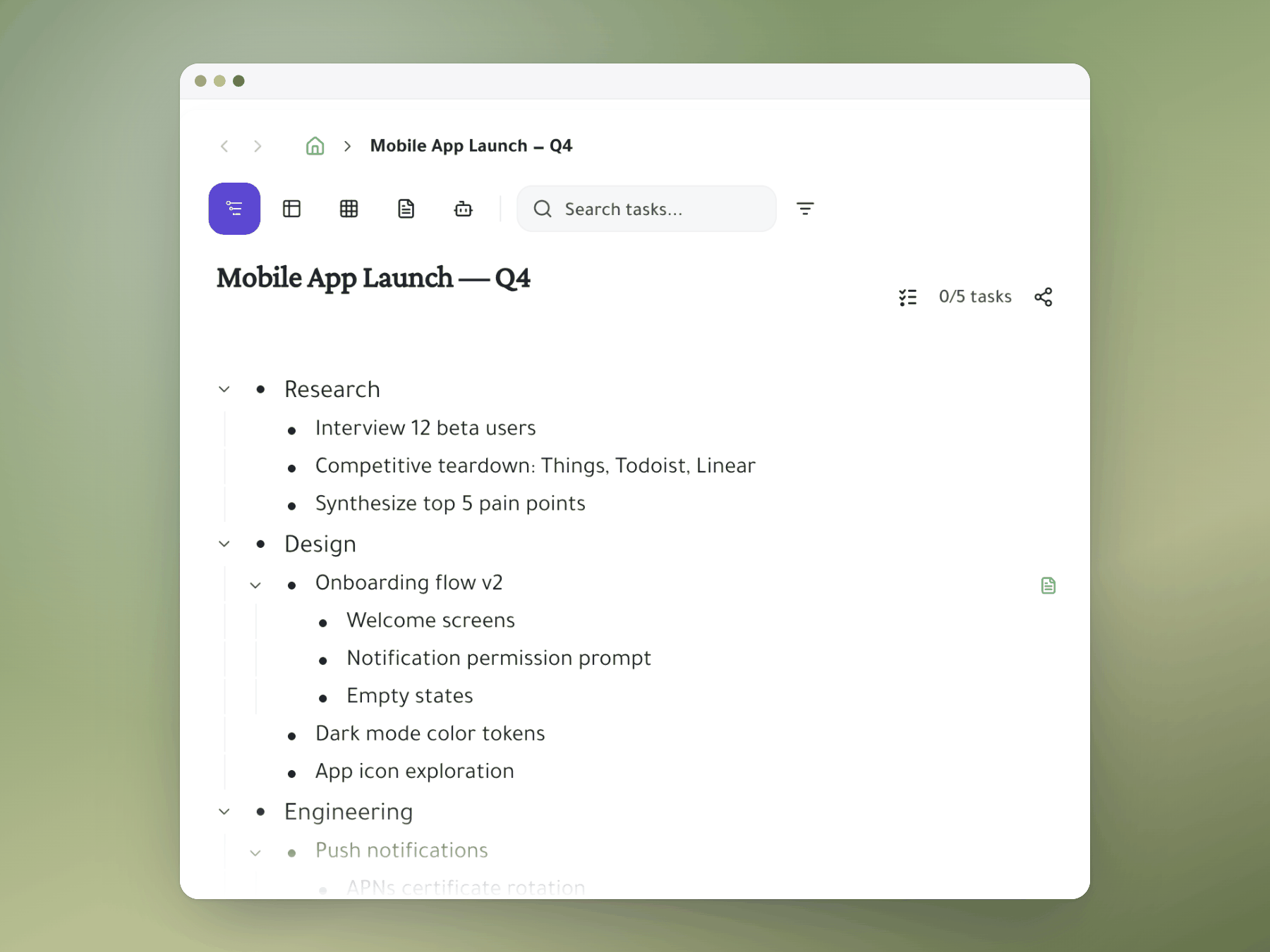
Break down any task infinitely deep. view each task as a whole document, Share branches with @mentions. Everyone sees exactly what they need — no more, no less.
Why it matters
A task manager that thinks like you do
Flat lists lose context. Folder hierarchies are rigid. Infinite nesting maps directly to how ideas actually nest.
No depth limit
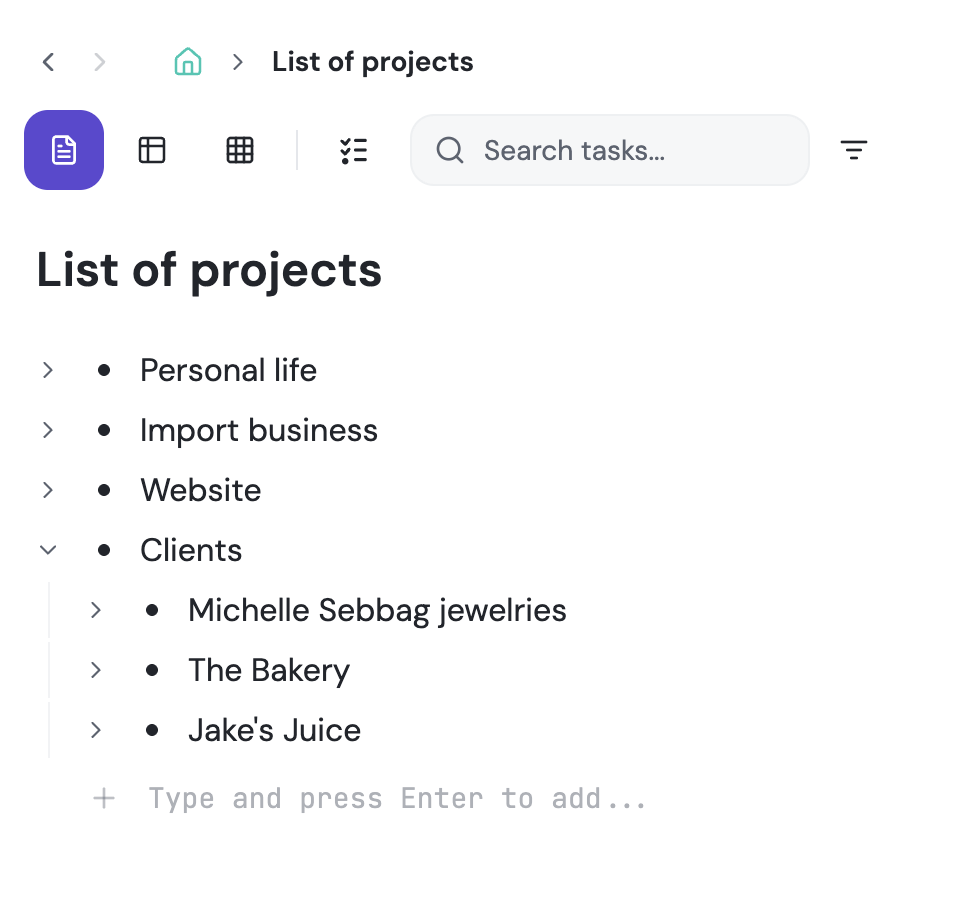
Nest epics inside areas, stories inside epics, tasks inside stories, checklists inside tasks — as deep as your project demands. Collapse and zoom freely.
# channels that mirrors projects
1 project - Multiple homes. Take your tiny task and add it to a bigger project or share a project in multiple hierarchy structures. i.e. "Sprint 24", "Q3 roadmap", "My Active Projects". One task, multiple homes & owners — edit from either side with no stale copies.
Focus mode
Zoom into any branch to eliminate visual noise. The rest of the tree hides — focus on exactly the sub-project you're working on right now.
How it works
From idea to execution in one tree
Start with any task
Create a top-level task or area. Type to add it — no configuration, no templates required.
Nest as deep as needed
Press Tab to indent, Shift+Tab to outdent. Drag to restructure. Add subtasks at any level — no limit on depth.
@mention a teammate or share to a #channel
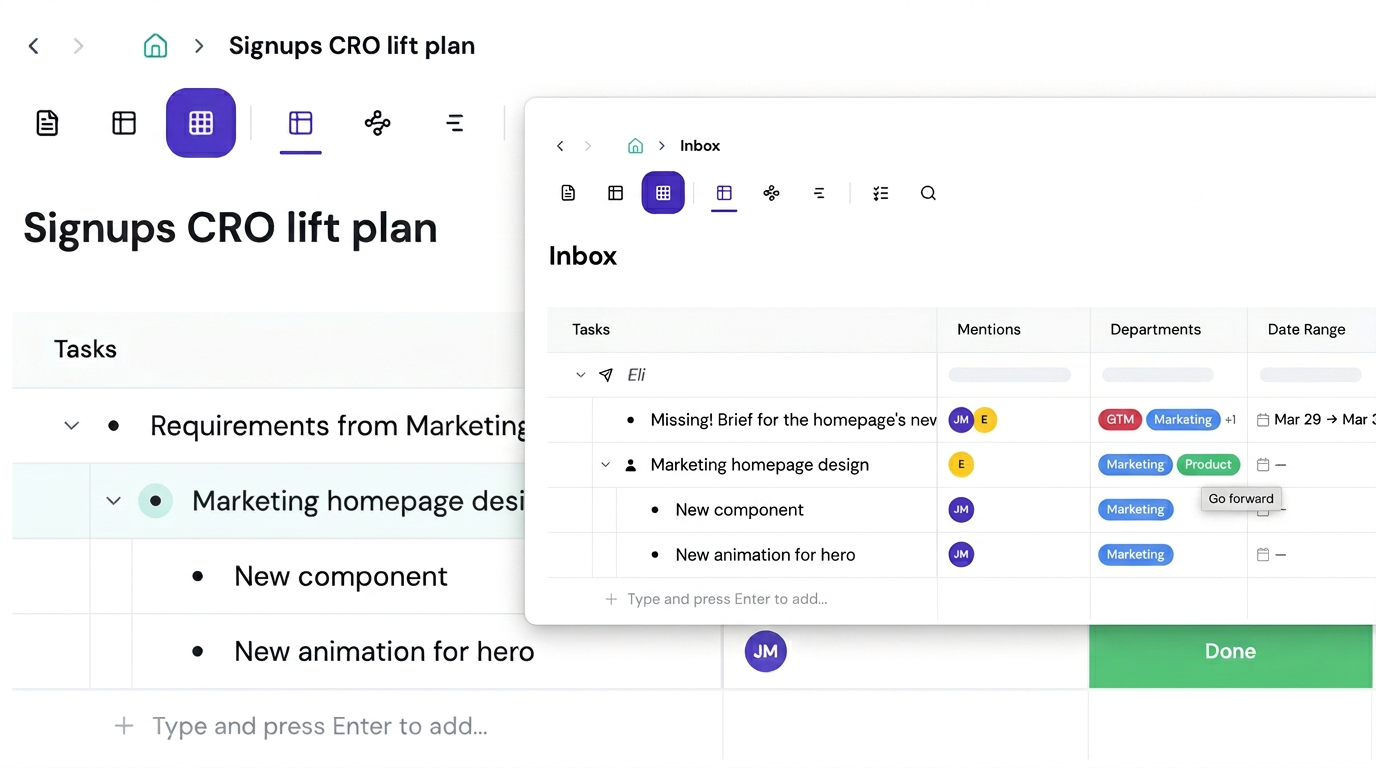
Type @ inside any task to share it. It appears in their workspace instantly, live-synced. They organize it how they think; you keep your structure intact.
Zoom in to focus
Click into any branch to focus exclusively on it. Drill down to today's tasks; zoom out for the weekly review.
Start organizing the way your brain works
No folders. No tags. Just structure that scales with you.
Mirror a task into any project and it stays in sync everywhere.
Outliner, Kanban, Table, Gantt, Document and AI Execution chat — all on the same tasks.
Break work down as deep as it goes — every level stays connected.