Sprint Planning
Sprint Planning for Small Teams
Nested backlogs. No overhead.
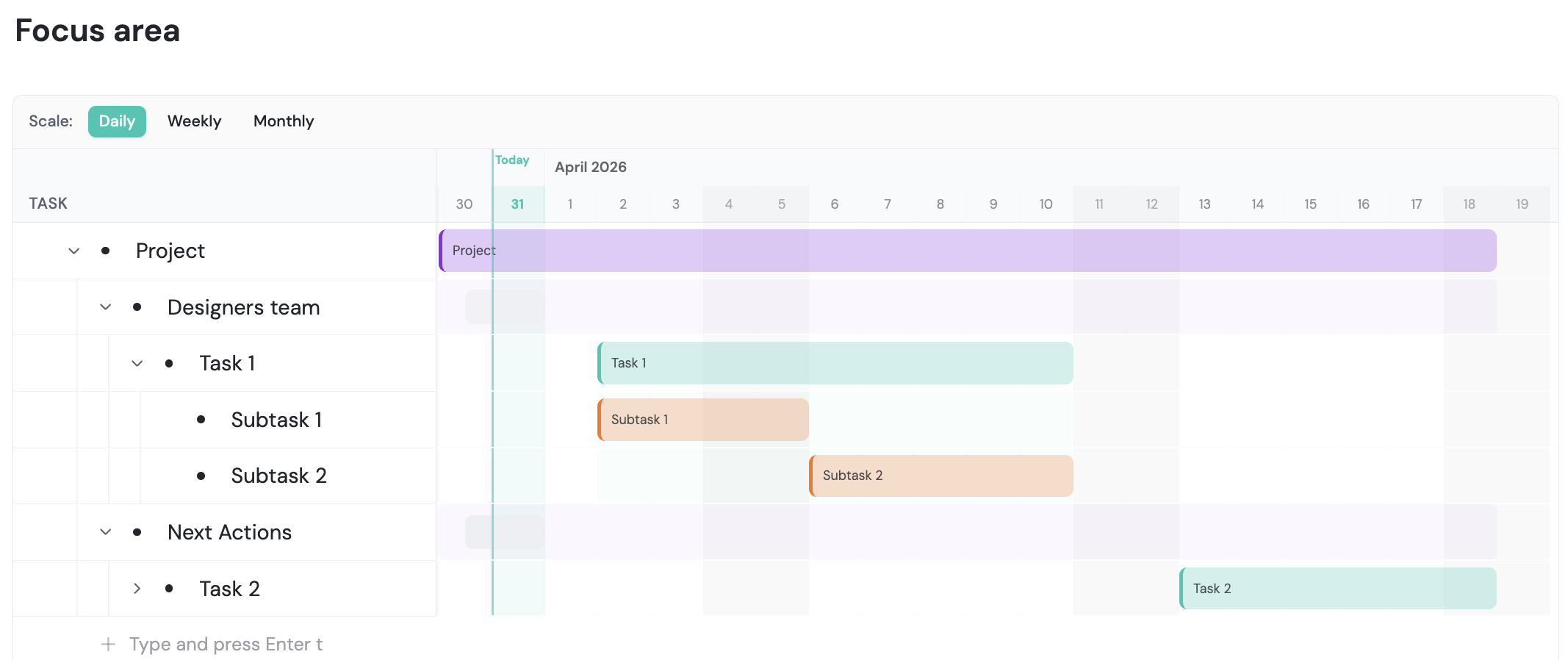
How it works
Everything it does, up close
Plan a sprint in minutes: nest your backlog, switch to table view, assign, and go.
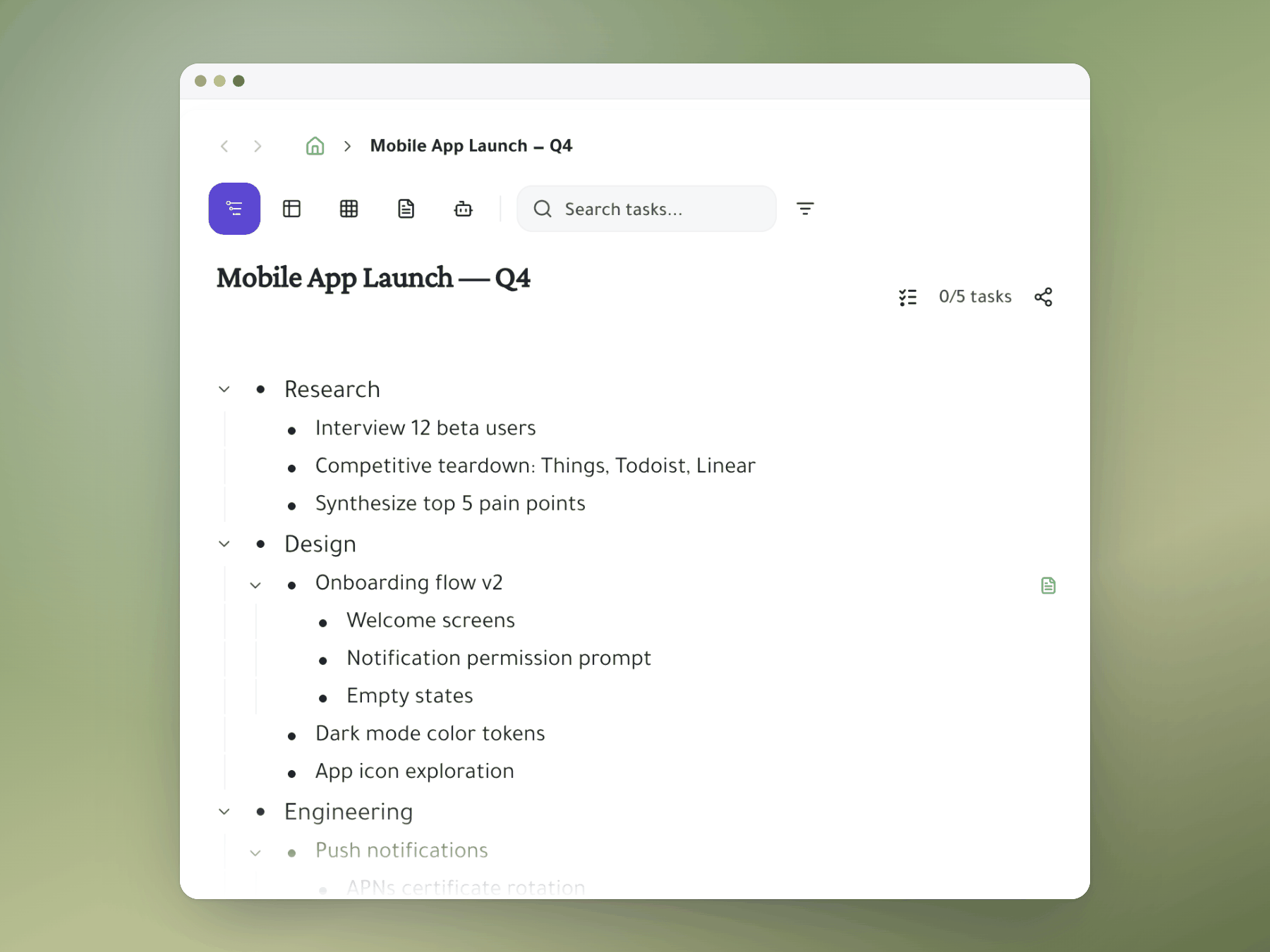
Nested backlogs, full picture
See epics, stories, tasks and subtasks in one tree, so scope is always clear.
- One tree: epics down to subtasks, all visible.
- No view hopping: understand scope in one place.
- Collapse freely: hide what you don't need.
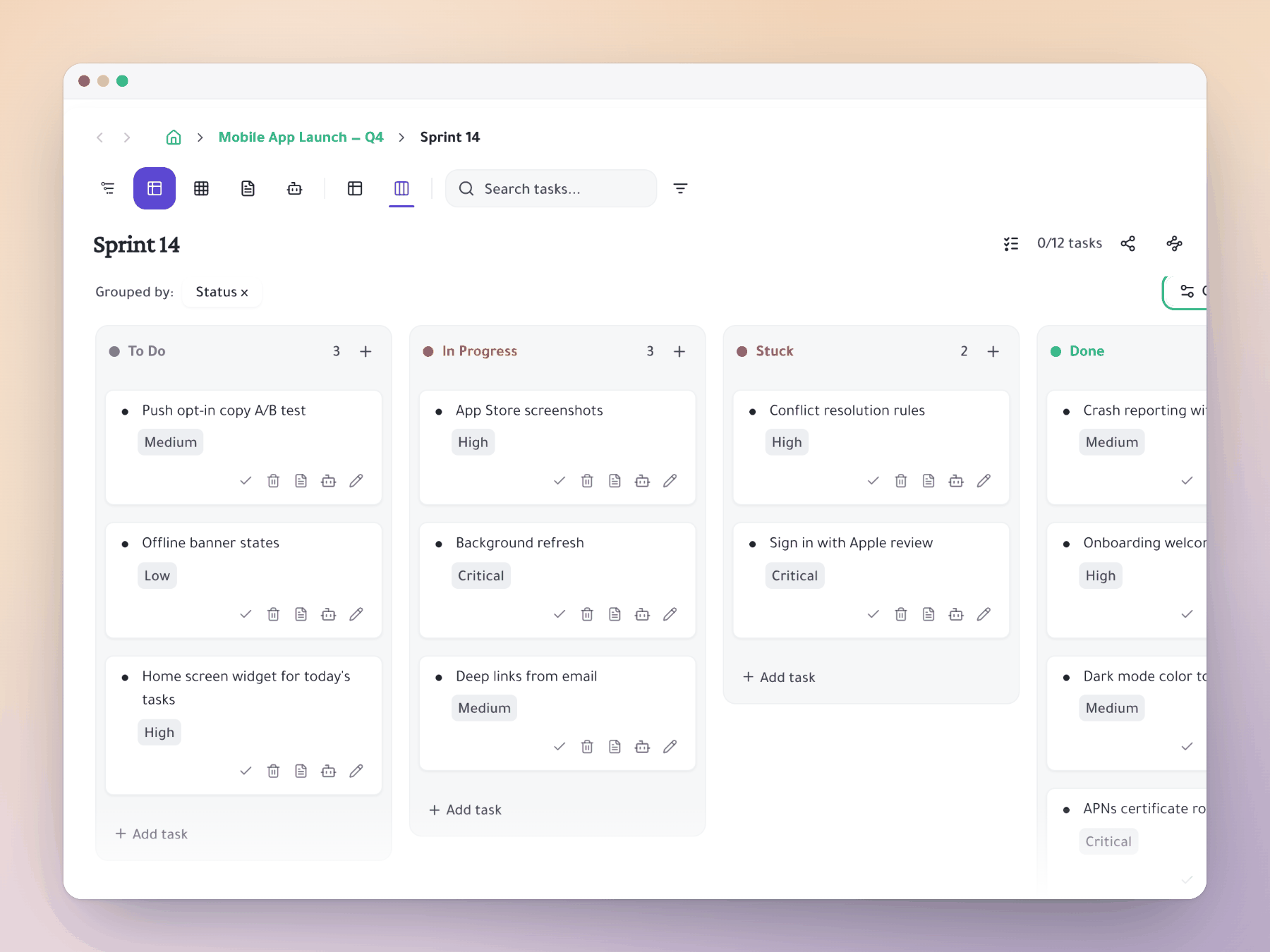
Scrum board with subtasks up front
Turn any branch into a board with status columns, subtasks included.
- Table view: add status columns to any branch.
- Subtasks visible: no hidden dropdowns.
- All inline: drag, assign and update status.
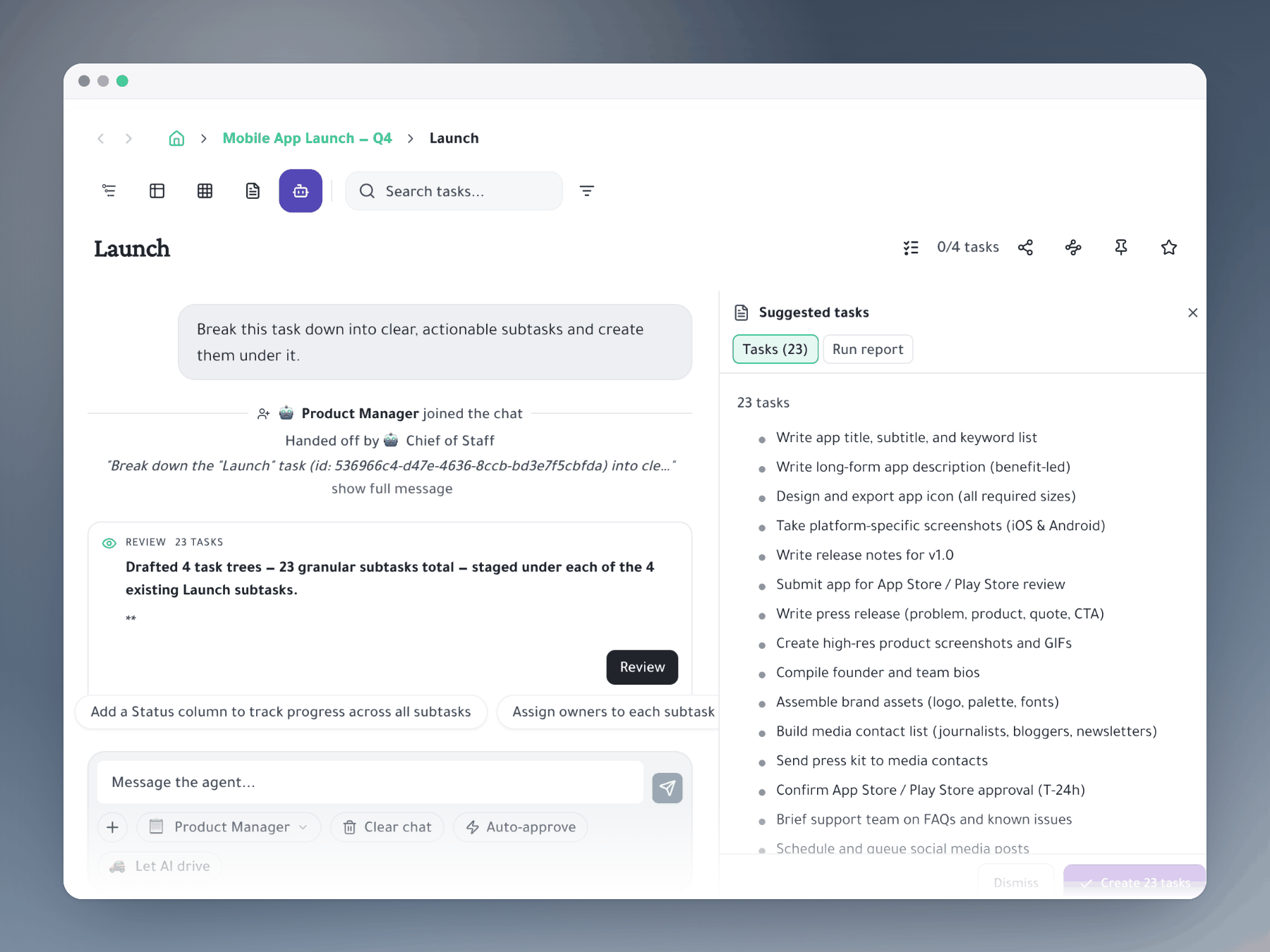
AI sprint breakdown
Paste a feature description and AI suggests the tasks, already in the right structure.
- AI suggests: implementation tasks with the right hierarchy.
- You decide: review, adjust and assign.
- Shorter meetings: cut sprint planning time by 80%.
Start organizing your way
One task, many places
Mirror a task into any project and it stays in sync everywhere.
Six views, zero re-entry
Outliner, Kanban, Table, Gantt, Document and AI Execution chat — all on the same tasks.
Explore more