The Fast, Simple Alternative to ClickUp
All the power. None of the clutter.
ClickUp tries to be everything — docs, whiteboards, chat, goals, dashboards, automations. That breadth is real, but it comes with a lot of surface area: many teams end up navigating containers and settings instead of their tasks. Taskpend focuses on what matters: organizing work in a way that matches how you actually think.
Why switch
What Taskpend does that ClickUp doesn't
Speed You Can Feel
No heavy loading screens. No sprawling sidebar. Taskpend is a lightweight, single-purpose app that stays out of your way. Every interaction is snappy because we build for focus, not feature-count.
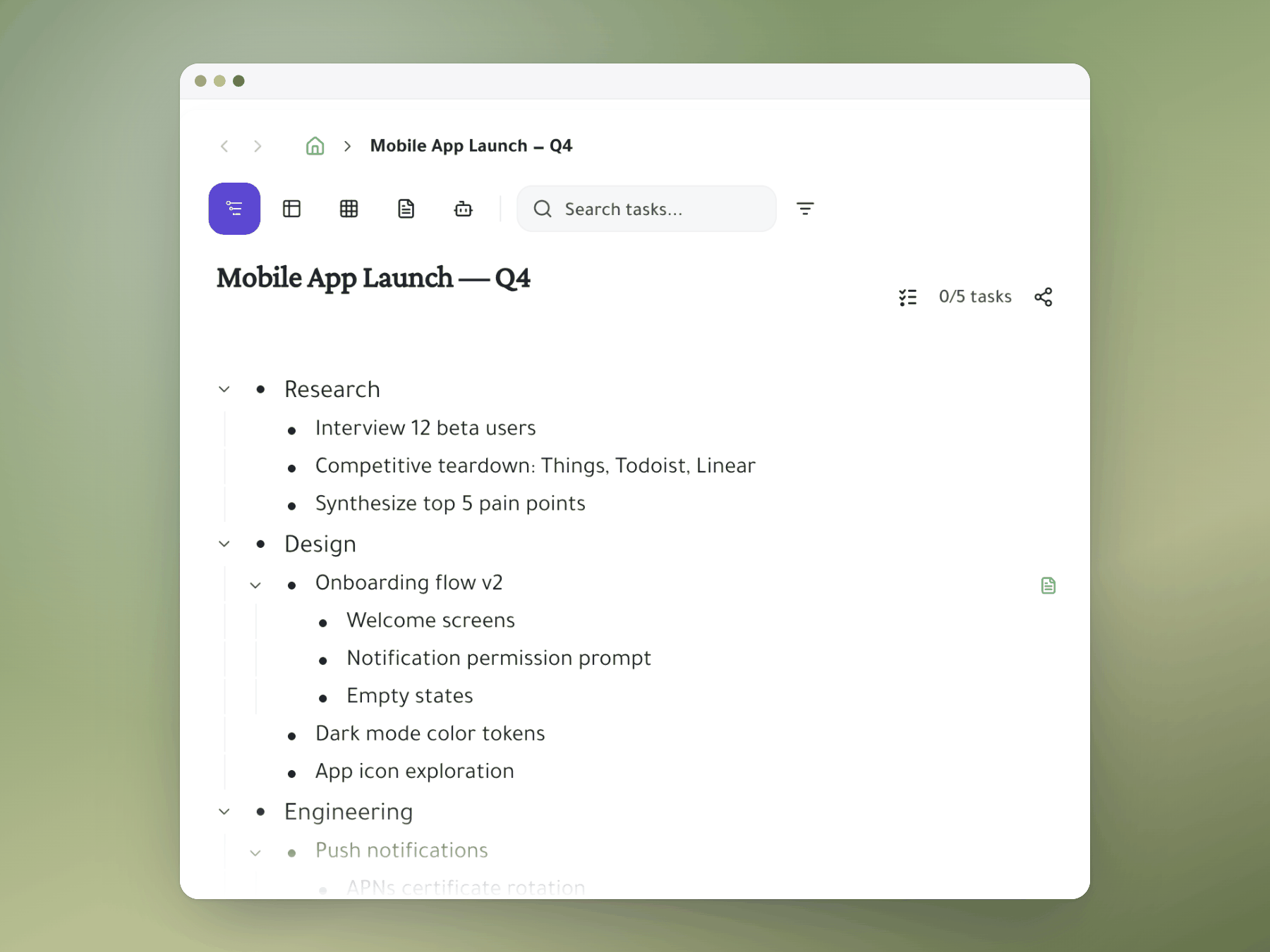
Infinite Nesting Instead of Rigid Hierarchies
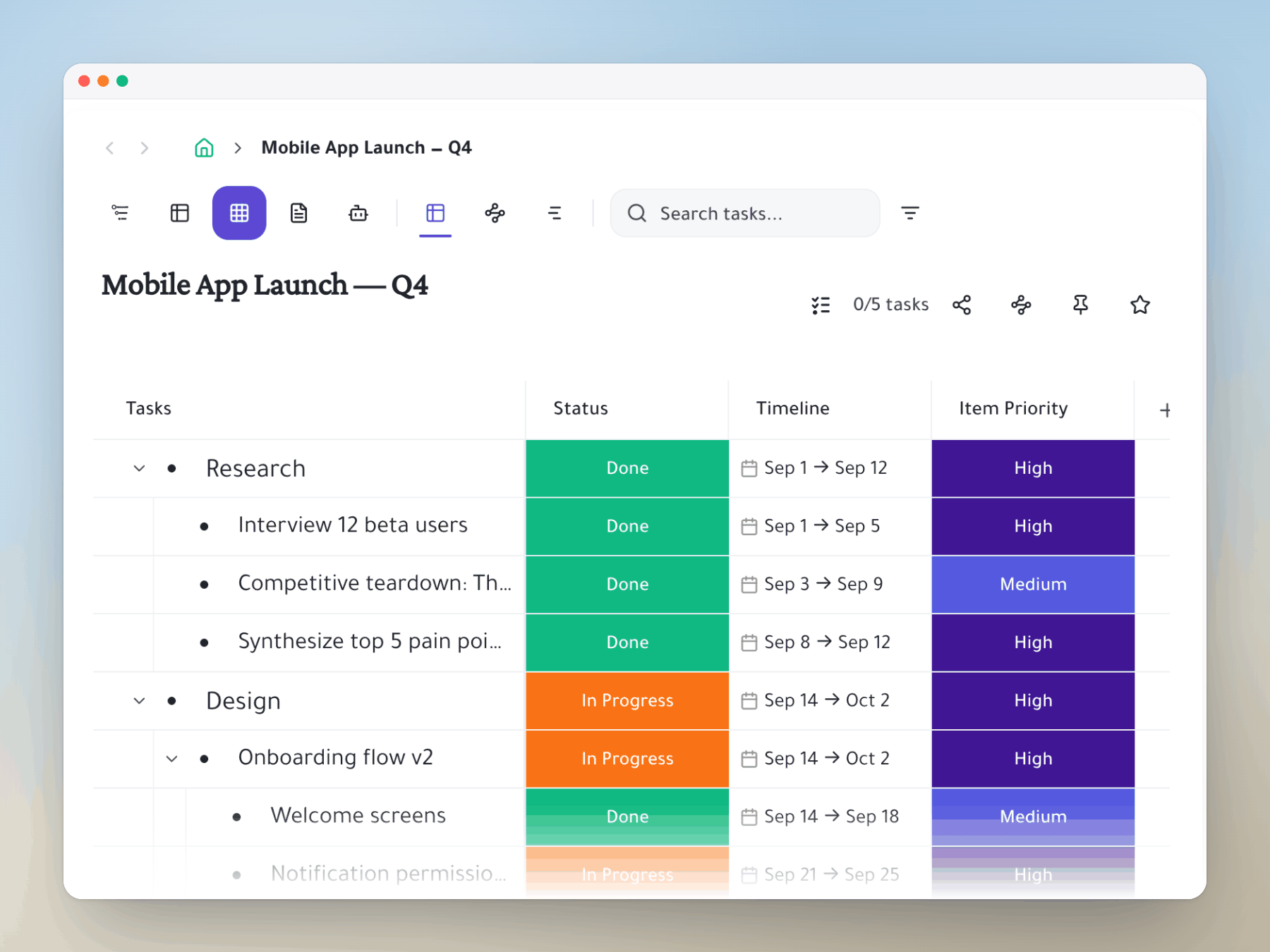
ClickUp organizes work into fixed container types — Spaces, Folders, Lists — with subtasks that nest up to 7 levels deep. Taskpend gives you one infinitely nestable tree with task mirroring @mentions for teams: a single primitive, structured your way, with no container types to learn and no depth cap.
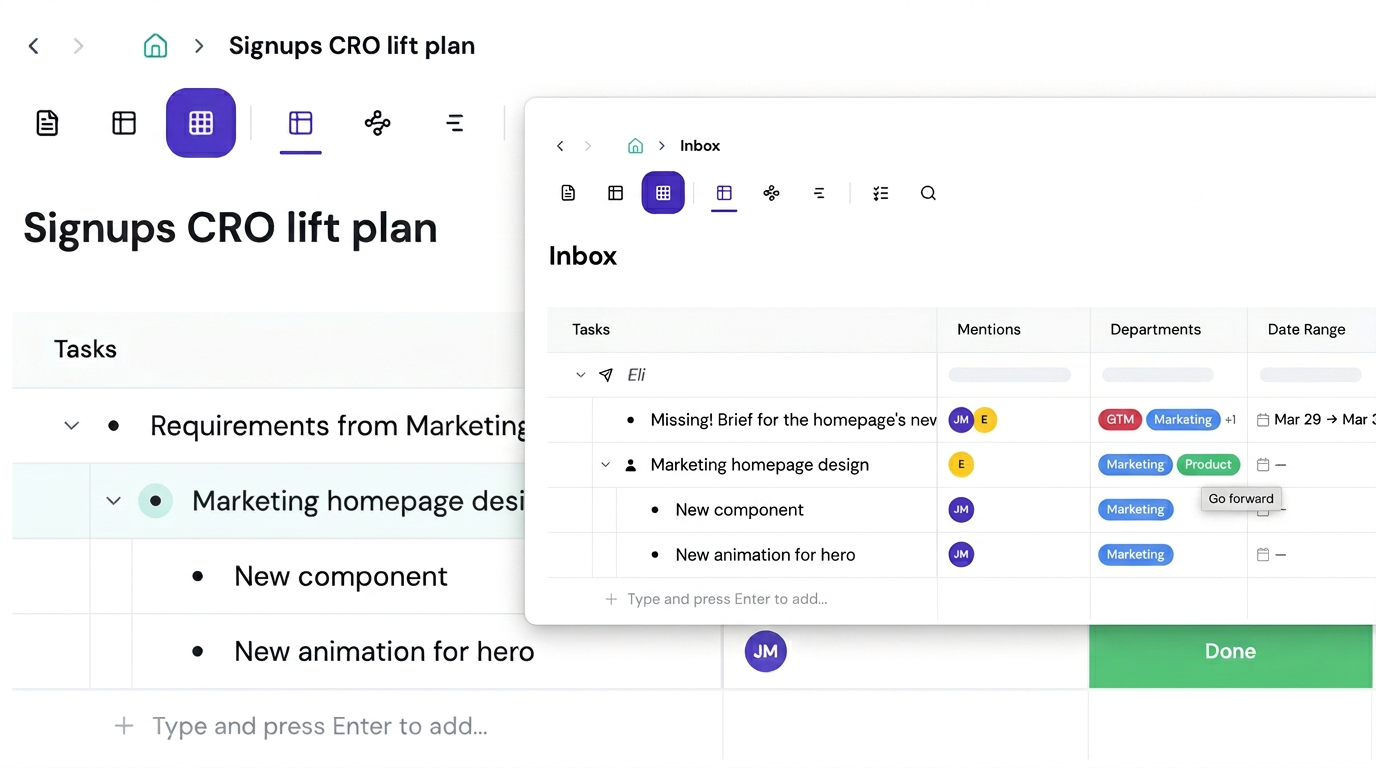
Task Mirroring — Work Your Way, Stay in Sync
Share a task to a teammate's view without duplicating it. They see it in their context; you see it in yours. Changes sync instantly. No more 'which copy is the latest?' confusion.
Feature comparison
Taskpend vs ClickUp
Ready to switch?
Start for free. No credit card required. Import your existing tasks in minutes.
Mirror a task into any project and it stays in sync everywhere.
Outliner, Kanban, Table, Gantt, Document and AI Execution chat — all on the same tasks.
No credit card required. Import your existing tasks and go.