Gantt & Roadmap
Gantt Timelines Without the Enterprise Overhead
Set dates on any task in your hierarchy. The Gantt view builds itself. Share with stakeholders in one click.
How it works
Everything it does, up close
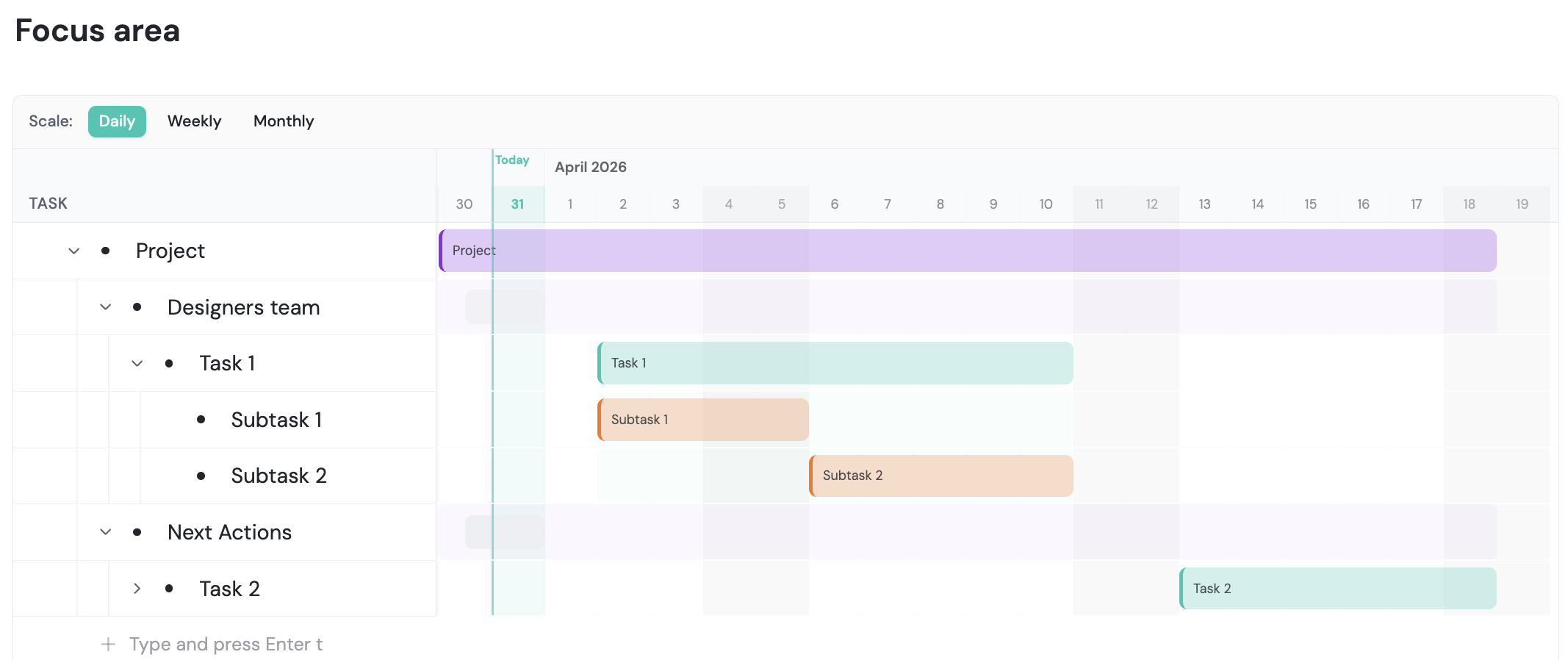
Add dates to the tasks you already have and a Gantt timeline builds itself, with no separate tool or training.
Dates at any depth
Give any task a start and end date, even one nested deep inside a project.
- Any level: nested tasks get their own timeline bars.
- Bars in bars: phases span long, their tasks sit inside.
- Same shape: the timeline follows your task tree.
See the critical path
Timelines show what runs in parallel and what has to happen in order.
- Critical path: see which tasks decide the finish date.
- Slips show up: overlaps reveal which later tasks are affected.
- No setup: no dependency system to manage.
Share a read-only roadmap
Send stakeholders a link to the Gantt view, no account needed.
- Always current: the link shows today's roadmap.
- Meeting ready: use it for reviews, investor or exec updates.
- No exports: skip rebuilding slides the day before.
Switch to Kanban to execute
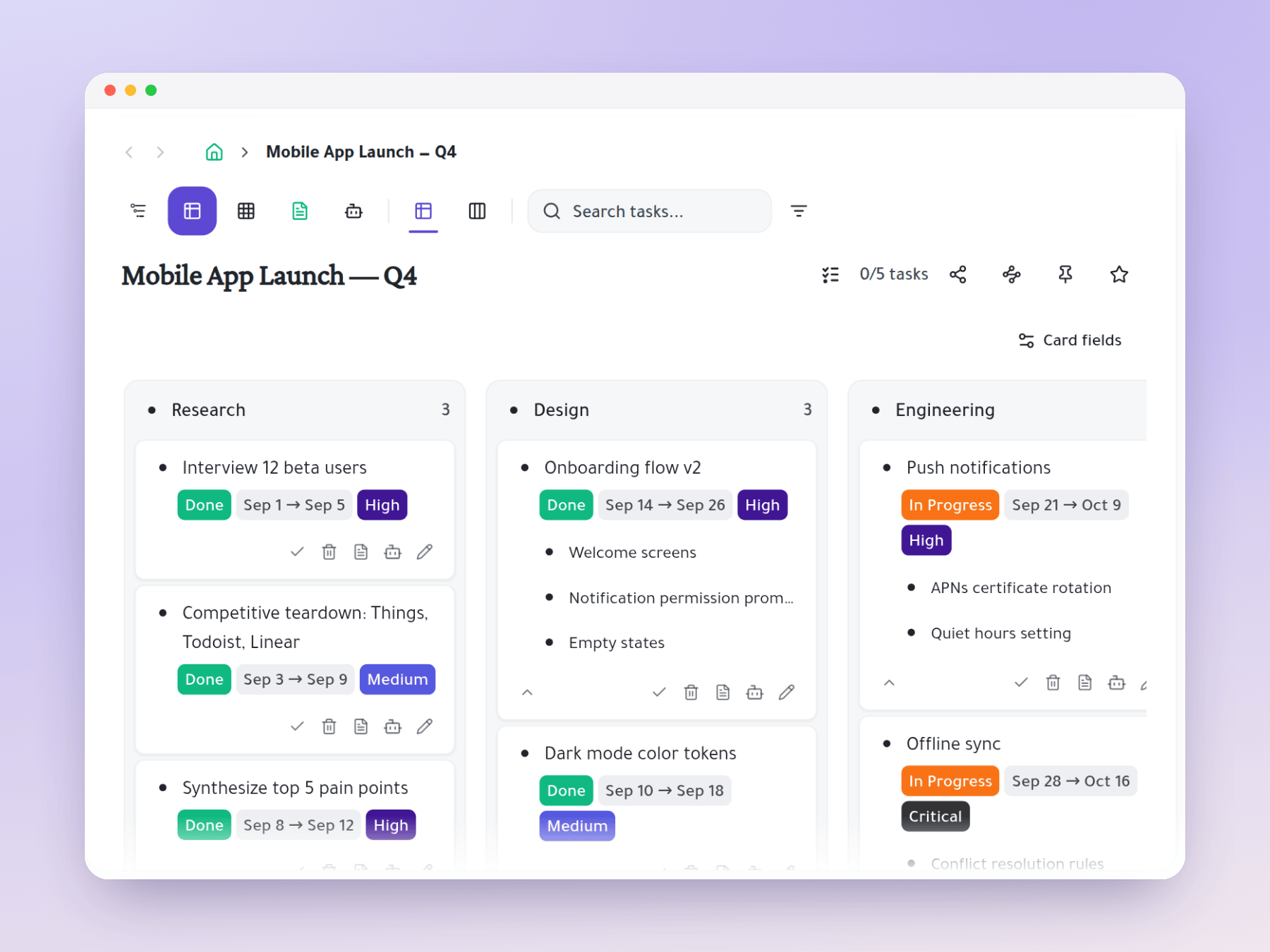
Plan on the Gantt, then run the work on a Kanban board with the same tasks.
- Plan: confirm timelines on the Gantt at sprint start.
- Execute: run daily standups and status on the Kanban.
- One source: both views always show the same tasks.
No enterprise complexity
Add dates to your existing tasks and the Gantt appears, with no setup or upkeep.
- Ready now: there for anyone using the outliner.
- Sized right: built for small teams of 2 to 20.
- Easy to use: timelines and dependencies without the overhead.
Start organizing your way
One task, many places
Mirror a task into any project and it stays in sync everywhere.
Six views, zero re-entry
Outliner, Kanban, Table, Gantt, Document and AI Execution chat — all on the same tasks.