The Blank Task ListIs Now Obsolete
Describe any project and AI generates a full, hierarchical subtask tree in seconds. Stop planning. Start executing.
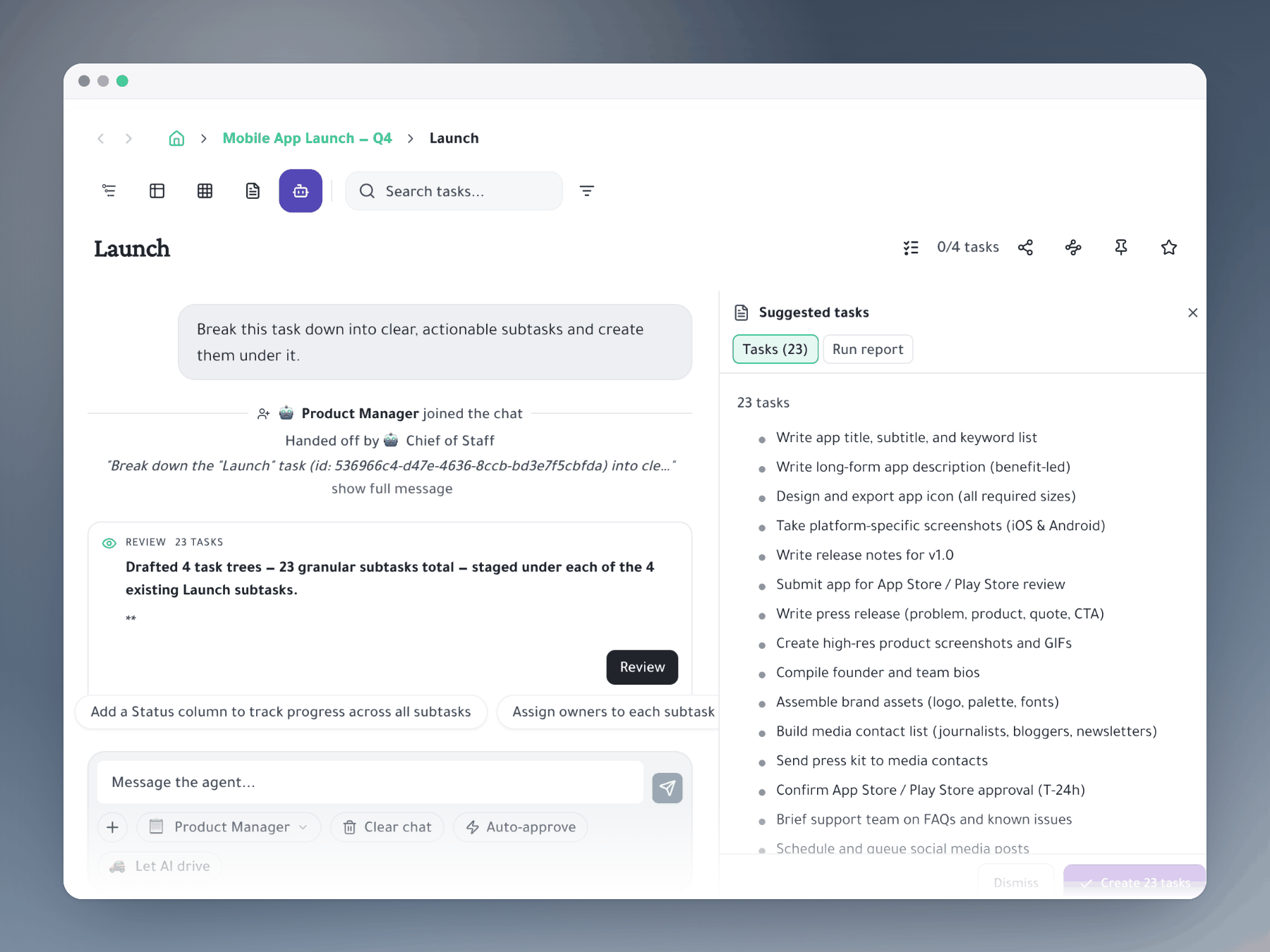
Why it matters
Your project planner, powered by AI
Breaking down big tasks into concrete subtasks is the hardest part of planning. AI does it in seconds.
Always editable
AI suggestions are starting points. Edit, delete, rename, and reorder before confirming. You stay in control of every decision.
30-second sprint planning
Pre-generate breakdowns for every sprint story before planning meetings. The meeting becomes a 30-minute review instead of a 2-hour creation session.
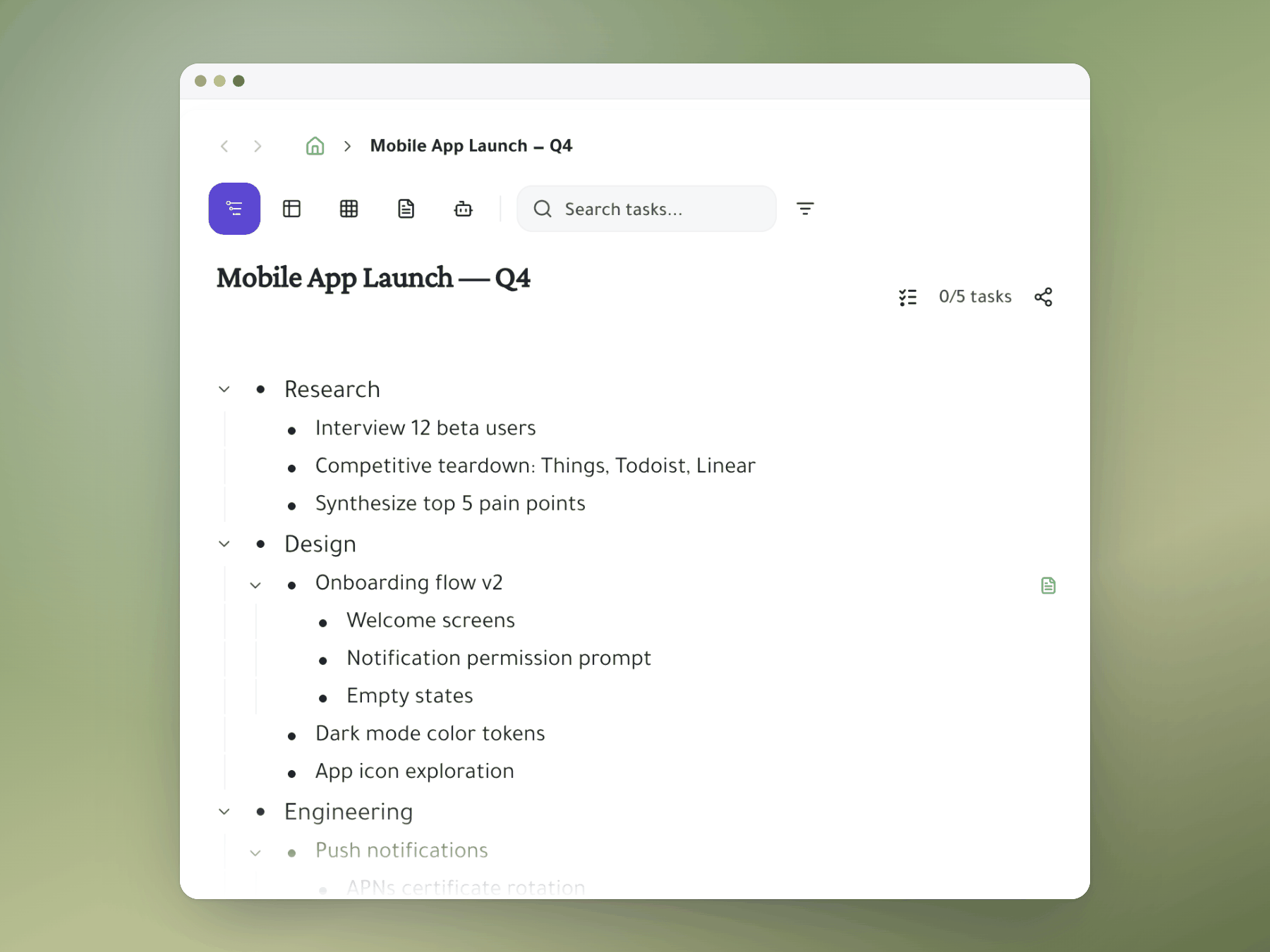
Hierarchical breakdown
AI doesn't generate a flat list — it creates a nested tree: phases, workstreams, tasks, and steps. The output maps directly to your outliner.
How it works
From description to actionable plan in 3 steps
Create a task with a description
Write a clear task name: 'Build user authentication system' or 'Plan team offsite in Barcelona.' The more specific, the better the breakdown.
Trigger AI with the / command
Use the / (slash) key to open the command menu and select an AI option. AI reads your task description and generates a hierarchical subtask tree in 5–15 seconds.
Review, edit, and confirm
Delete subtasks that don't apply. Add what AI missed. Rename to match your team's language. Confirm and the hierarchy becomes real tasks in your workspace.
Stop staring at the blank task list
AI turns your project description into an actionable plan before you've had your second coffee.
Mirror a task into any project and it stays in sync everywhere.
Outliner, Kanban, Table, Gantt, Document and AI Execution chat — all on the same tasks.
Break work down as deep as it goes — every level stays connected.