Features
Task Management FeaturesSix ways to see one task tree.
Six views. Infinite depth. AI that works in-context. All on the same tasks.
Structure work the way you think
Infinite Nesting & @Mentions
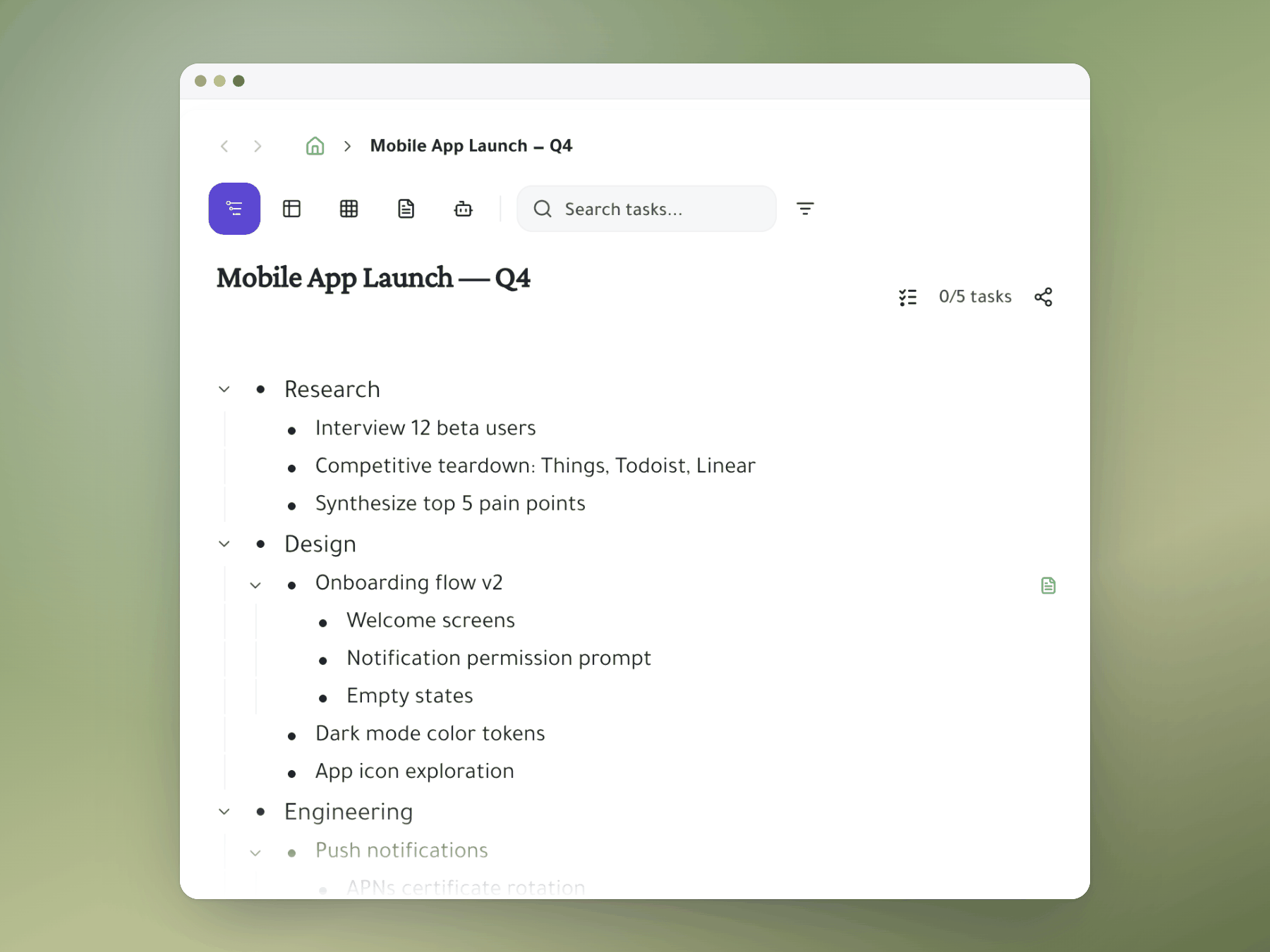
Most tools cap nesting at 3–4 levels. Taskpend has no ceiling. Build epic → story → task → subtask hierarchies as deep as your project demands — then share any task with a teammate using @mentions that stay perfectly in sync.
- Unlimited nesting depth — no arbitrary ceiling
- @mentions create shared tasks in each person's personal workspace
- Collapse and focus on any branch of the tree
- Works the same for individuals and teams
The standup-ready project overview
Table / Spreadsheet View
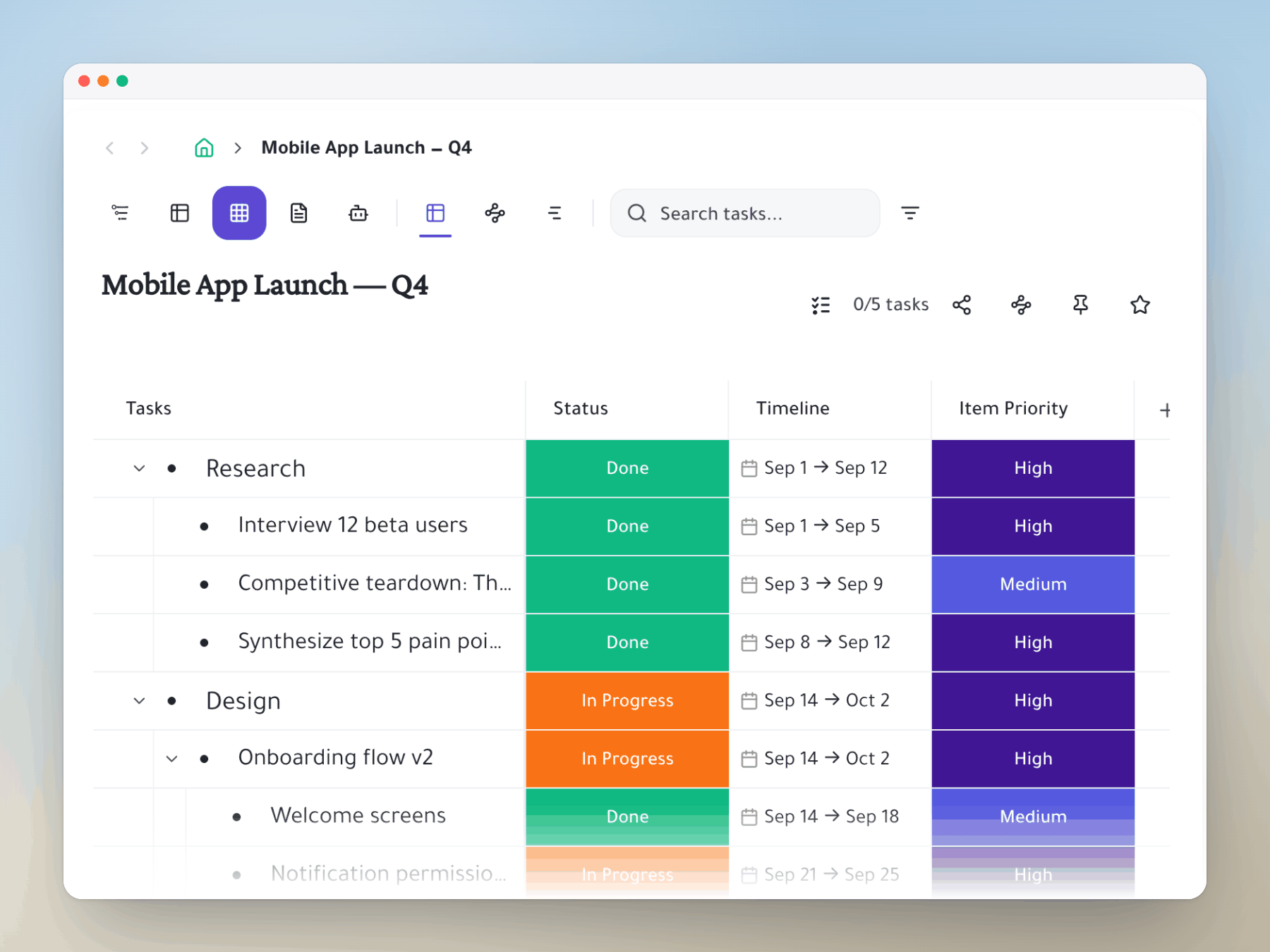
Switch any task list into a spreadsheet-style table without leaving the app. See owner, status, due date, and priority across all tasks at once — perfect for sprint reviews, team standups, or stakeholder reporting.
- Switch between outliner and table in one click
- Editable inline cells — no modals required
- Sort and filter by any column
- Export-ready for stakeholder reviews
From vague idea to actionable plan in seconds
AI Task Breakdown
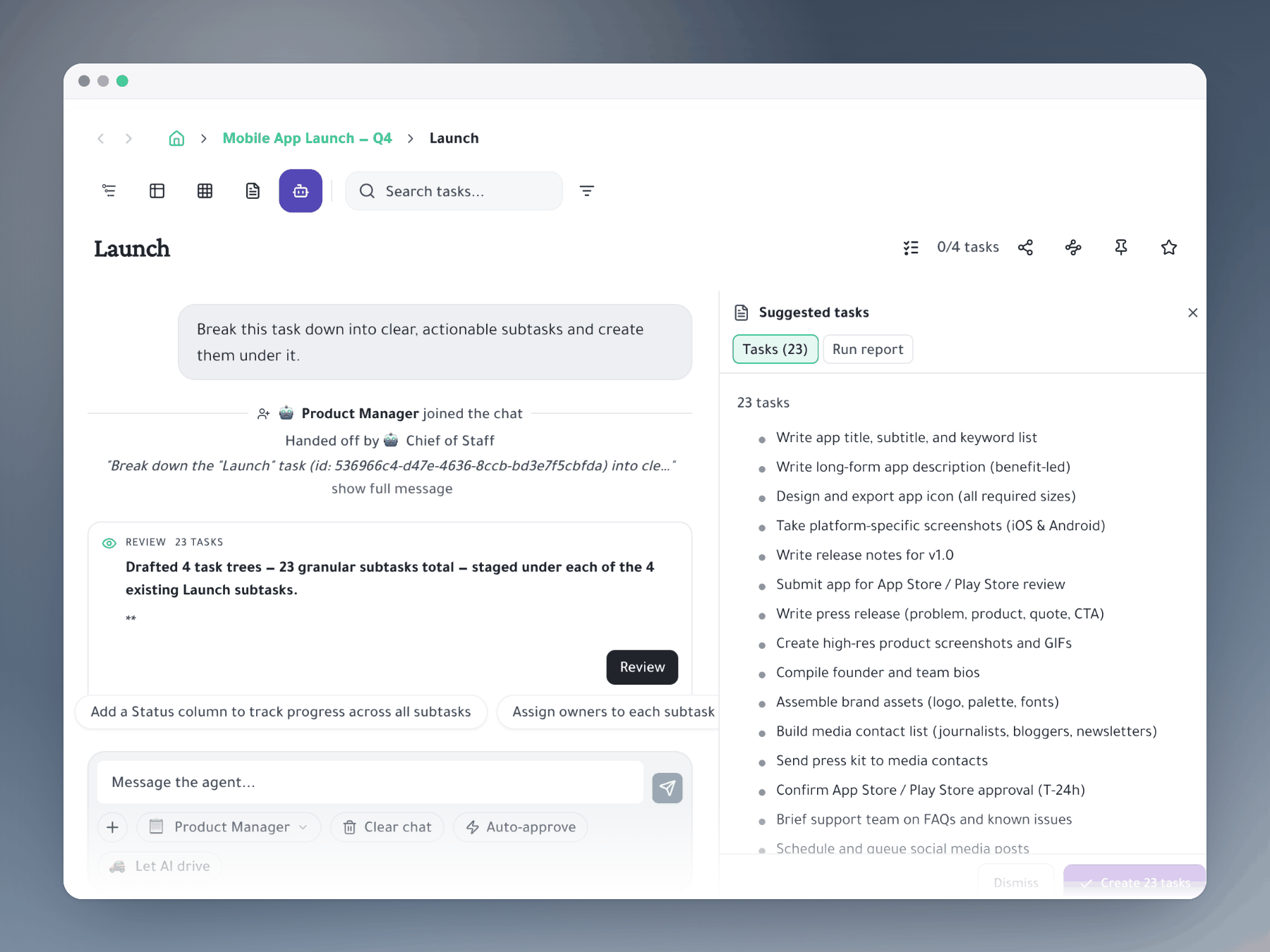
Type a goal, hit slash. Taskpend AI generates a complete subtask hierarchy — roles, sub-steps, and sequencing — in the outliner format you're already in. No separate AI interface, no copy-paste.
- Generate full subtask trees from natural language
- Built into the outliner — no context switching
- Suggests roles and assignees based on team
- AI-powered backlog grooming for sprint planning
Even more ways to view your work
Switch views without switching tools
Every view works on the same underlying data. Change perspective, not workflow.
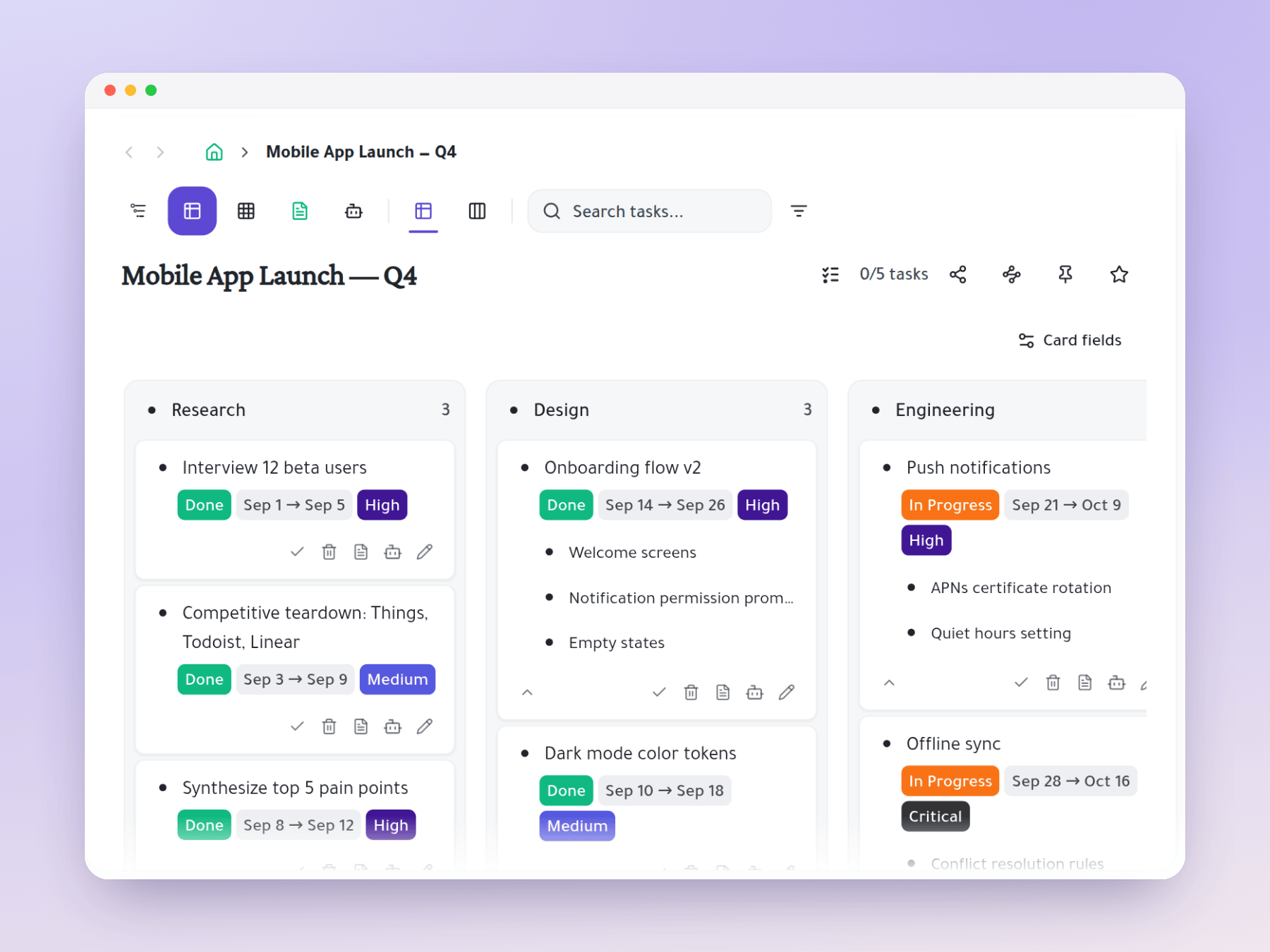
Kanban Board
Drag tasks between status columns with full subtask depth intact.
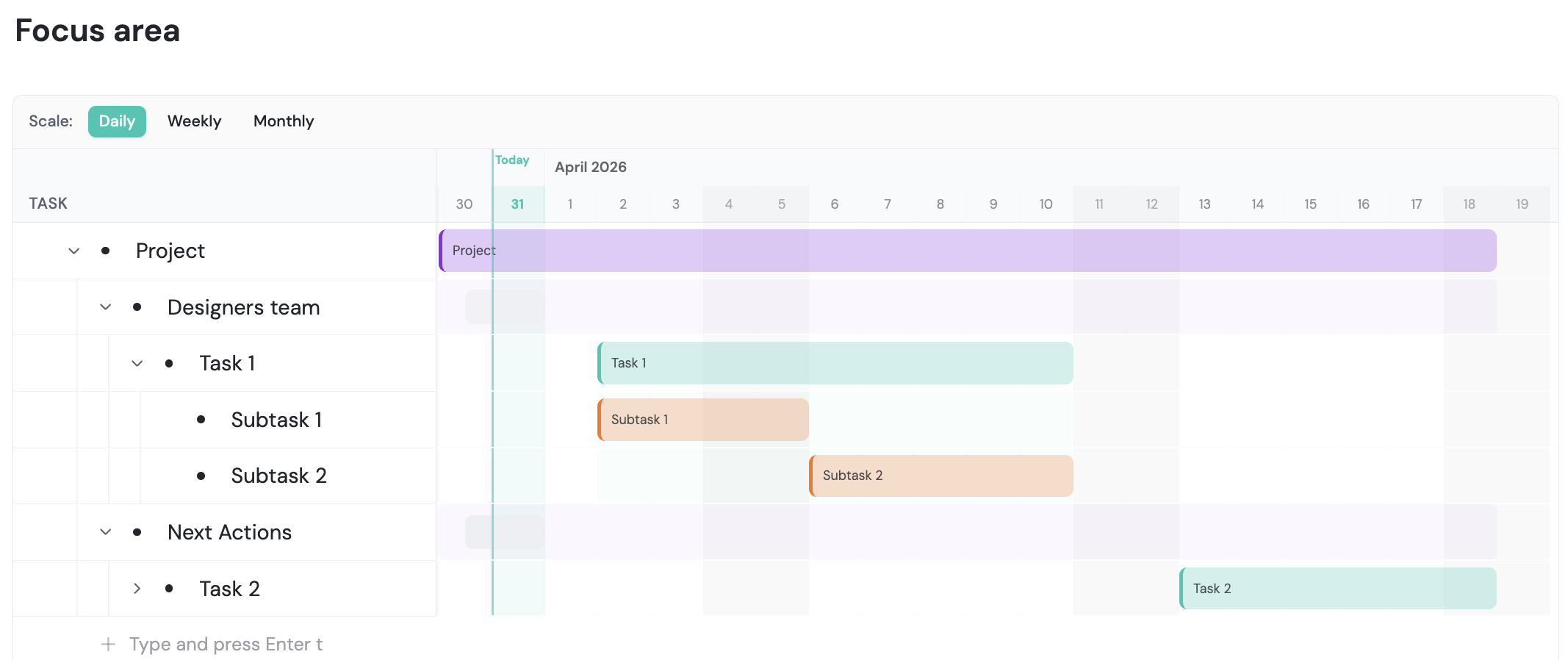
Gantt / Roadmap
Timeline view for planning releases, sprints, and milestones.
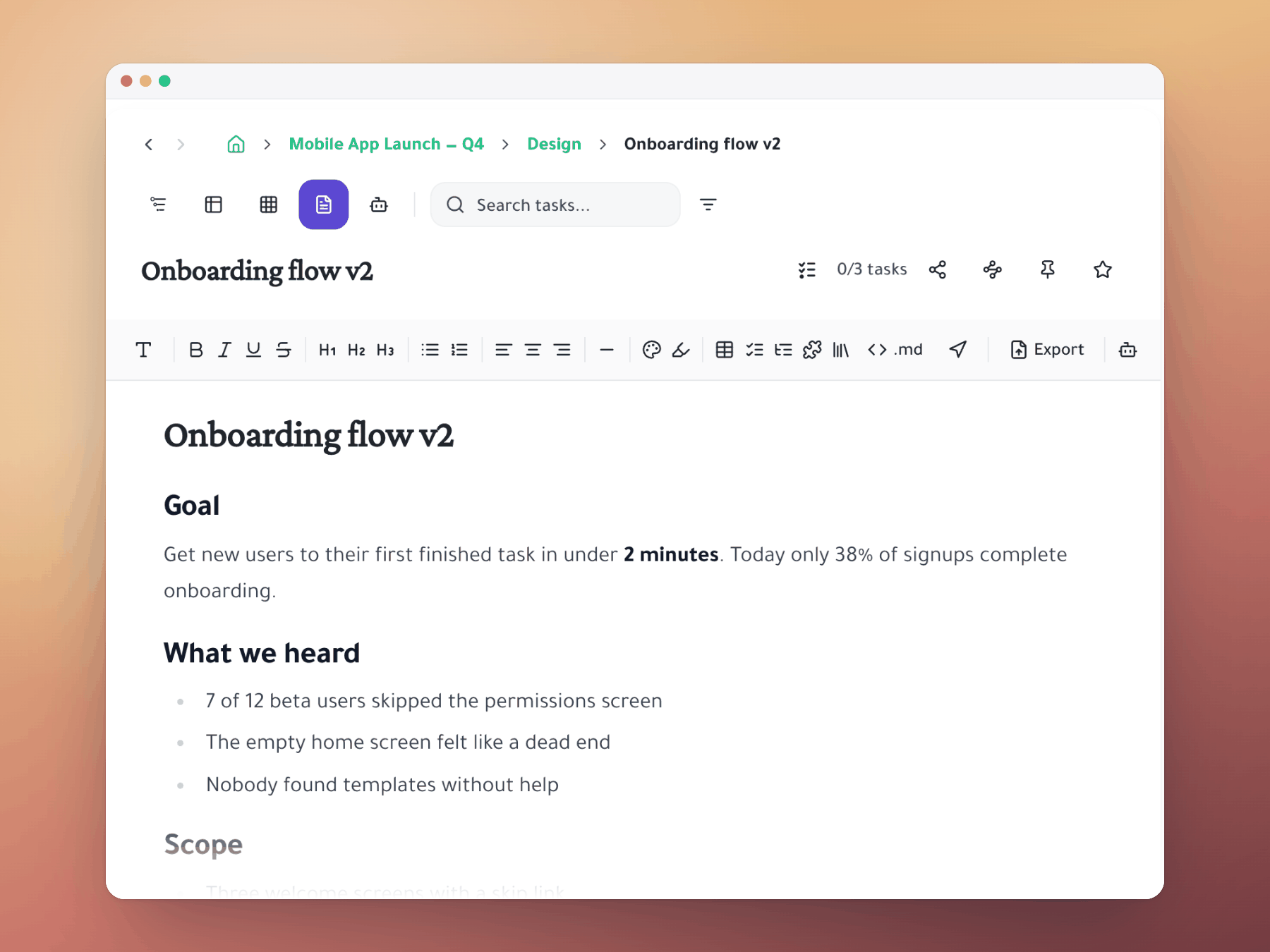
Document View
Render any task tree as a readable document for sharing with stakeholders.
Ready to see it in action?
Start free. No credit card. Switch views whenever you want.