What Smart OrganizationActually Looks Like
Not a chatbot. Not a gimmick. AI that removes friction at the exact moment you're most stuck — starting a project and breaking it down.
Why it matters
Real AI integration, not a chatbot bolted on
Every task app now claims to be 'AI-powered.' Most mean they've added a chatbot sidebar or a feature that suggests emoji. Real AI in task management is narrower and far more valuable — it removes friction at the exact two points where task management breaks down: the blank canvas and the vague goal.
Smart vs dumb task apps
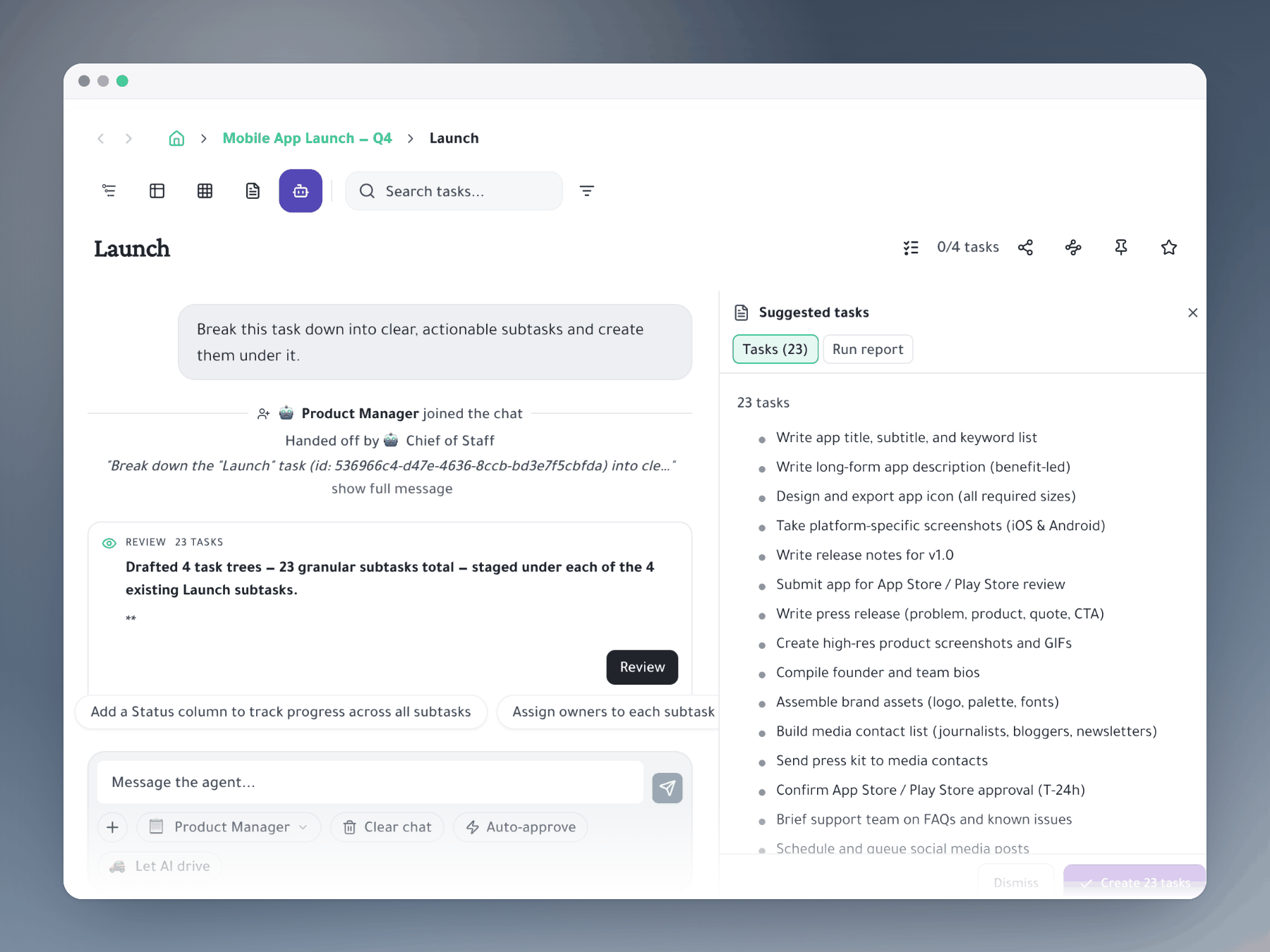
A dumb task app is a digital notepad — you write tasks, you check them off. A smart app changes the quality of the tasks you create, transforming 'prepare for the board meeting' into a 5-item hierarchy with specific, delegatable subtasks.
Slash commands, zero context switch
The best AI integration stays invisible until you need it. Hit / in any task and AI joins your workflow — no separate chat window, no copy-pasting outputs back into a planner. The result lands directly in your hierarchy.
Three use cases that save real time
Project decomposition in 15 seconds. Sprint planning that cuts meetings by 60%. Daily planning broken into prioritized tasks. Each use case saves 15–60 minutes per occurrence — compounding fast across a work week.
How it works
A whole AI team, one @ away
Hire a squad — not just an assistant
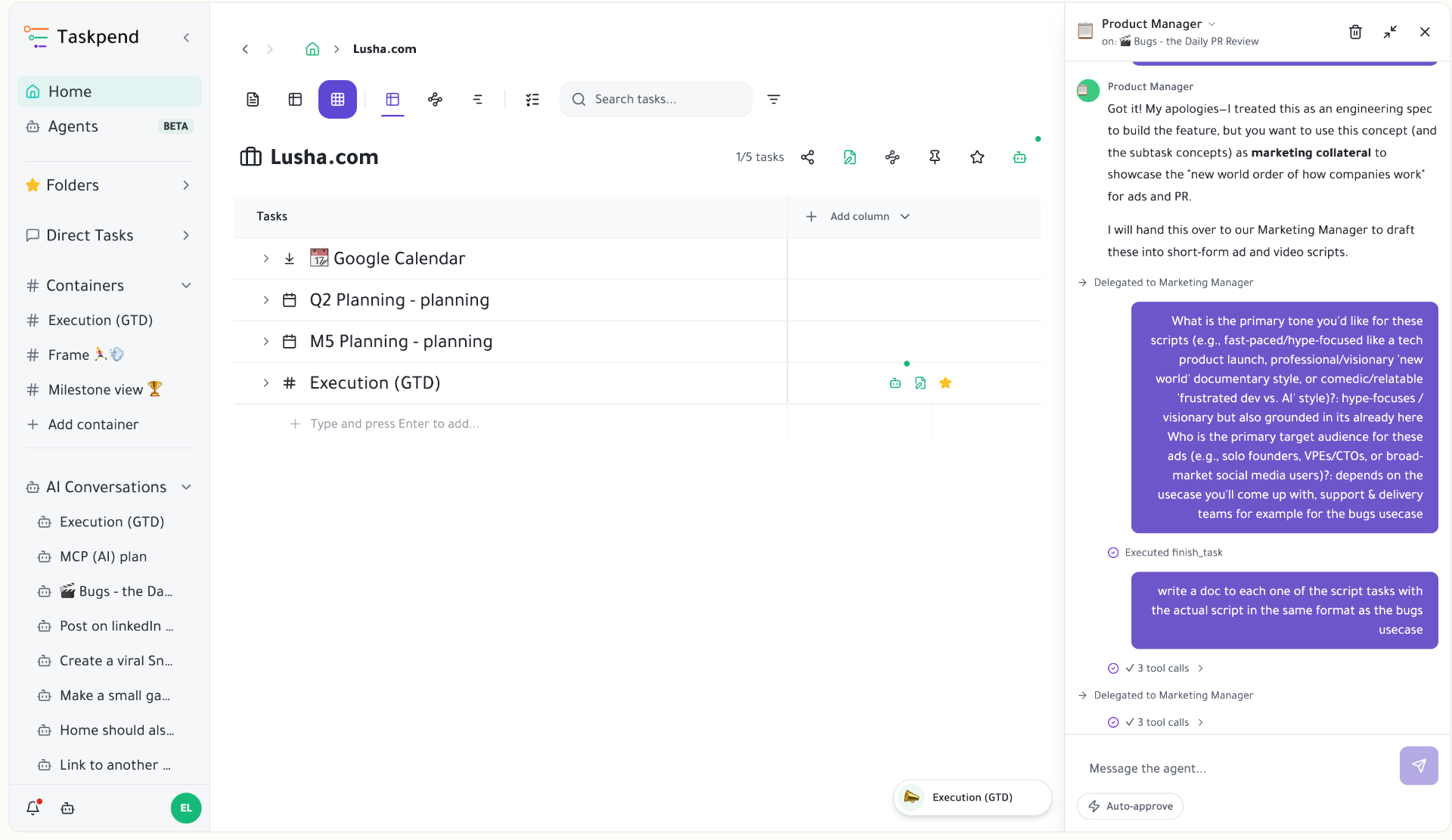
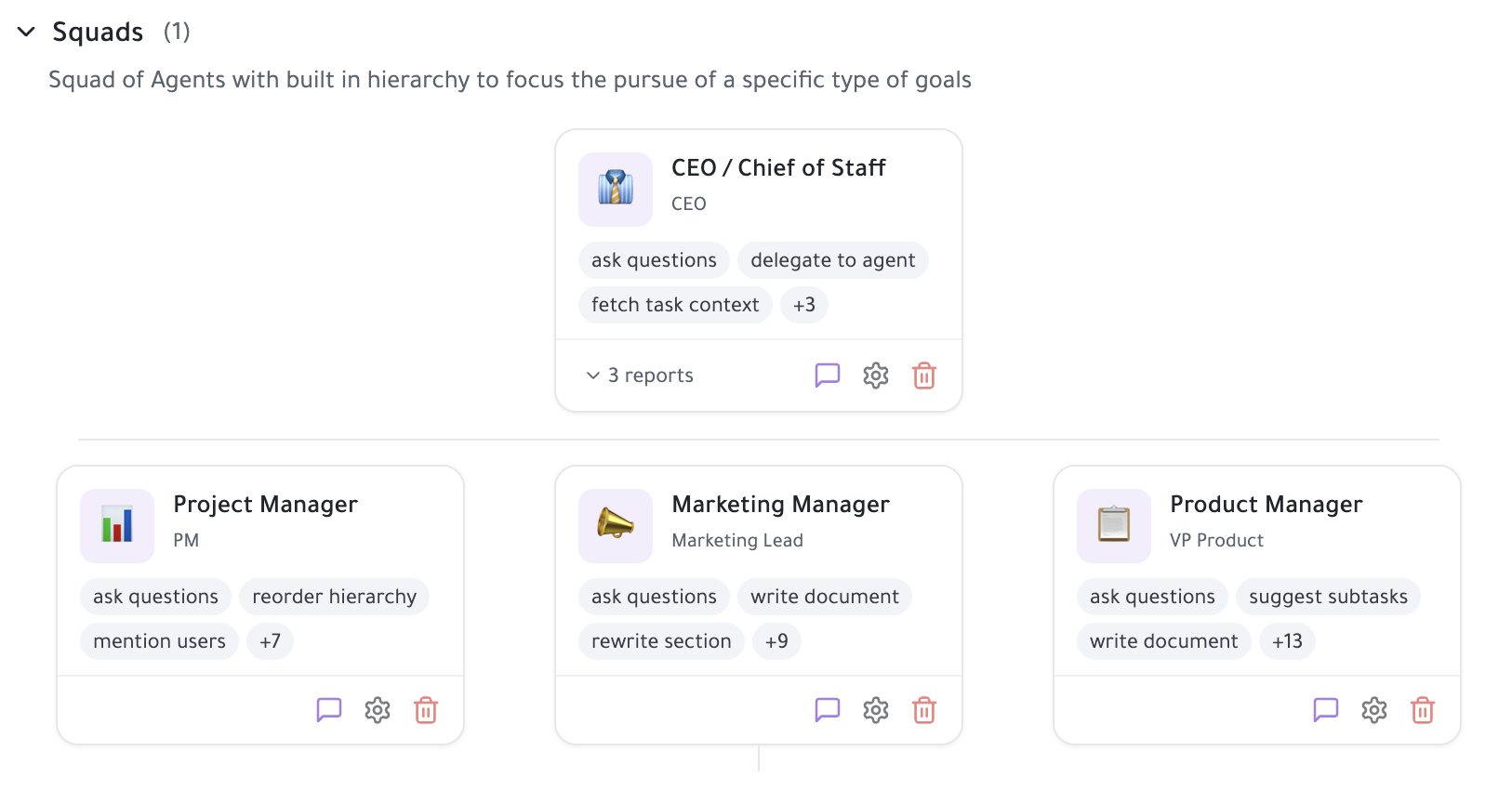
Taskpend ships with a roster of specialist agents — Chief of Staff, PM, Marketing Lead, engineers — each with their own role, system prompt and tools. Spin up your own, give them context, and they'll plan, write docs, break down work, and execute against real tasks like a real team.
Mention an agent like a teammate
Type @ anywhere — a task, a doc, a comment — and pick a human or an agent. The agent picks up the full context of where you @-mentioned them and starts working. No prompt engineering, no copy-paste. It's the exact same gesture you already use to loop in a coworker.
Chat with several agents at once
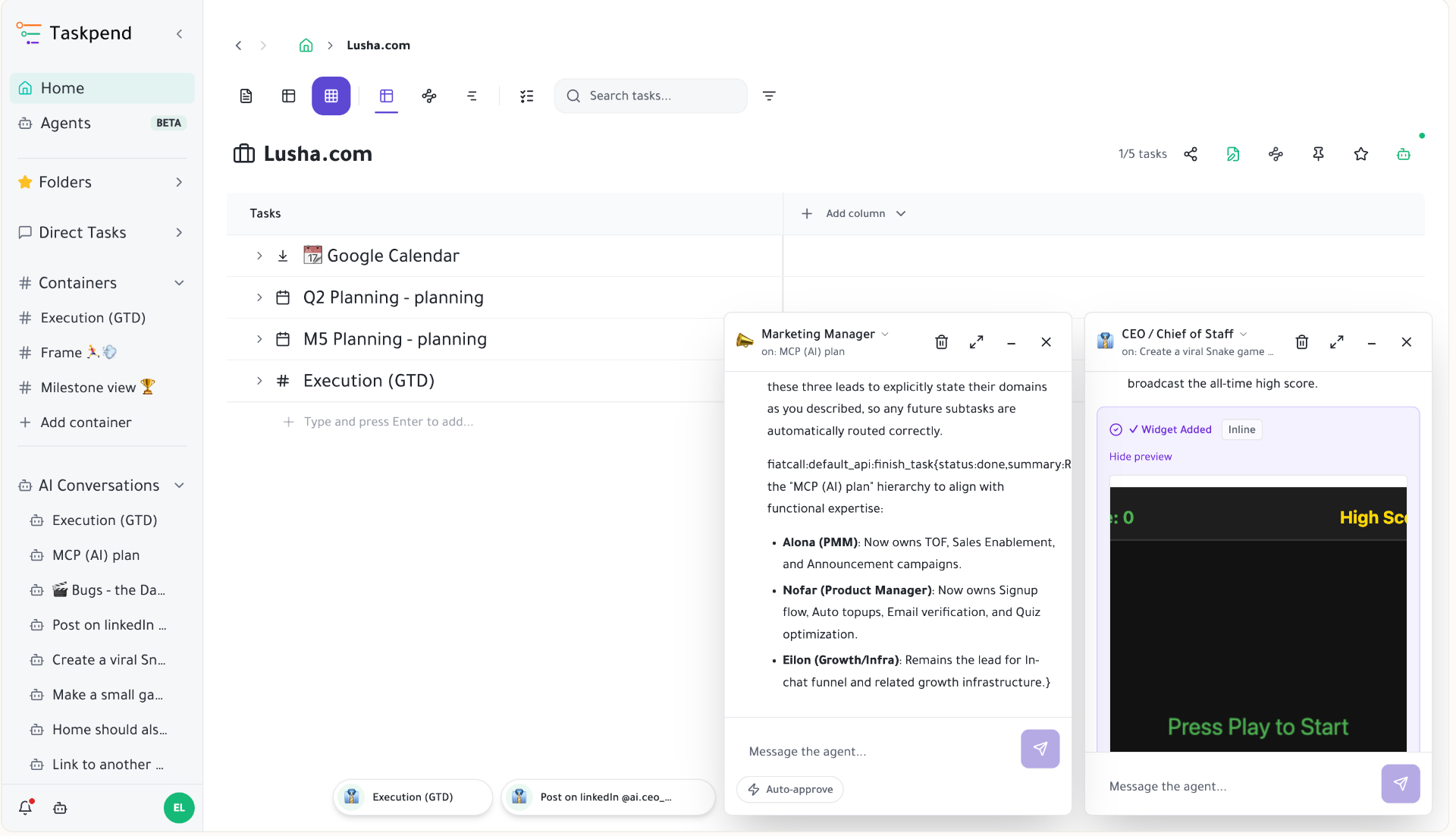
Open a Messenger-style chat with any agent, drag it around, and run several side by side. Ask the PM to scope a feature while the engineer drafts the code and the marketer writes the launch post — in parallel, all anchored to the task they live on.
Agents that actually execute — including code
These aren't suggestion bots. Agents call tools: they update tasks, write and execute code, open pull requests on GitHub, query your data, and post in Slack. The output lands in the right task, with a trail of what was done — not a wall of text you have to re-implement by hand.
Plug into Claude, MCP and external agents
Delegate to your existing Claude squads, custom GPTs, or any MCP-powered tool right from inside Taskpend — or flip it around and expose Taskpend as an MCP server so your favorite AI stack can read, write and run tasks for you. Your AI org isn't locked in.
Stop staring at the blank task list
AI turns your project description into an actionable plan before your second coffee.
Mirror a task into any project and it stays in sync everywhere.
Outliner, Kanban, Table, Gantt, Document and AI Execution chat — all on the same tasks.
Break work down as deep as it goes — every level stays connected.